Olena's Dynamics Blog (post-AI)
Writing as a human
Author: Olena Grischenko (she/her)
-

In the last article here I proposed the design for the custom Maintenance functionality: https://msolenacrm.blog/2020/06/20/power-apps-portal-summon-the-custom-error-page-to-test-a-custom-layout/ After the serious testing we discovered that the solution works, to some extent. For the naughty user ignoring our warnings to leave the portal during maintenance, it is possible to stay on the cached web page, go for a coffee…
-

There is an article in Microsoft docs on how to set up the Custom Error page for the Power Apps portal. You can read about enabling here: https://docs.microsoft.com/en-us/powerapps/maker/portals/admin/view-portal-error-log#enable-custom-error And about setting up your custom design here: https://docs.microsoft.com/en-us/powerapps/maker/portals/admin/view-portal-error-log#display-a-custom-error-message The requirement: set up a Custom Error page for the Power Apps portal. Easy! First, you go and…
-
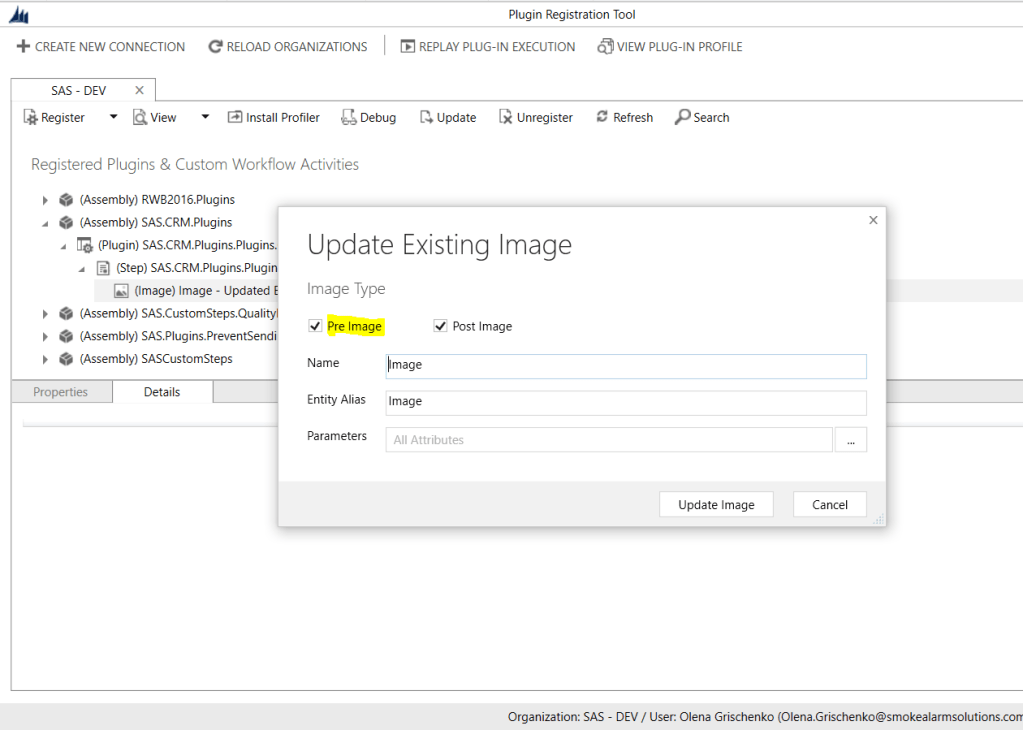
The requirement: for Account(Property in our case) if related Contact(Tenant) is “un-linked”, create a Note. No-code solution: none. Why? These are triggers available for CDS(current environment): We choose Update trigger for Contact filtering by parentcustomerid … and this is it. This is where our no-code journey ends. When Update triggers on our Contact the value…
-

Originally posted on Carina M. Claesson: In my previous blog post I mentioned that Microsoft Flow has been rebranded to Power Automate. We still create flows though and this week I created a flow. Then I thought to myself, why not share it, perhaps someone might benefit from it and the next thing I knew…
-

Well, there is one: https://docs.microsoft.com/en-us/powerapps/maker/portals/admin/enable-maintenance-mode If OOB one works for you don’t bother reading any further. Didn’t work for us because we wanted some flexibility for the dev team and testers to be able to login, check, clear cache etc So the requirement was to display a maintenance page to portal users and make the…
 Olena's Dynamics Blog (post-AI)