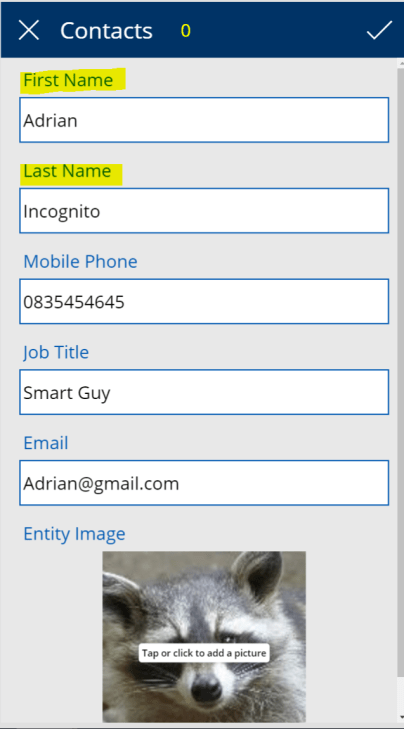
• This is one of my favorite ways for the web application custom validation. And it works for PowerApps as well. We will implement this type of the validation for the First Name and Last Name controls on the Edit form for PowerApp.

    The Requirements

    • First Name field is a required field.
    • Last Name field is a required field.
    • Record can’t be saved without those field being populated.
    pa1

    The solution

    Hide the Accept icon to prevent the form submission if both fields are not populated.

    The implementation

    I use a context variable to implement the validation for the Edit screen.

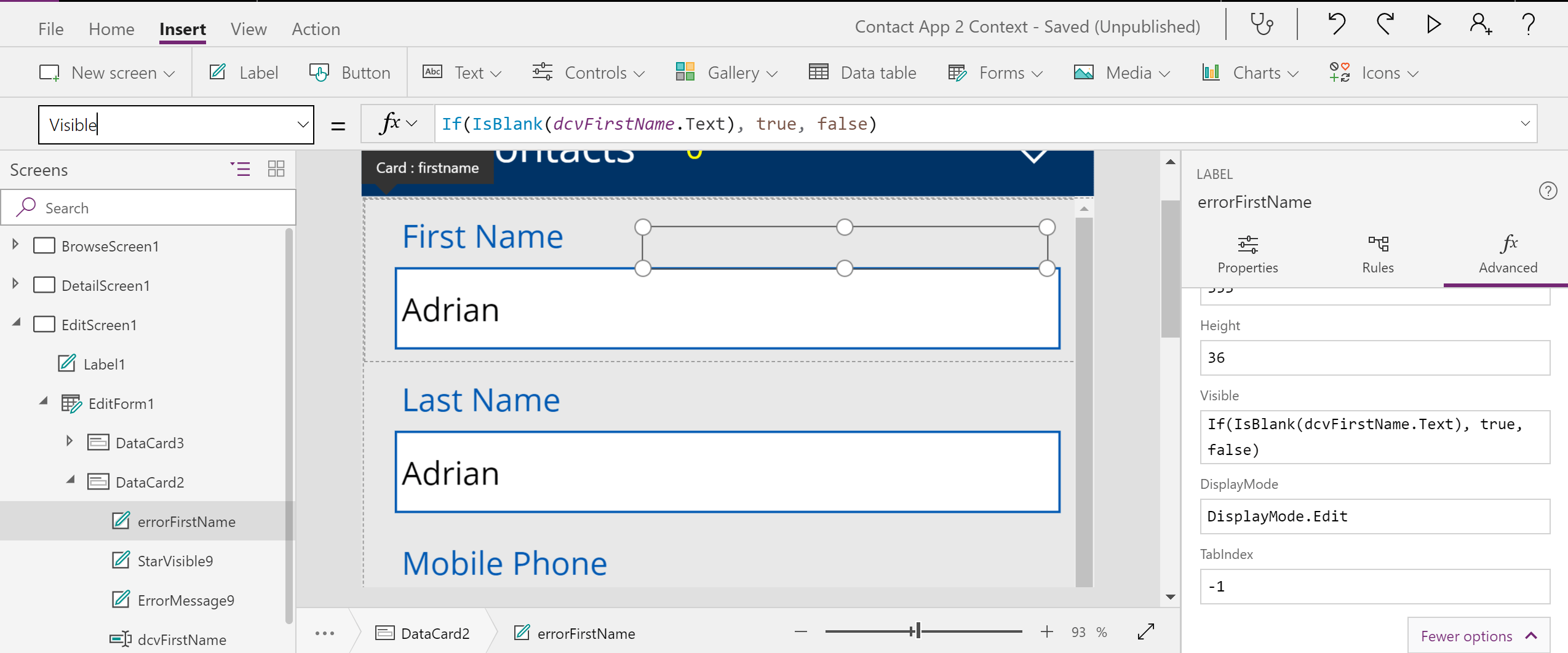
    1) Let’s add error labels to the First Name and Last Name cards and change their Visibility based on the control text value to display label if control text value is blank. The error message is not visible initially:

     If(IsBlank(dcvFirstName.Text), true, false)

    It works nicely however it doesn’t prevent user from submitting the form.

    pa2pa3

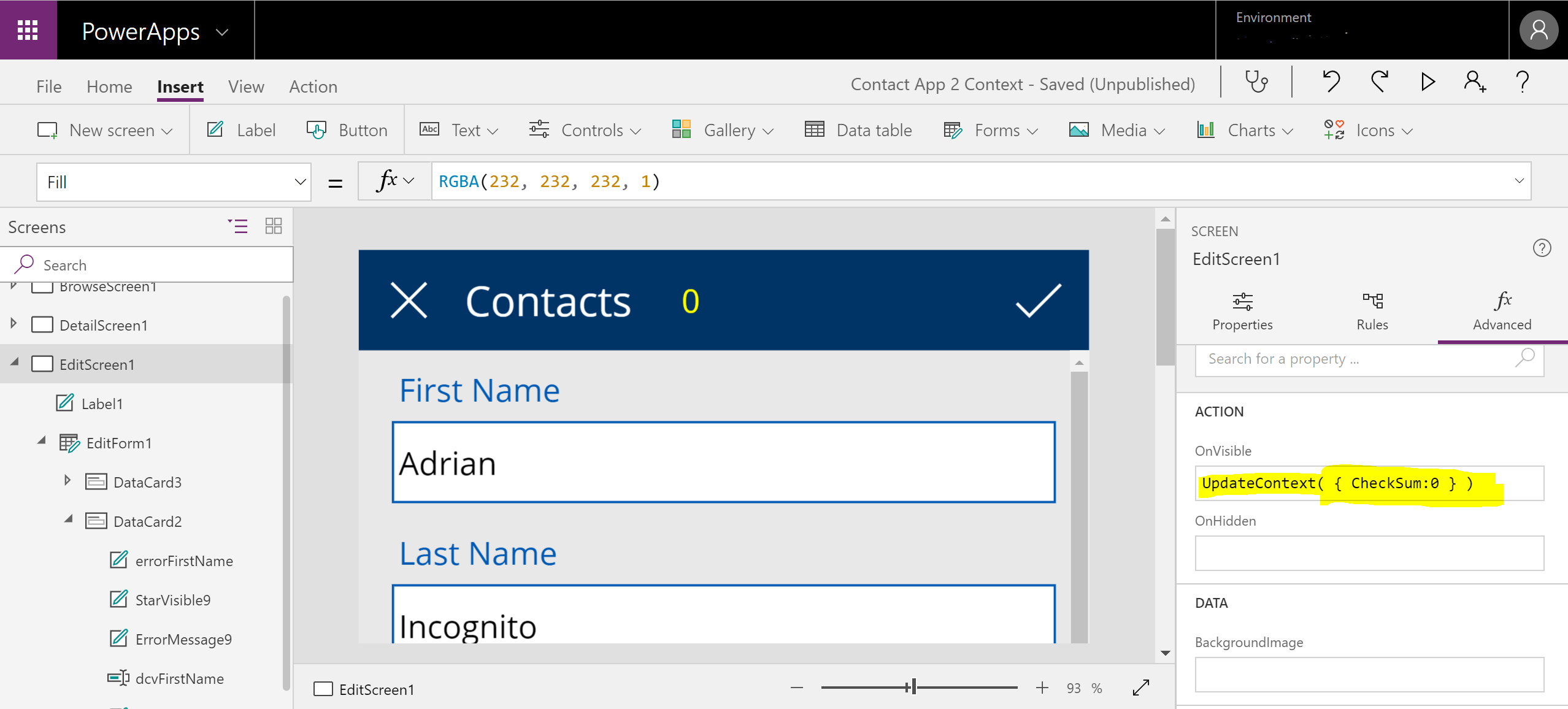
    2) Initialize variable. This step is not required in general. A context variable gets set when it’s being used for a first time. However, I added this code to the screen OnVisible action:

    UpdateContext( { CheckSum:0 } )
    pa4

    3) For a debugging purpose, let’s add a new label displaying the CheckSum variable value on the screen.

    pa5

    4) We add the OnChange Action for the First Name control to increment the CheckSum variable if the control text is blank:

    If(IsBlank(dcvFirstName.Text),UpdateContext( { CheckSum: CheckSum + 1 } ), UpdateContext( { CheckSum: CheckSum - 1 } ))

    pa6

    5) We repeat the same for the Last Name control:

    If(IsBlank(dcvLastName.Text),UpdateContext( { CheckSum: CheckSum + 1 } ), UpdateContext( { CheckSum: CheckSum - 1 } ))

    pa8

    6) We update the Visibility property of the Accept icon with the following expression:

    If(CheckSum>0,false, true)

    pa9

    The results
    pa12
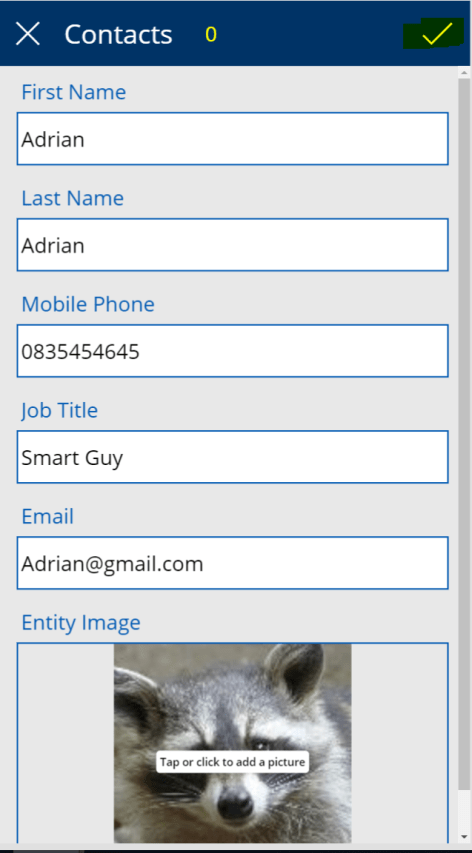
    The icon appears only if both fields are populated
    pa11
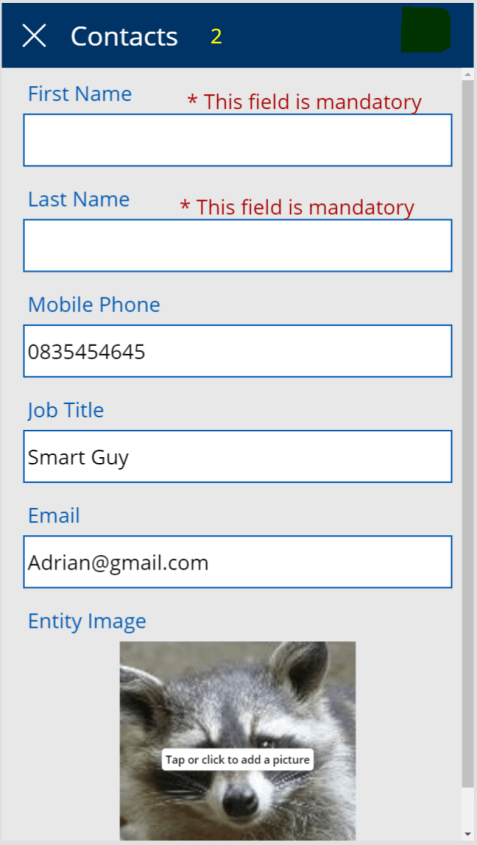
    Both fields are not populated. The CheckSum is 2. The Accept icon is not Visible.
    pa10
    One field is not populated. The CheckSum is 1. The Accept icon is not Visible.


  • Recently, I am trying to ignore workflows and move all the custom functional logic into Flows.

    This time I created a very simple Flow converting a text field value into a number and copying it to another field. I needed it for my chart.

    I run the Flow on a custom entity. An I forgot to enable Changing Tracking. Of course, my Flow wasn’t triggered.

    “Help! My Flow isn’t triggered!” and I didn’t receive any errors or message, telling me something is wrong.

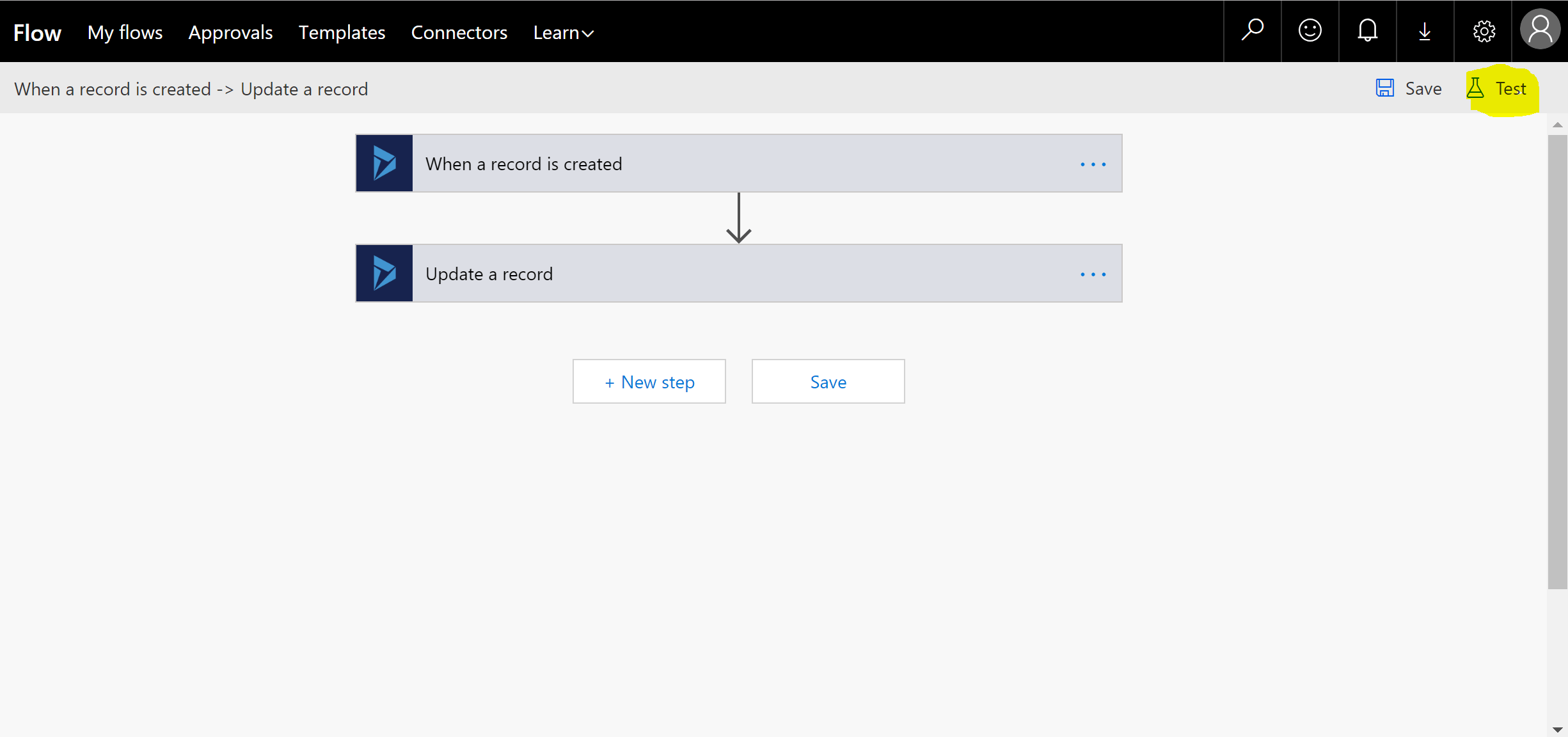
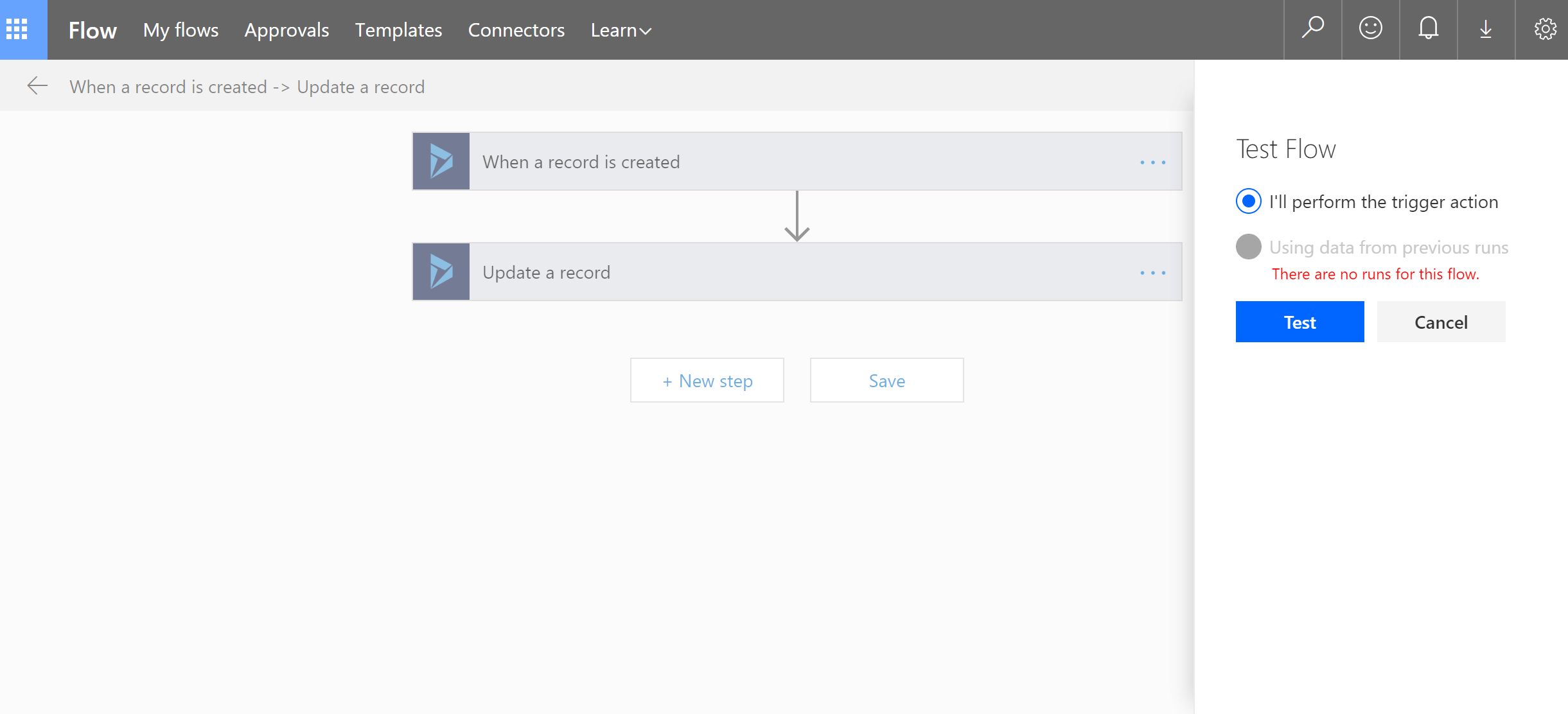
    Luckily, I remembered there is the Test button.

    f4

    It seams to be useless when you run your Flow for a first time: you don’t have  any existing data sets for previous runs for a testing. However, this button is very helpful indeed.

    f3

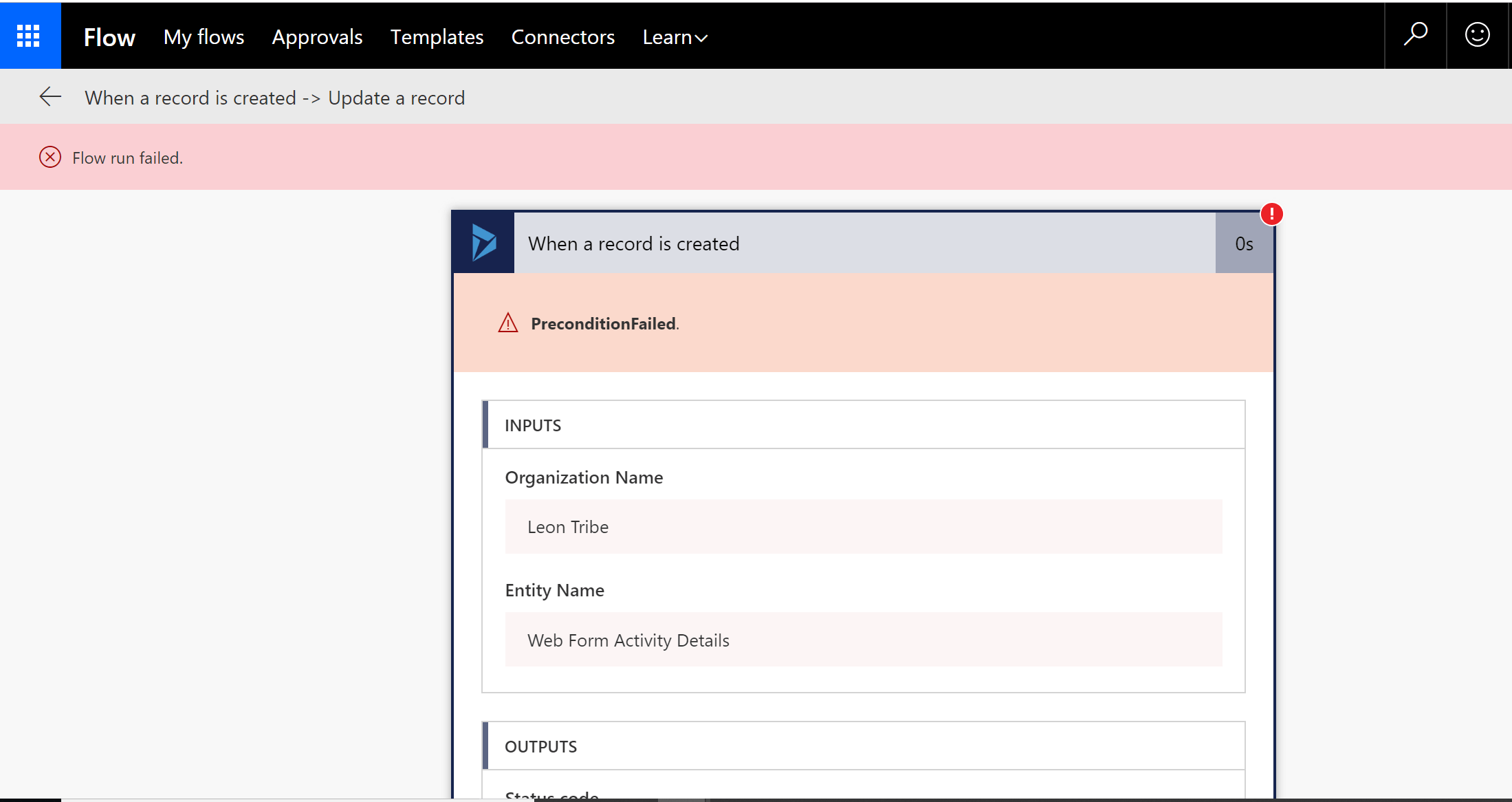
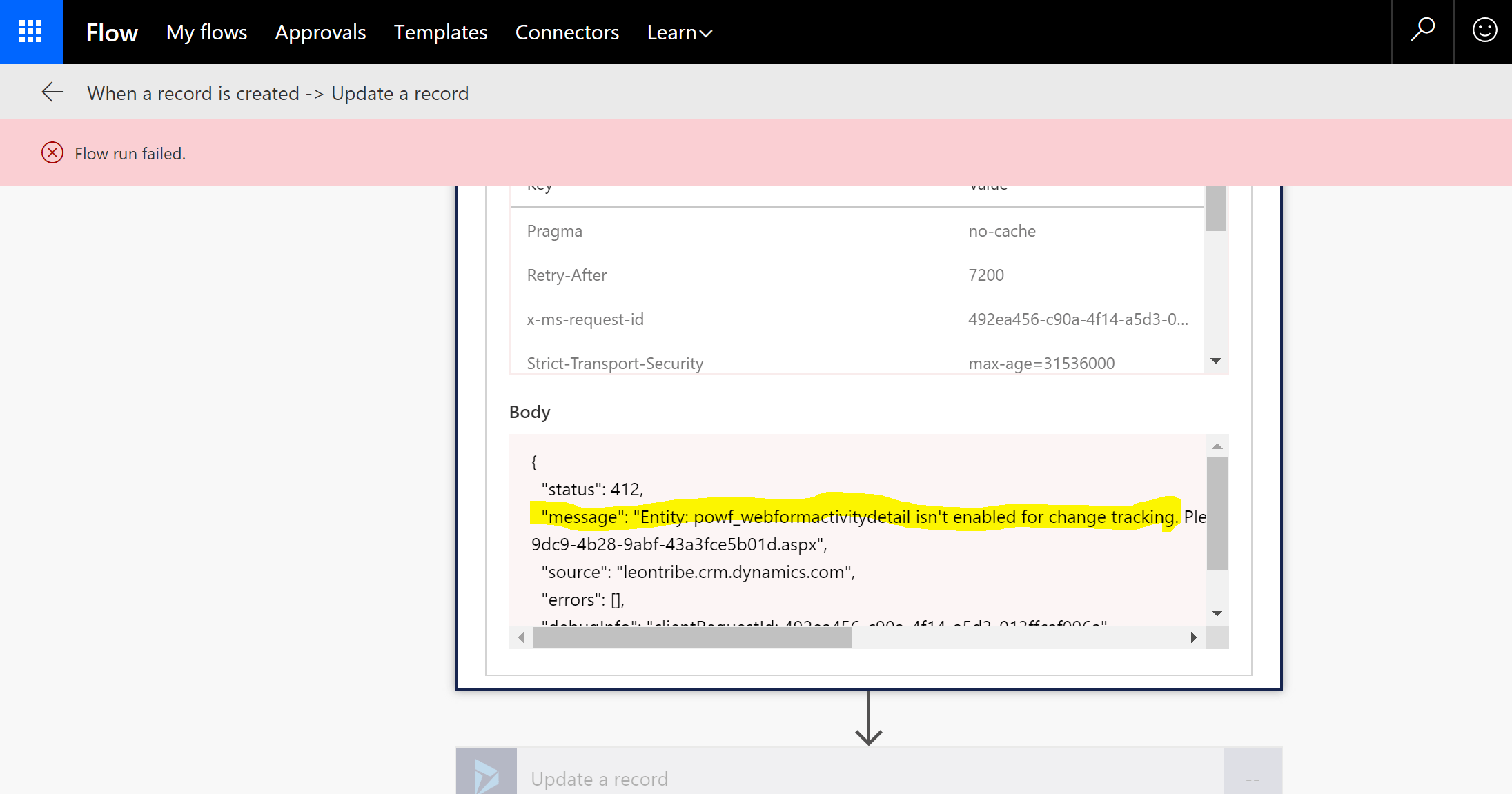
    After running test I’ve discovered the issue.

    f1

    f2

    Again, you won’t see this error via a normal run. It says: “Go and enable the Change Tracking!” so I did.

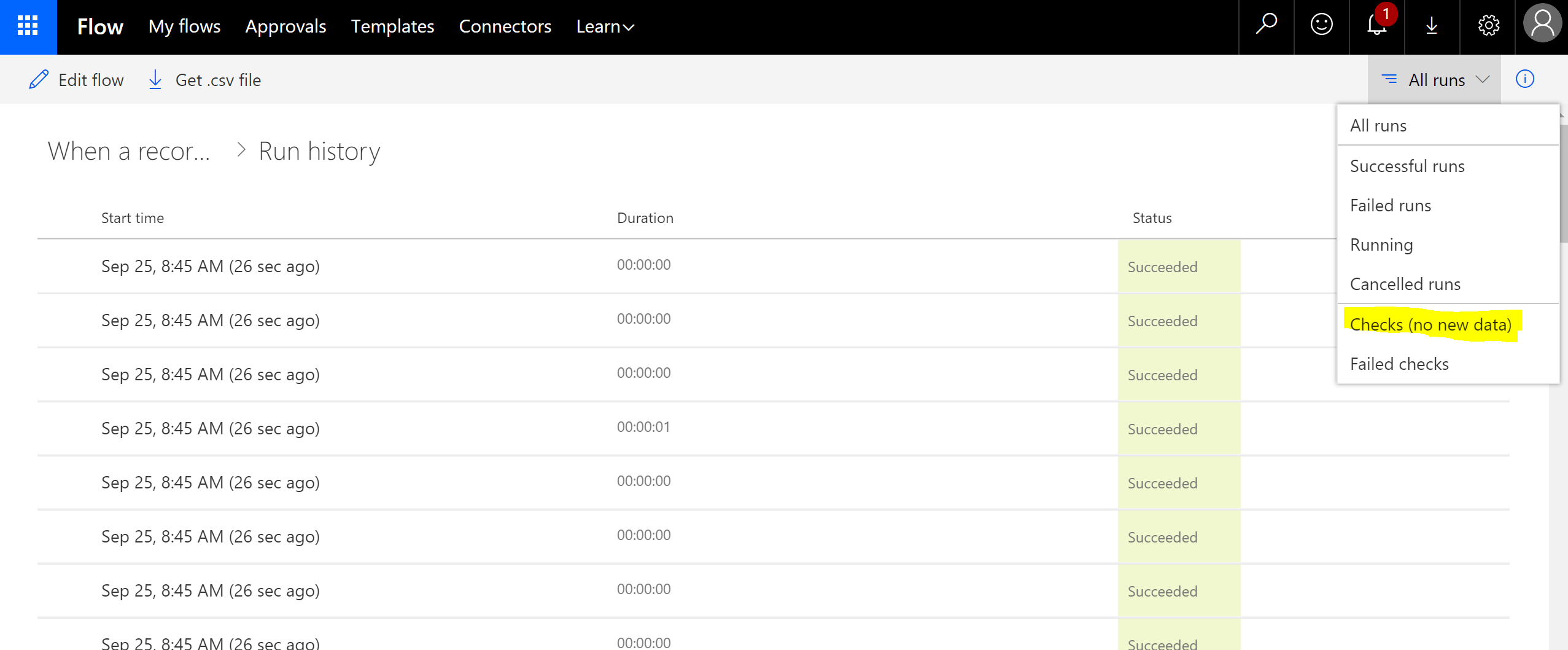
    Another helpful tip: if you don’t know what’s going on, check this place as well. Check for All runs. At least you will see it was checking for data. The next step is to figure our why data is not here.

    f6

    One more thing: if you run the logic on third party entities and you are not sure how it’s populated, use the Preview on Create/Update Dynamics trigger instead of a standard one.

    In my case, I guess, the value I used in my logic wasn’t populated on Create, it was added later.

    So, I ended up with two issues instead of one. Don’t forget to check Change Tracking is enabled and use the Preview trigger for on create.

    Happy Flow no-coding!


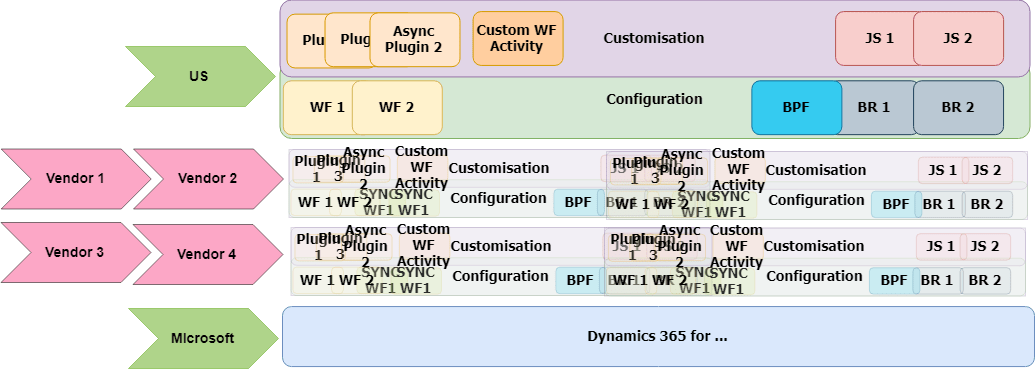
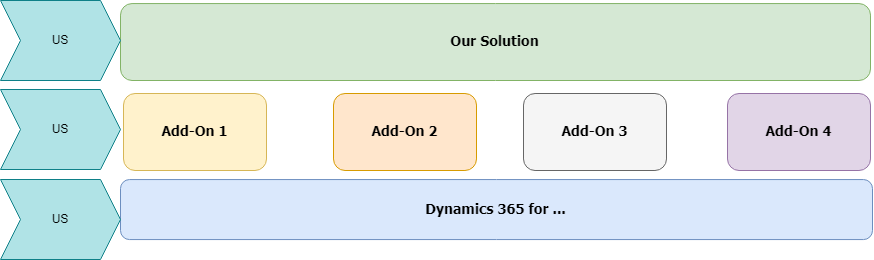
  • Customisation & Configuration

     No Add-Ons

    Customisation&Config-Simple


    + Add-Ons

    Configuration&Customization-2


    Business Logic Complicity

    No Add-Ons

    BusinessLogic

    + Add-Ons

    BusinessLogic-AddOns

    + Add-Ons + “No coding” coding

    BusinessLogic-AddOnNoCode


    Support

    Support Responsibilities

    Support

    *US – a Dev team for the continues development or a Customer/Support Team – for after GoLive

    Triage Responsibilities

    Triage

    *US – a Dev team for the continues development or a Customer/Support Team – for after GoLive

    Follow Up with Support

    Triage

    *US – a Dev team for the continues development or a Customer/Support Team – for after GoLive

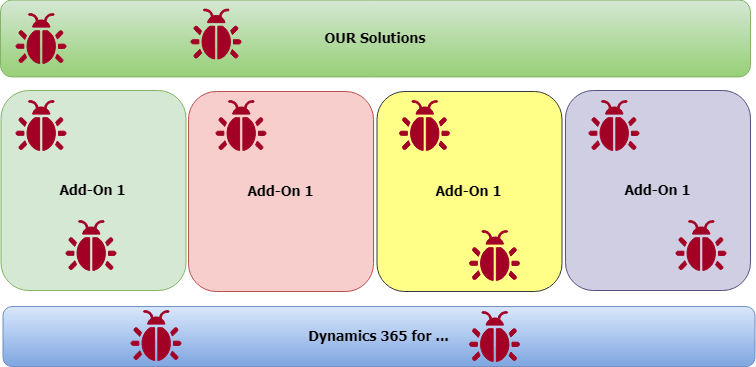
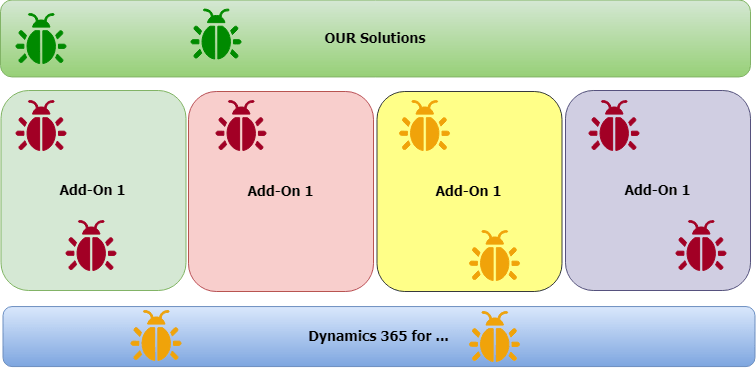
    Bugs in the System

    All Bugs

    Bugs


    Bugs We Control

    BugsWeCanFix

    Security Concerns


    Security


    Data (GDPR and other data regulations)


    Untitled Diagram1


    Updates and Patches


    Versions


    Skills Required to Support System


    Skills


  •  

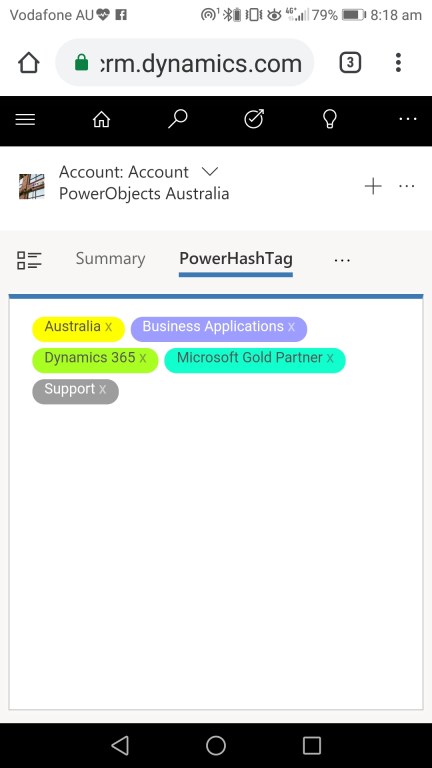
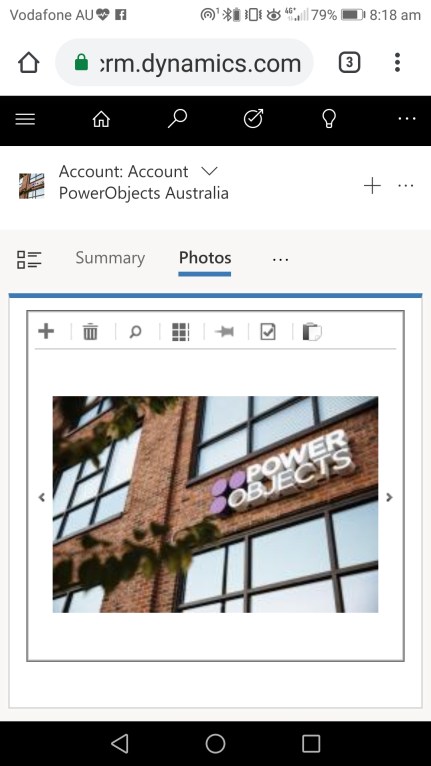
    Nothing special…just PowerPack add-ons…on the unified interface…on my mobile.

    As a former product owner and a product development team lead I know how challenging a product development could be. Catching up with the latest Microsoft platform changes is a different story. The story you have to keep up with to survive in the Microsoft Business Applications world.

    Those guys, PowerObjects R&D team, are legend.

    Nothing special…just people…knowing…how to get things right.

    #powerhashtag

    Screenshot_20180918-081855

    #powerphoto

    Screenshot_20180918-081818

    #powerautonumber

    Screenshot_20180918-082248

  • Flow: parent-child flows for a reusable logic

    If (you know) you are going to repeat some steps of the Flow logic (actions, conditions etc) in multiple Flows for different triggers and entities, think about using a child Flow as a container for a reusable logic. Although you can always clone your Flow via Export-Import, making changes to a single module is much easier than to manually repeat it multiple times in different places. There are more chance to make a mistake and/or to not being able to track what’s changed and where.

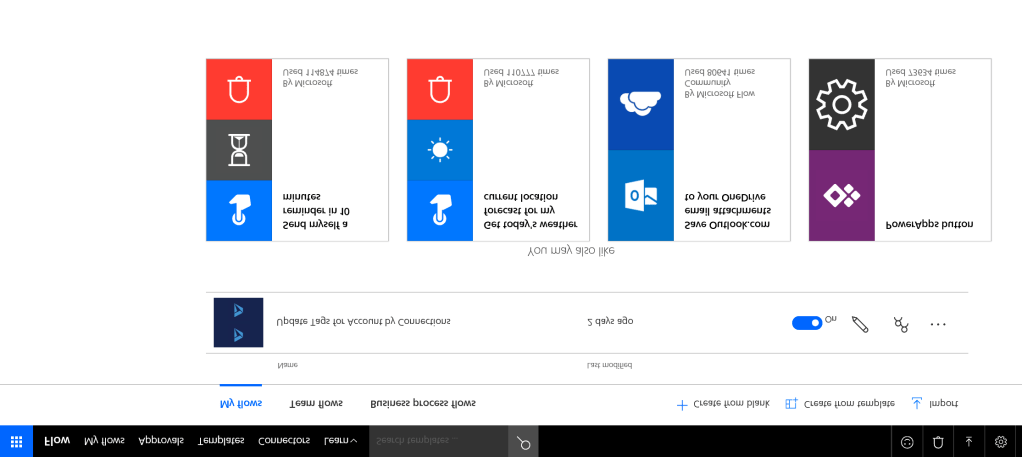
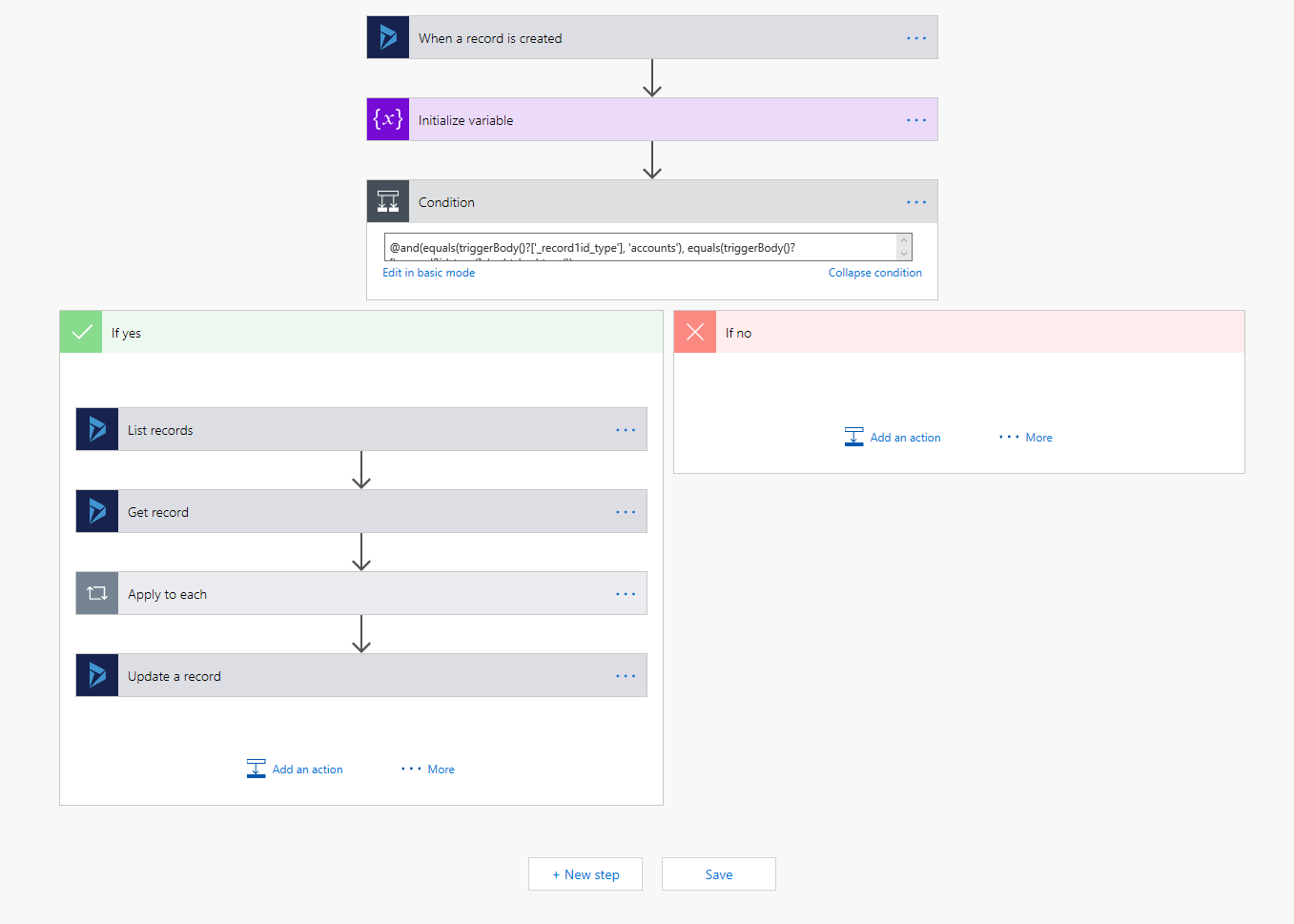
    In my previous post I created the Flow to combine Tags in a long string to a store it in a custom text field.

    2_1

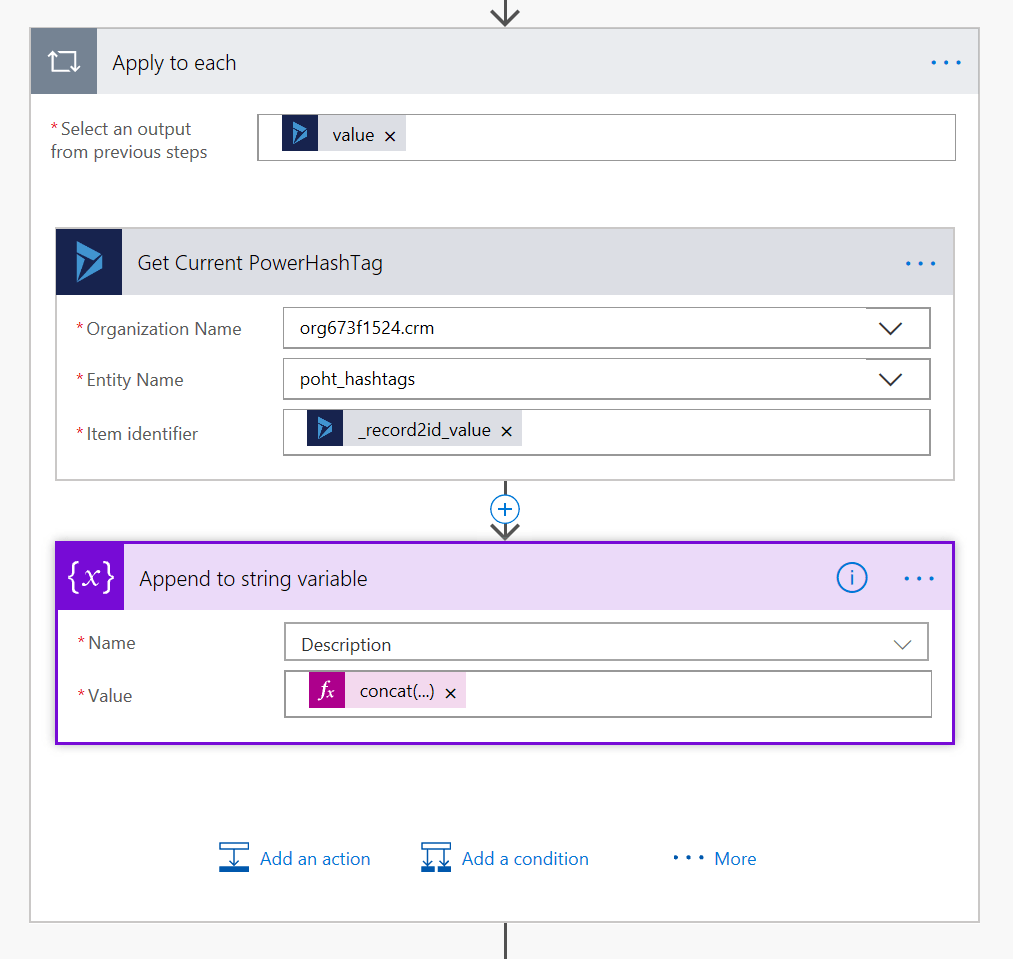
    Now I would like to extract the logic on the left-hand side into a separate Flow then call that Flow from the parent.

    The solution is to trigger a child Flow on Request from a parent Flow. In the request I will pass the parameters required to perform all necessary steps.

    After looking closely to the left side of my Flow, I realised 3 things:

    • I’ve created the action, which is not required, Get record;
    • I could easily move the logic into a child Flow;
    • I have to pass only one parameter to my child Flow from the parent.

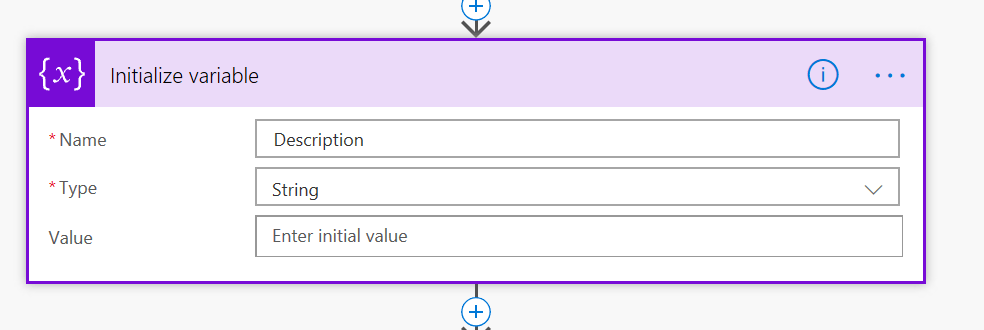
    I use Export/Import to create a copy of the Flow. Then I move “Initialise Description variable” action inside the child Flow, because it make sense.

    Step 1. Trigger on Request

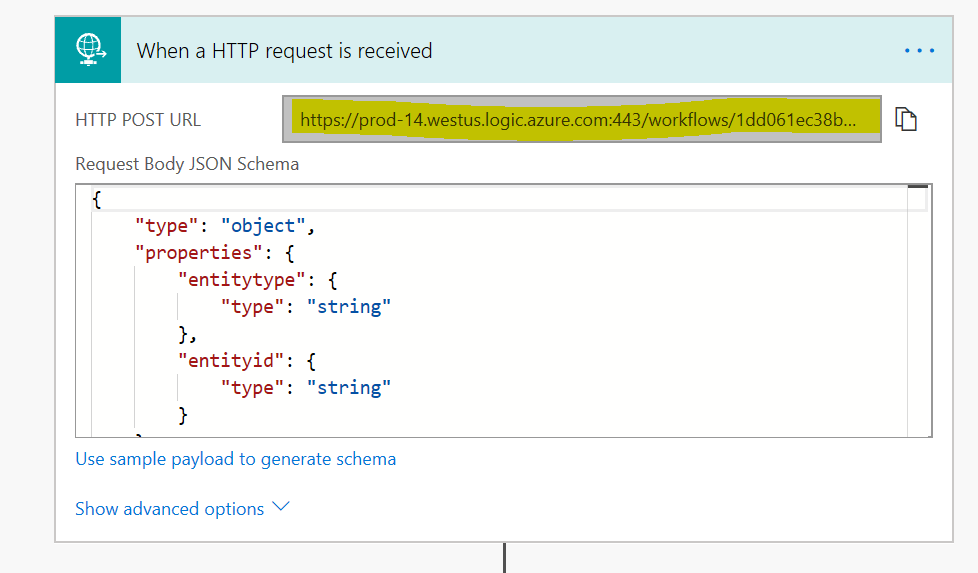
    I use a sample payload to generate the schema: {“entitytype”:”account”,”entityid”:”4fd004f7-d3d0-457b-9dcf-ef95da338111″}.

    “HTTP POST URL” will be generated on Save of the Flow.

    2_2

    Step 2. Initialise the Description variable.

    2_3

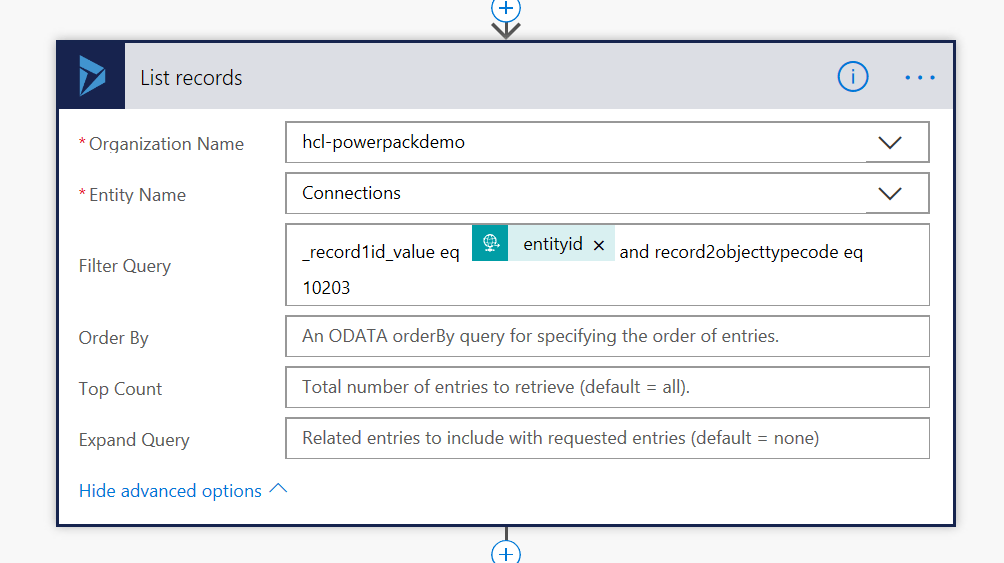
    Step 3. Getting PowerHashTag Connections for the Account.

    I use the parameter entityid passed from the parent Flow to for the Filter Query.

    2_4

    Step 4. For each PowerHashTag Connection from Step 3 query PowerHashTag then append its Name to the Description.

    2_5

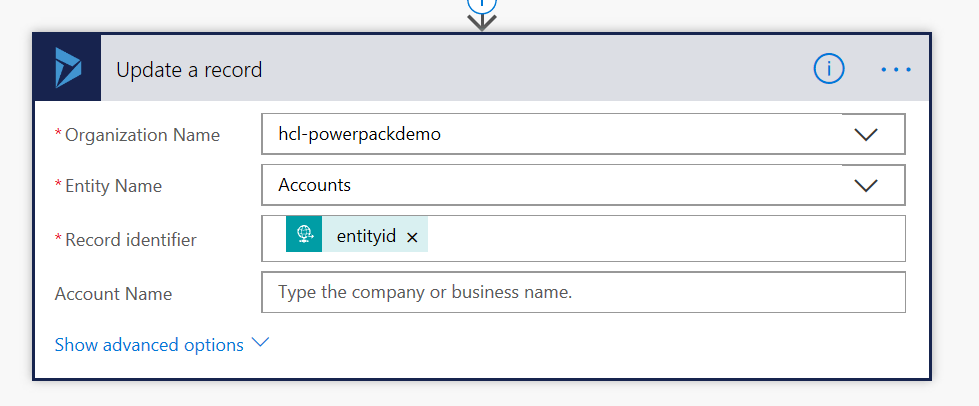
    Step 5. Update the Account with the Description.

    The entityid parameter passed from the parent Flow is required to update the Account record Tags field.

    2_62_7

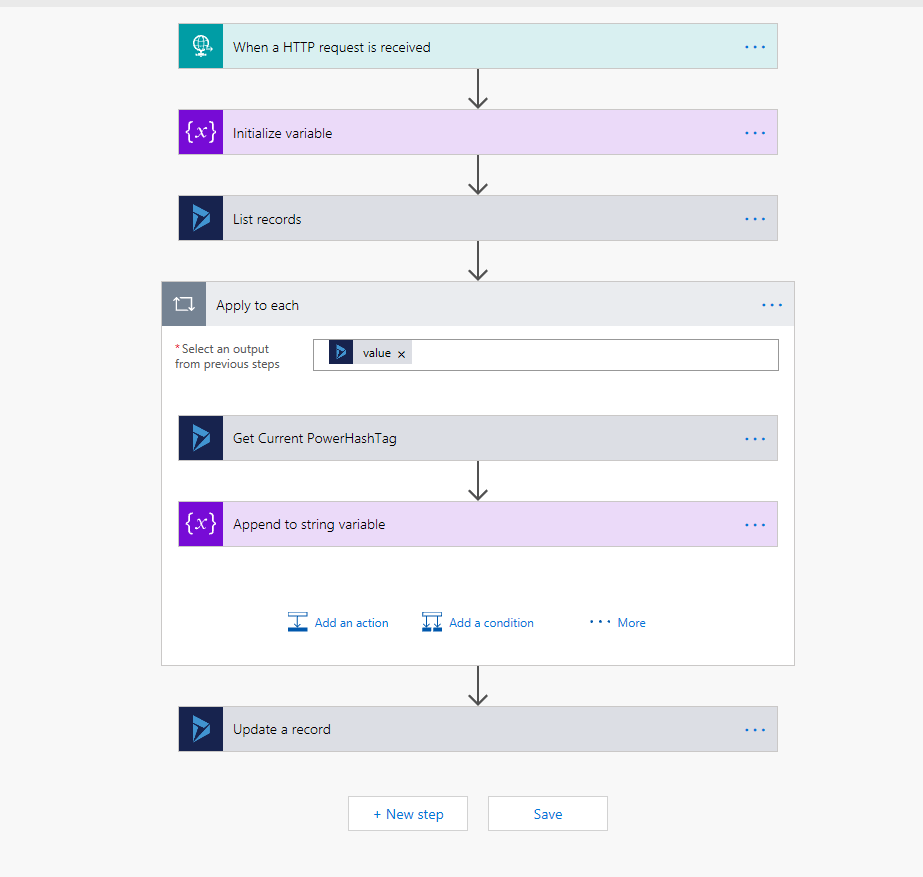
    Whole Flow looks like this:

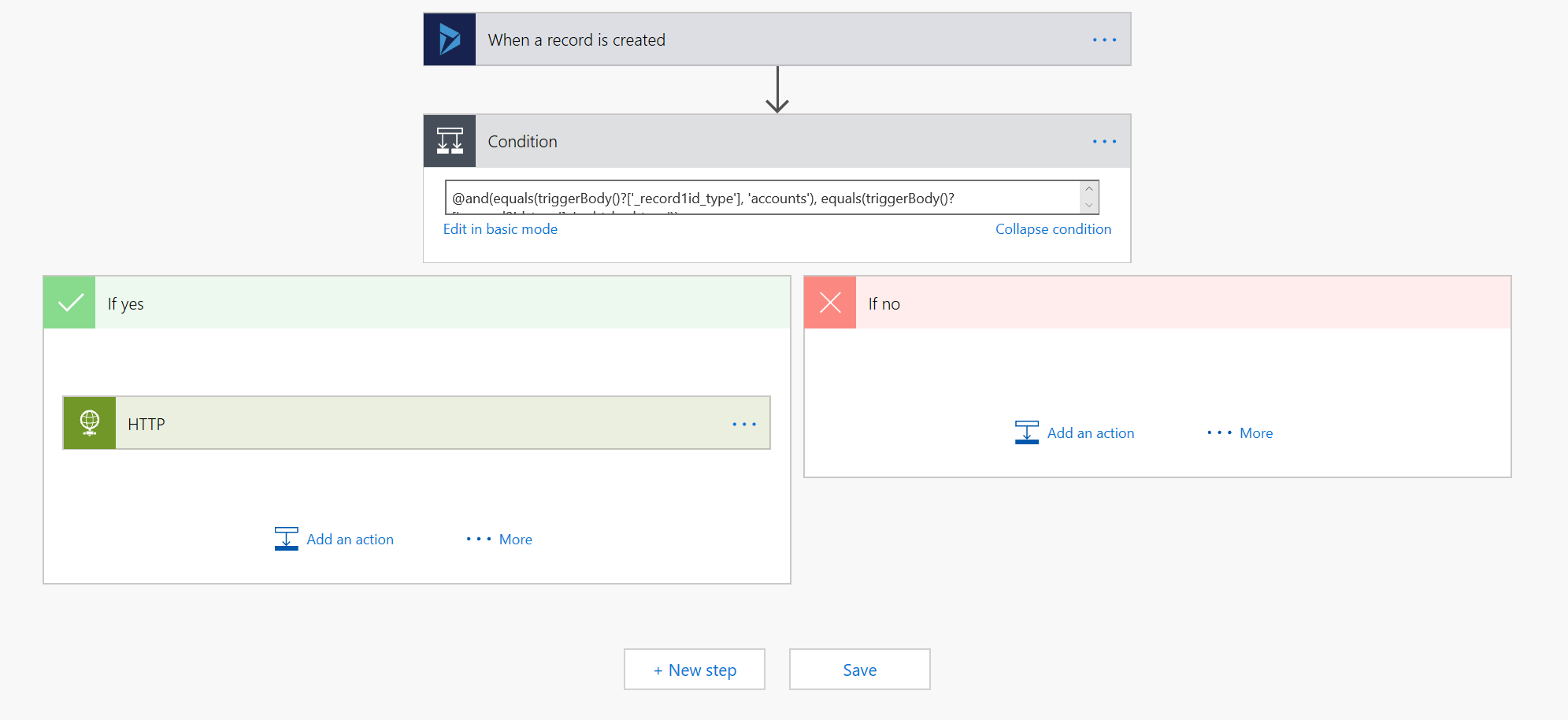
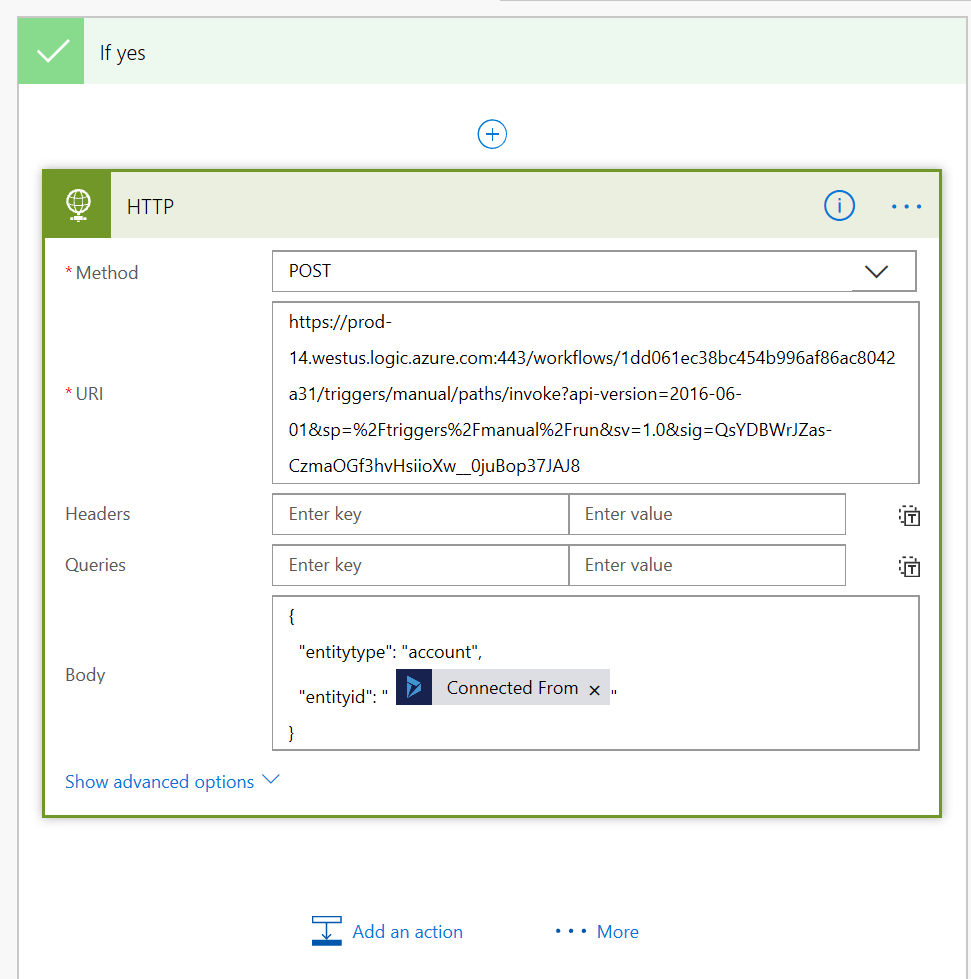
    2_8Going back to the parent Flow… I remove the logic block, it’s not required anymore. I use the HTTP call of the child Flow instead:
    2_9

    On the left-hand side, I’ve got a HTTP call to the child Flow, where “URI” refers to the Step 1. “HTTP POST URL” and “Body” contains the JSON in the format defined in the child Flow.

    2_10

    I had no issues. It just works.

    In my case I tried to solve the problem but it’s more complex than I expected it to be. I will tell you about its next time.