Skip to content

Olena's Dynamics Blog (post-AI)

Writing as a human

  • Home
  • About
  • Contact
  • Videos
  • YanaLiz Blog

recent posts

  • !Importan! This blog is now an archive
  • How to send email receipt from Stripe in Power Pages payments
  • D365 user queue: control which emails are synced. Default to No email messages.
  • Integrate eSignature with Power Pages
  • Power Pages: Upload large files – work in progress

about

#womenintech #mvp #businessapplications #dynamics365 #dynamics365developer #powerplatform #solutionsarchitect #businessapplications #netdveloper #azuredeveloper #lovewhatido #supportwomenintech #blogger #diversity #microsoftdeveloper
  • Twitter
  • Facebook
  • Instagram
  • How do I pass executionContext as a parameter into my Promise to fit in Promise.all()?

    How do I pass executionContext as a parameter into my Promise to fit in Promise.all()?

    May 26, 2021

    To be honest, this post should be a bit longer with more details but I like it this way.

    This is a sample below. It looks cool. And I building one of my own. But I need it to work with my onSave form validation.

    const promise1 = Promise.resolve(3);
    const promise2 = 42;
    const promise3 = new Promise((resolve, reject) => {
      setTimeout(resolve, 100, 'foo');
    });
    
    Promise.all([promise1, promise2, promise3]).then((values) => {
      console.log(values);
    });

    I am making two Web API calls to query data to enforce some business rules. They have to be wrapped into Promise.all as per docs:

    https://docs.microsoft.com/en-us/powerapps/developer/model-driven-apps/clientapi/reference/events/form-onsave

    I don’t normally use OnSave validation but unfortunately it’s required for my scenario.

    I need to pass executionContext parameter into my Promise. And I do it like this:

    const validateRateCard = context => {
            return new Promise(function (resolve, reject) {
                var formContext = context.getFormContext();
    
                var field = formContext.getAttribute("field_name").getValue();           
               
                var url = "<your_query_here>";
                Xrm.WebApi.retrieveMultipleRecords("<your_table_here", url).then(
                    function success(result) {
                        // return true or false
                        if (result.entities.length > 0) {
                            resolve("NOT SO GOOD!");
                        }
                        else {
                            resolve("AWESOME COOKIES!");
                        }
                    },
                    function (error) {
                        reject(error.message);
                        console.log(error.message);
                    }
                );
            })
        }        

    The cool stuff that you could find the info on how to pass a parameter by Googling it. And the answer will always be “wrap your Promise into a function, pass the parameter into the function”.

    It wasn’t clear still how to call that function and how to pass all this “celebration” all together into Promise.all the way it looks appropriate.

    Promise.all([validateRateCard(executionContext), promise2]).then((values) => {
               
                for (const element of values) {
                   
    //lets iterate through the results
                }
               
            })
    ;
    

    The absolute MUST reading if you play with OnSave validation is the article from Andrew Butenko:

    https://butenko.pro/2018/11/15/cancelling-save-based-on-the-result-of-async-operation/

    Good luck! You need it.

    Share this:

    • Share on LinkedIn (Opens in new window) LinkedIn
    • Email a link to a friend (Opens in new window) Email
    • Share on X (Opens in new window) X
    • Share on Facebook (Opens in new window) Facebook
    • Share on Telegram (Opens in new window) Telegram
    Like Loading…
  • Where is my Tenant ID? (not Azure portal)

    Where is my Tenant ID? (not Azure portal)

    May 9, 2021

    In the casual conversation with Microsoft I was asked about my customer Tenant ID.

    As a person who use to superpower and admin privileges I went straight to Azure portal:

    https://portal.azure.com/#blade/Microsoft_AAD_IAM/ActiveDirectoryMenuBlade/Overview

    Unfortunately, I don’t have the same level of power in my customer organisation as I have in my own. I simple didn’t have access to lookup the information. Also, in my browser the option for Developer Tools was disabled.

    Now what?

    Now this. You can go to: https://make.powerapps.com/environments

    If you switch to the Default environment it will a part of the URL:

    https://make.powerapps.com/environments/Default-You-Tenant-ID

    But how do you know for sure it’s a Tenant ID not some other ID? You don’t.

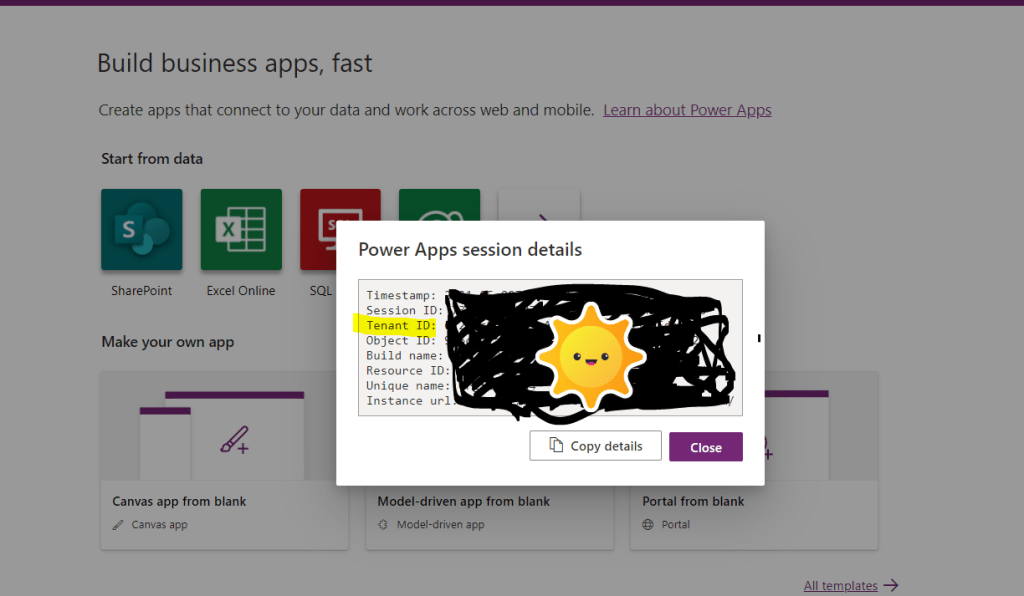
    May I have some box showing me it in a format:

    Tenant ID: {…}

    Easy!

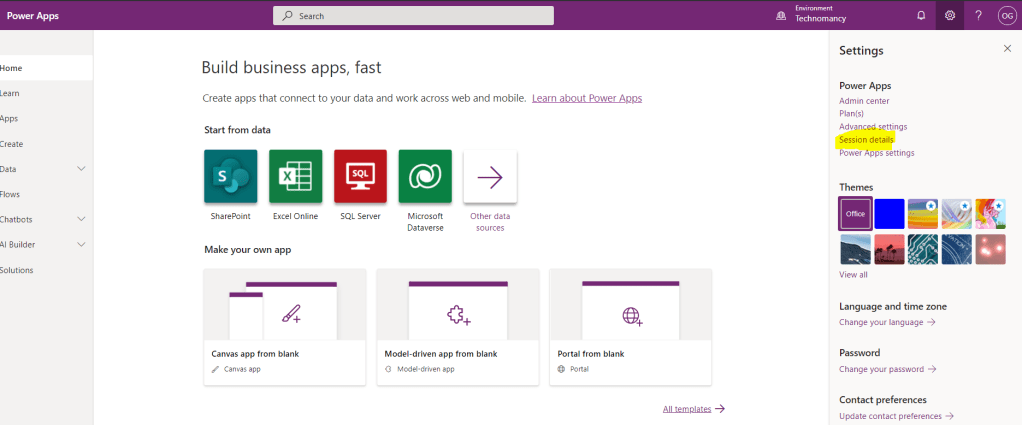
    On the right panel under Settings -> Session details

    Don’t need Azure access for this!

    Share this:

    • Share on LinkedIn (Opens in new window) LinkedIn
    • Email a link to a friend (Opens in new window) Email
    • Share on X (Opens in new window) X
    • Share on Facebook (Opens in new window) Facebook
    • Share on Telegram (Opens in new window) Telegram
    Like Loading…
  • Dynamics 365 Sales Pro Trial Setup

    Dynamics 365 Sales Pro Trial Setup

    February 8, 2021

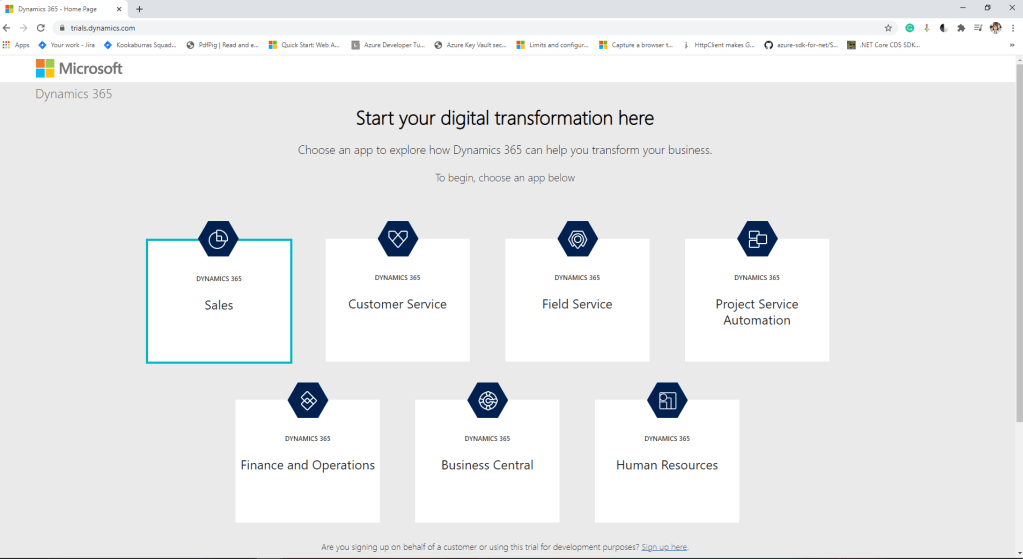
    Go to: https://trials.dynamics.com/

    Let’s create your Sales Pro trial in these easy steps (below).

    Go to trial page to set up trial

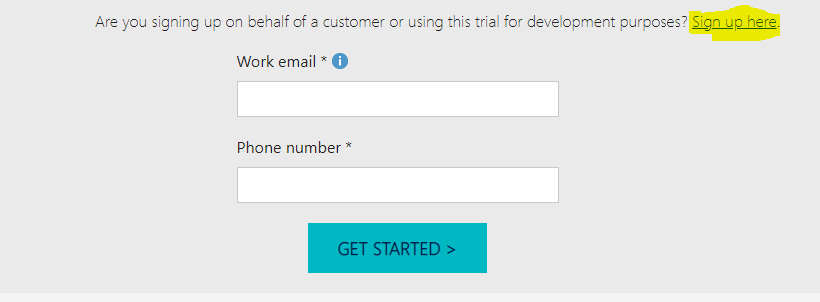
    Scroll down to the highlighted option.

    Choose for dev purpose option
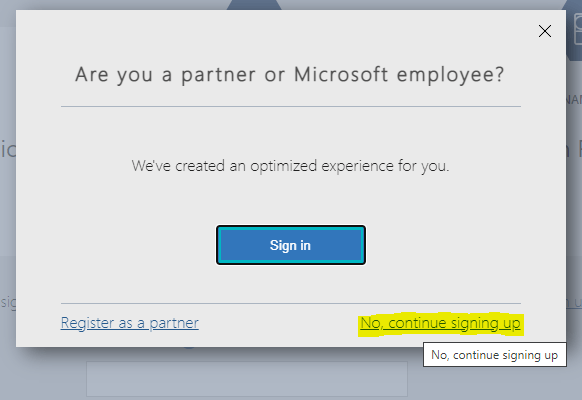
    No, continue signing up
    Create a new account instead
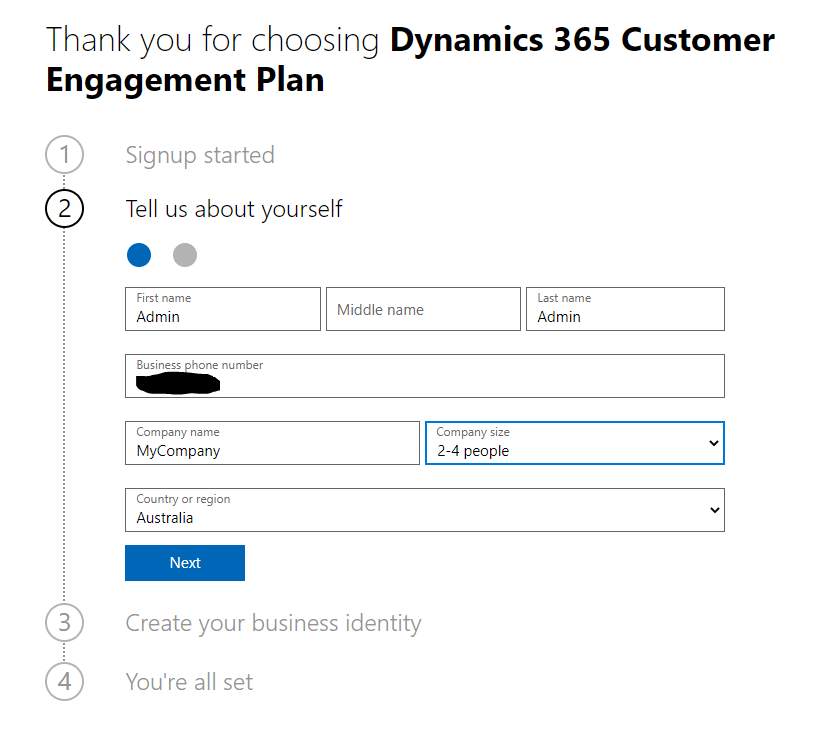
    Tell us About yourself section. Add details.
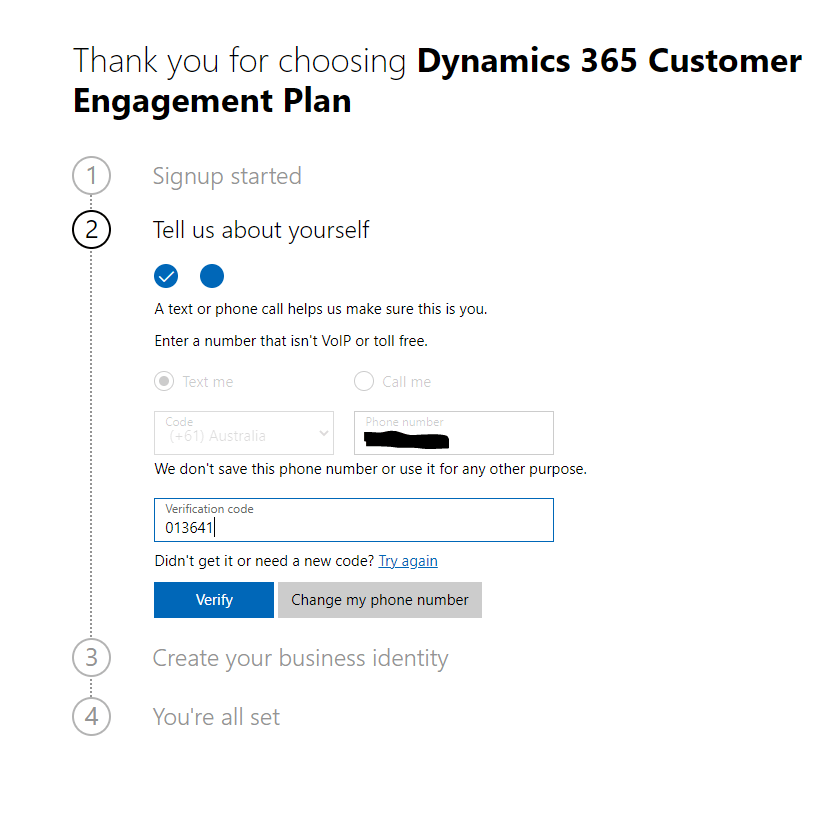
    Enter your phone. Use Verification code.
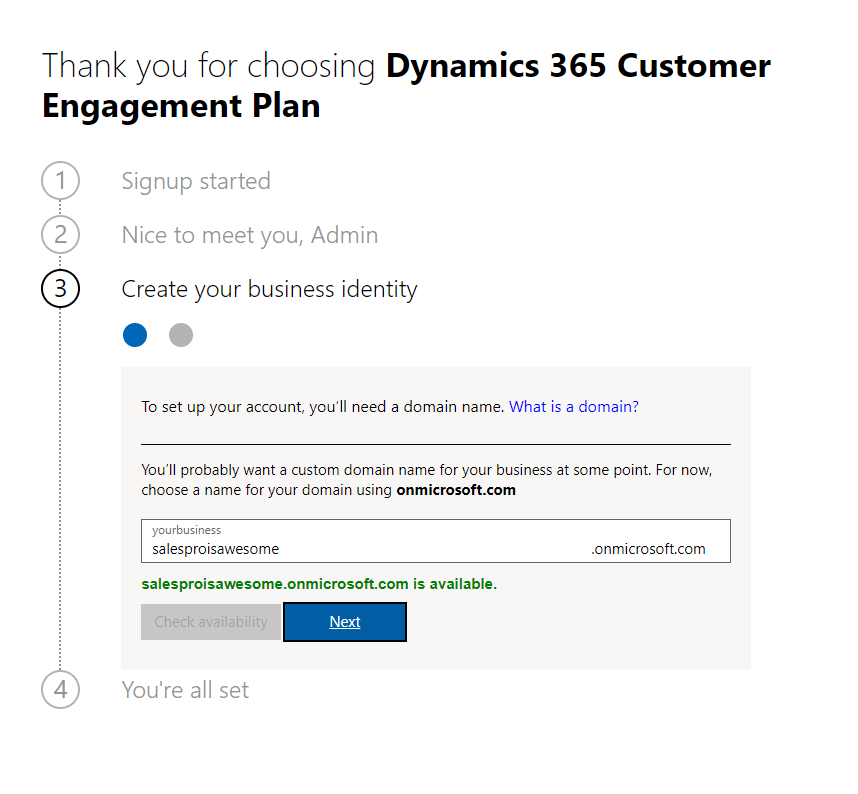
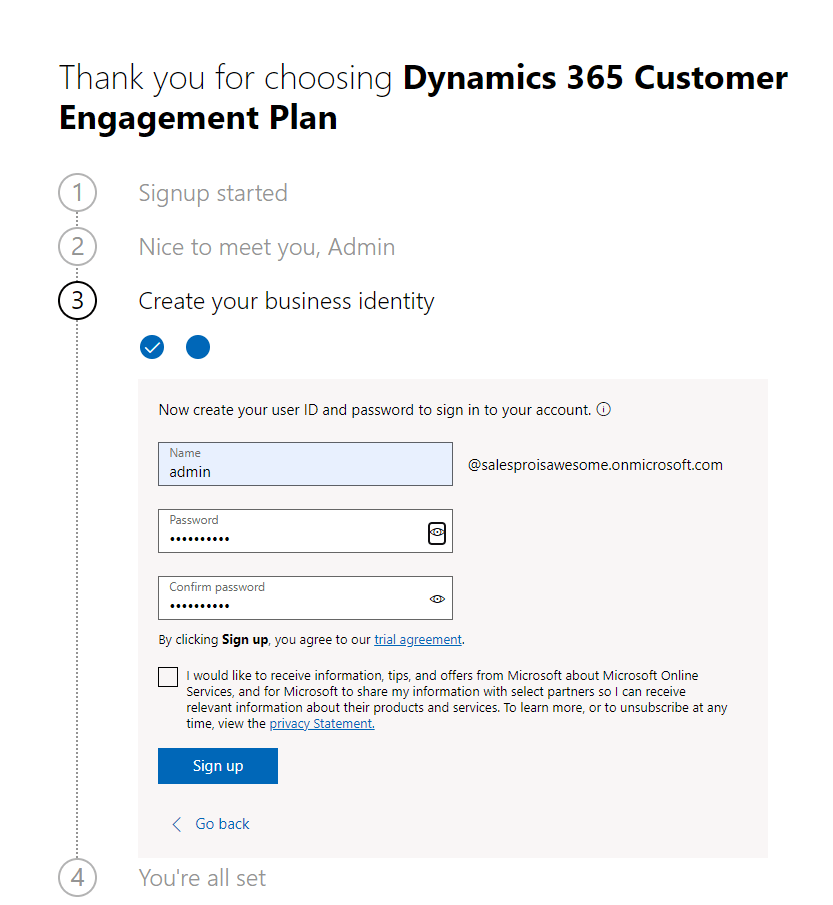
    Create your business identity.
    Type login, password. Sign up
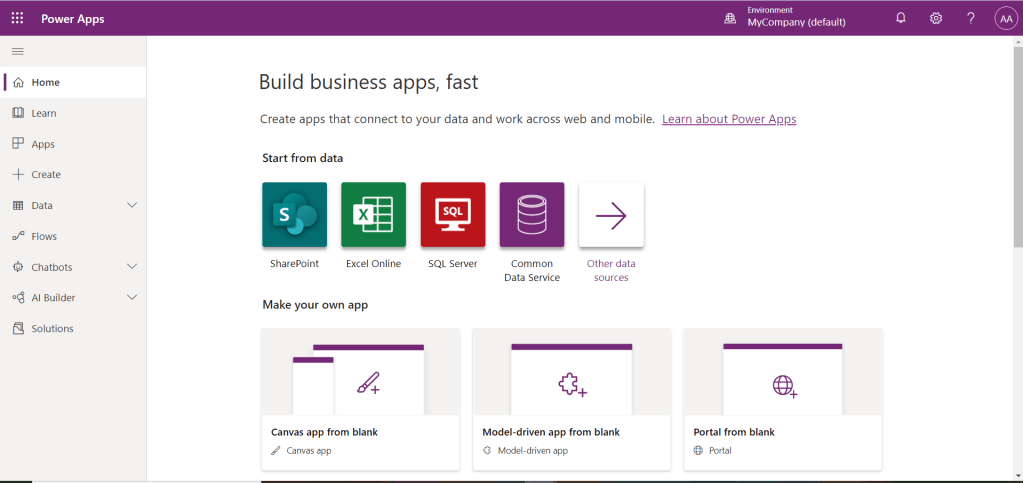
    Get Started
    Go to your default environment

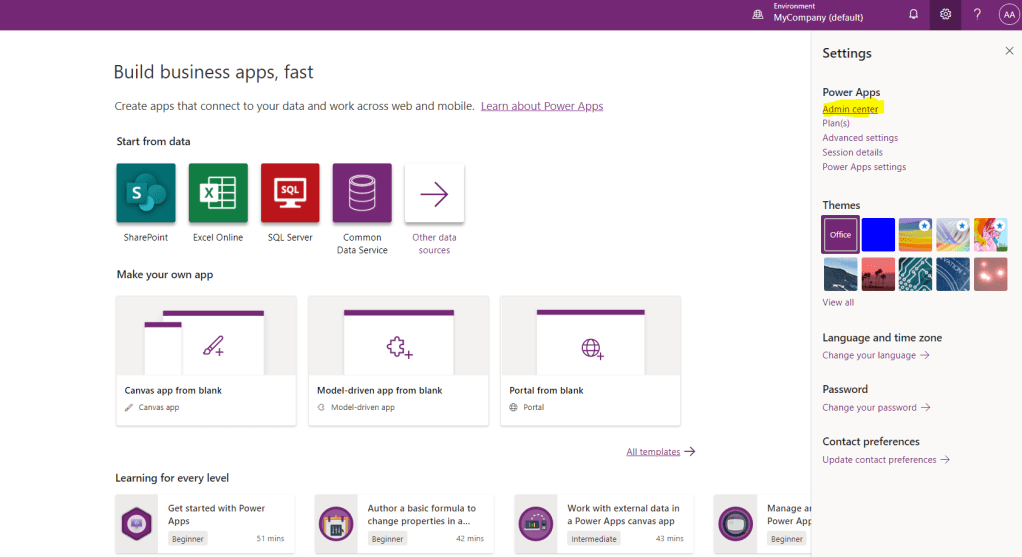
    Go to Admin center.

    Go to Admin center

    Click on New.

    Click on New environment

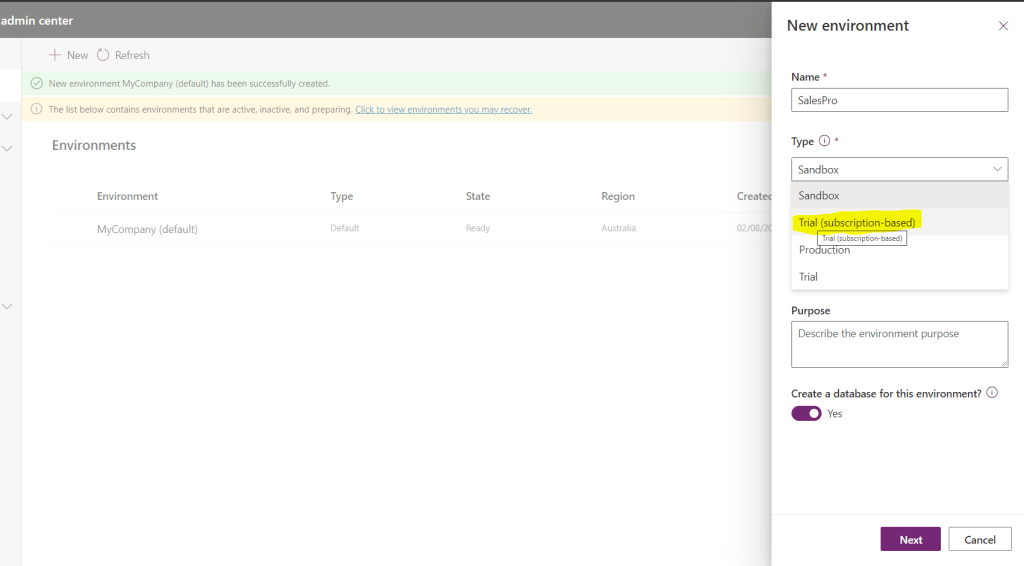
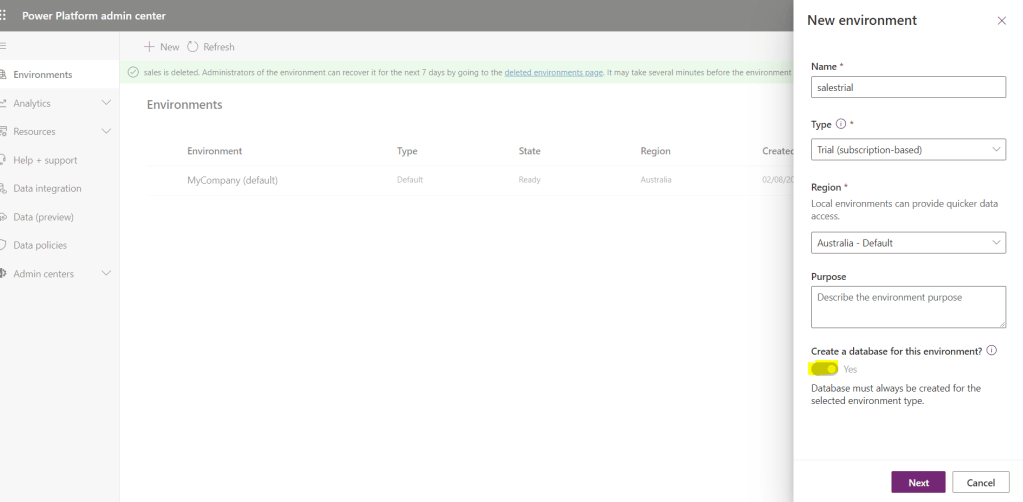
    Select Trial (subscription-based) as a Type.

    Select Trial(subscription-based) Type

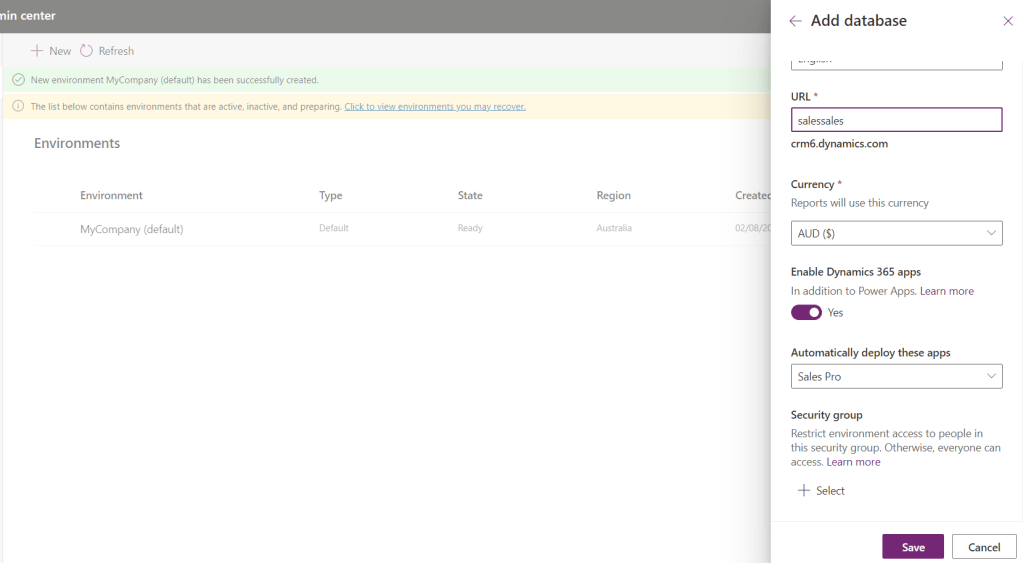
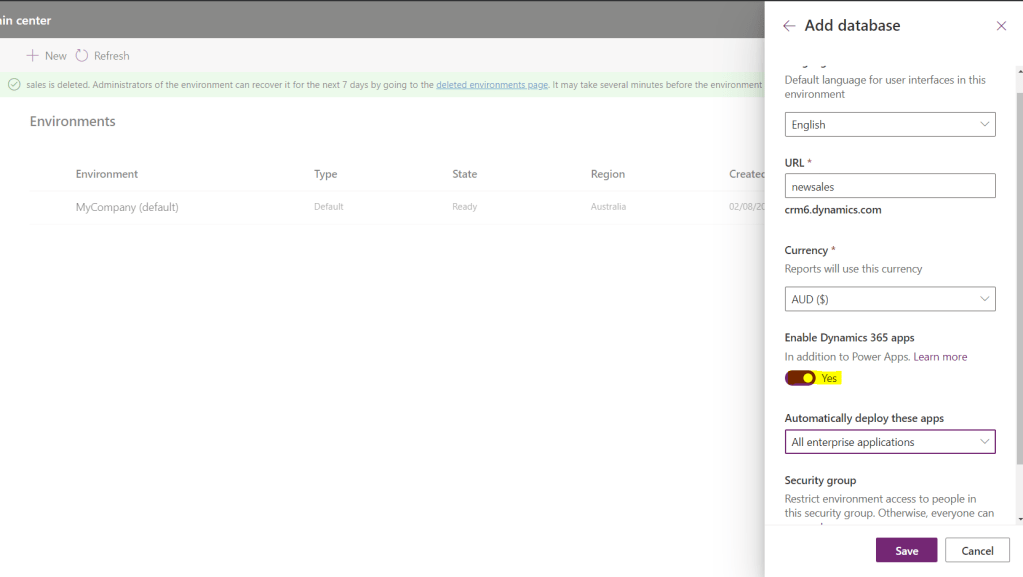
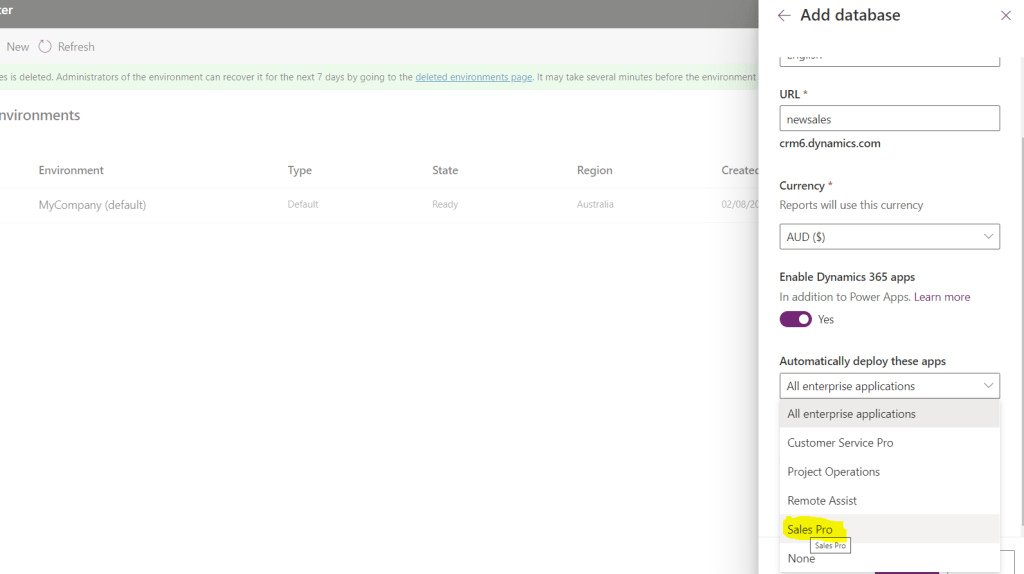
    You need to select a database and app in the same step.

    Enable database with auto-deploy app option

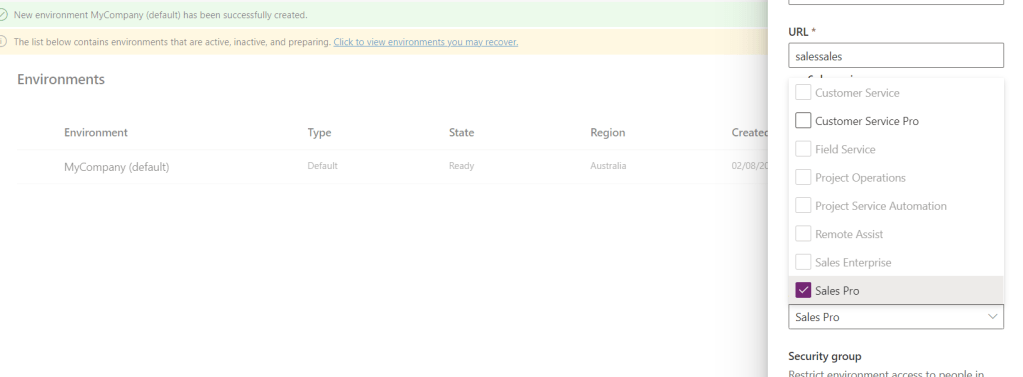
    If you fail this multiselect turns into a dropdown as a punishment.No jokes.

    Sales Pro is your choice

    What to do if it fails first time telling you don’t have the correct license? Don’t give up!

    Try to create an environment again. The same steps but different.

    Starting all over again. Create database is disabled this time

    Create database option is disabled. Change Type to Sandbox, tick Create database to Yes. Change Type back to Trial (subscription-based).

    Select Sandbox, Database to Yes back to Trial (subscription-based) Type

    The same but different. It’s a dropdown for the module to select.

    Select Sales Pro. I it will work I promise

    Click on Save. Pray.

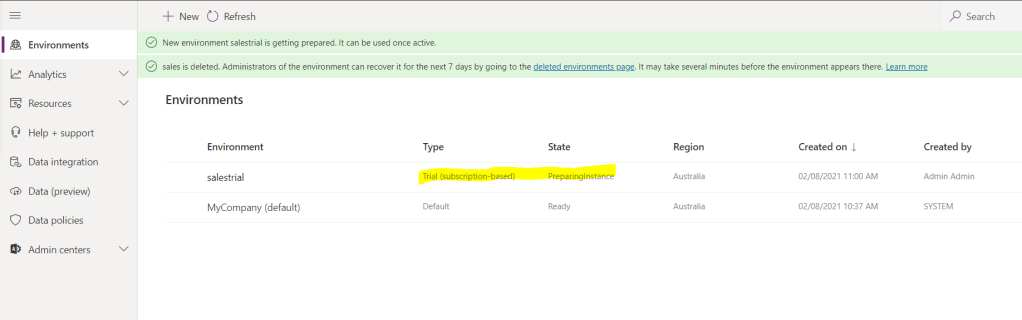
    It’s creating it!
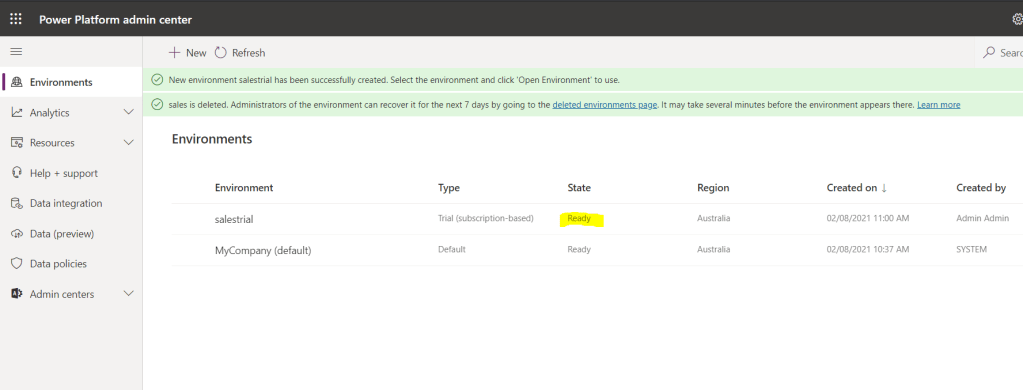
    And now it’s done

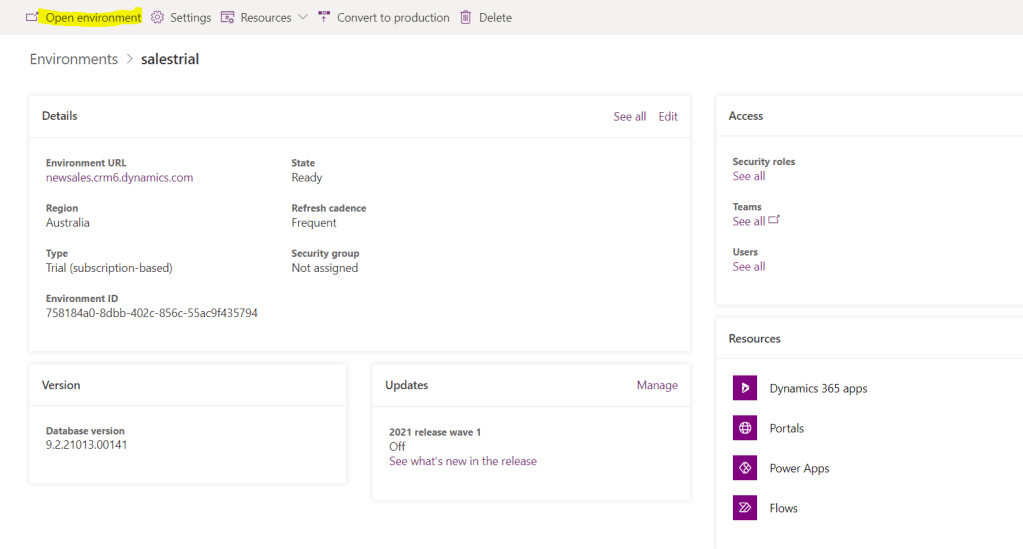
    Congrats! Click on the environment then Open environment.

    Let’s click to check. Open environment

    That’s it!

    It’s there!

    Following these easy steps you will be able to setup (at least) Sales Pro app on your trial.

    I haven’t checked if it works the same way for other apps.

    Share this:

    • Share on LinkedIn (Opens in new window) LinkedIn
    • Email a link to a friend (Opens in new window) Email
    • Share on X (Opens in new window) X
    • Share on Facebook (Opens in new window) Facebook
    • Share on Telegram (Opens in new window) Telegram
    Like Loading…
  • Getting data from a function in an on-prem SQL server via Gateway in Power Automate

    Getting data from a function in an on-prem SQL server via Gateway in Power Automate

    February 3, 2021

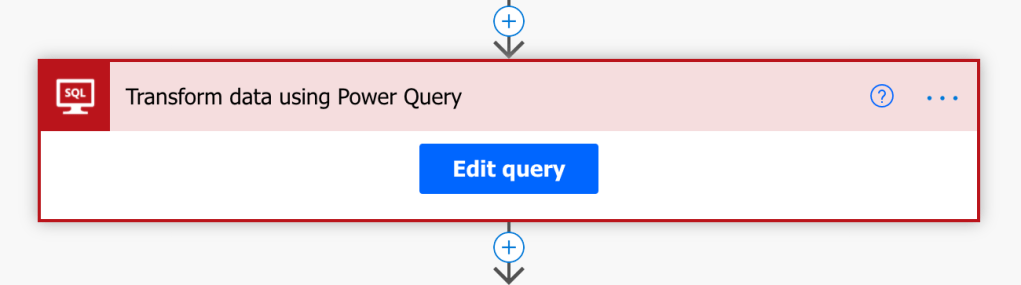
    Dataflow magic in Power Automate. SQL with Power Query in Power Automate. Did you know you can do this?

    Pilot In Command's avatarCloudMinded

    “We are screwed!”

    me at the moment of technology induced panic

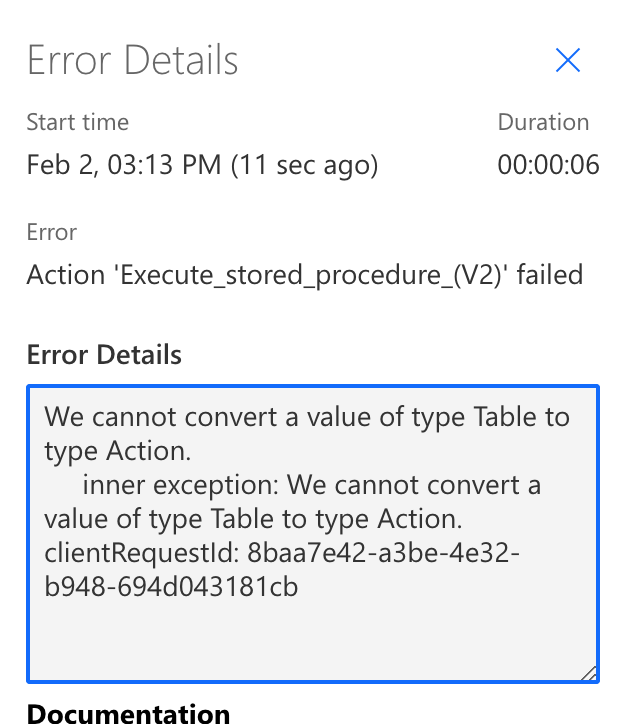
    That was the feeling when I saw the below error messages.

    The client’s setup is an on-prem SQL server exposed to the cloud via an on-prem Gateway. It works perfectly fine for exiting Dataflow integration, but this time we needed data from a function in Power Automate.

    Now problem, you can use SQL server connector, right?

    Almost (but yes, if you read this post or knew before).

    Set back #1

    You cannot use “Execute a SQL query (V2)” with an on-prem gateway connection. Not supported!

    Sure, let’s then use “Execute stored procedure (V2)”.

    Set back #2

    Apparently, you cannot return dataset from the function. Can call it if it was just a function or procedure without return value. But if it returns data – bad luck!

    Panic mode on!

    Wait, but what if…

    Power Query to the rescue! Again.

    View original post 159 more words

    Share this:

    • Share on LinkedIn (Opens in new window) LinkedIn
    • Email a link to a friend (Opens in new window) Email
    • Share on X (Opens in new window) X
    • Share on Facebook (Opens in new window) Facebook
    • Share on Telegram (Opens in new window) Telegram
    Like Loading…
  • Dataflows for Power Apps: calling a table-valued  SQL function with Power Query

    Dataflows for Power Apps: calling a table-valued SQL function with Power Query

    February 2, 2021

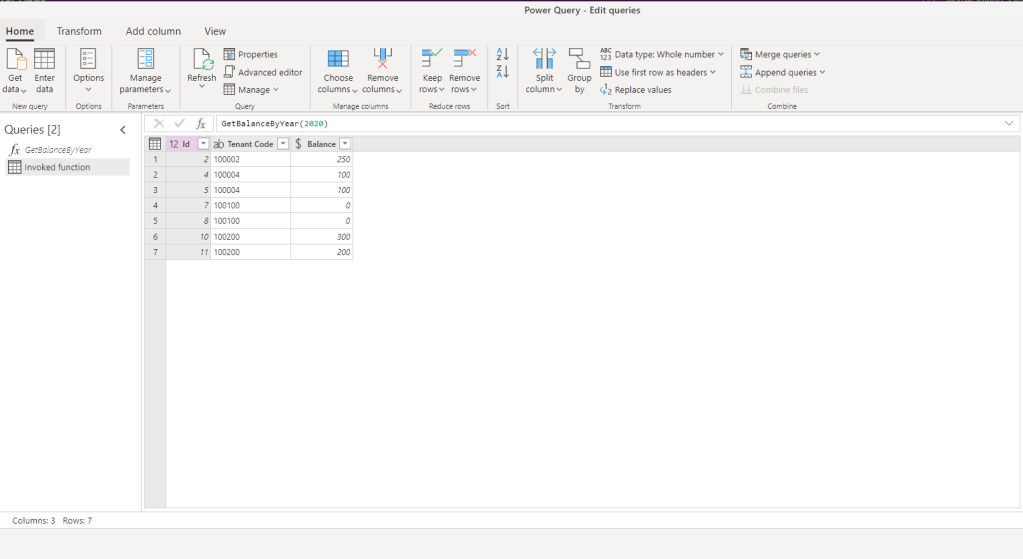
    It’s very easy to query SQL table-valued function to retrieve the result with Dataflows.

    This is how we do this.

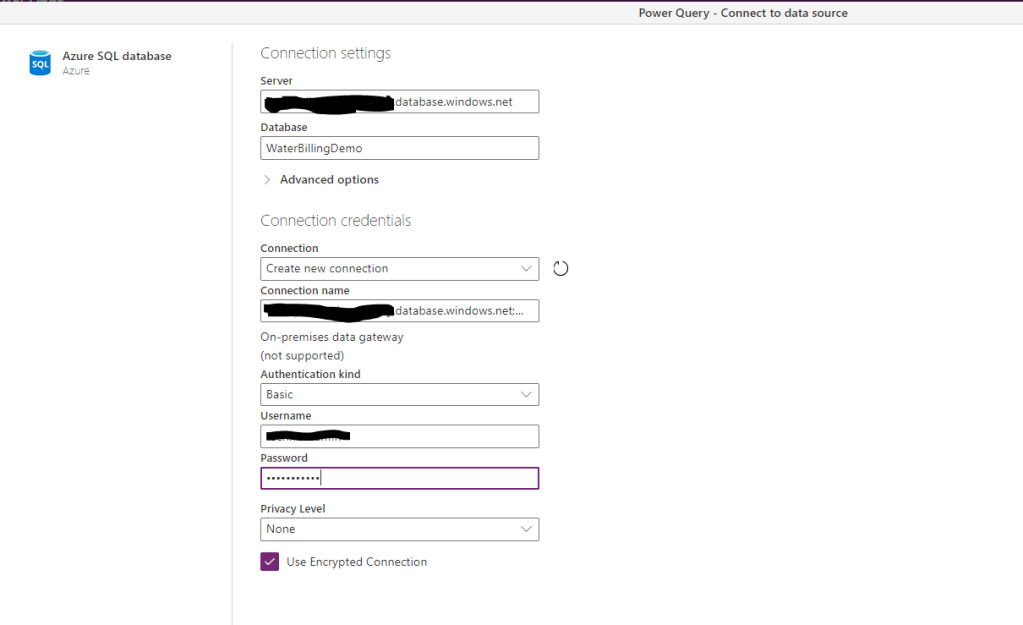
    Let’s connect to a database. It will work via gateway as well.

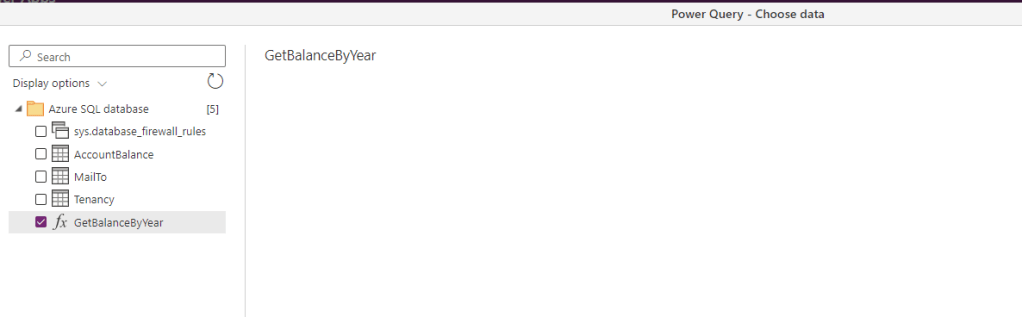
    Select your function.

    Pass the parameter if required.

    Now you can use this table to merge with other tables or map and load to Dataverse.

    Super easy!

    Share this:

    • Share on LinkedIn (Opens in new window) LinkedIn
    • Email a link to a friend (Opens in new window) Email
    • Share on X (Opens in new window) X
    • Share on Facebook (Opens in new window) Facebook
    • Share on Telegram (Opens in new window) Telegram
    Like Loading…
Previous Page Next Page

Create a website or blog at WordPress.com


Loading Comments...
 

    • Subscribe Subscribed
      • Olena's Dynamics Blog (post-AI)
      • Join 60 other subscribers
      • Already have a WordPress.com account? Log in now.
      • Olena's Dynamics Blog (post-AI)
      • Subscribe Subscribed
      • Sign up
      • Log in
      • Report this content
      • View site in Reader
      • Manage subscriptions
      • Collapse this bar
    %d