Problem: Microsoft Labs AttachmentManagement solution doesn’t allow to download attachments via plugin for files,synced to Azure BLOB storage .
Solution: download BLOB, using a custom plugin or custom WF activity.
Mind mapping(please don’t try any of this, it doesn’t work):
first, I found this link:
It worked perfectly while I was unit testing.
Then I wrapped it into the WF activity. Registered dll. Booom! It didn’t work! Obviously. That solution required external dlls which can’t be referenced, because… because of the Sandbox, online etc.
I tried this:
https://nishantrana.me/2017/05/17/using-ilmerge-for-plugin-in-crm/
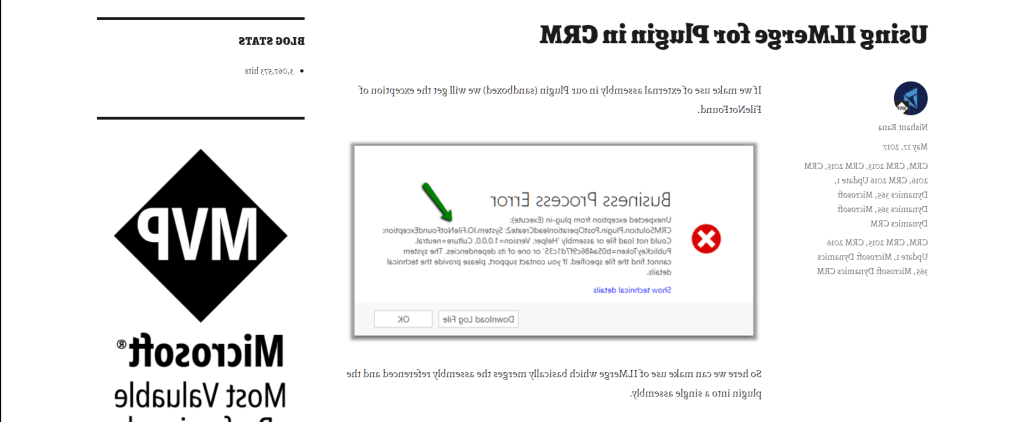
It’s cool, very cool, but unsupported and … it didn’t work either. I was getting something like this: “System.TypeLoadException: Inheritance security rules violated while overriding member:…”
Then I found RestHelper and BlobHelper. It was close, but not close enough:
https://github.com/somesh2207/Azure-Blob-operations
Nothing was working for me! At all. But CRM God loves me, so – HOORAY! That was it:
http://www.denbraver.com/wordpress/2018/06/04/download-from-azure-blob-using-the-azure-rest-api/
The Conclusion:
Bad news: to fetch Azure BLOB inside Dynamics 365 plugin or custom WF activity you can’t use any of this, because you will not be able to reference any of those fancy dlls:
string storageConnection = CloudConfigurationManager.GetSetting("BlobStorageConnectionString");  CloudStorageAccount cloudStorageAccount = CloudStorageAccount.Parse(storageConnection);
CloudBlobClient blobClient = cloudStorageAccount.CreateCloudBlobClient();
CloudBlobContainer cloudBlobContainer = blobClient.GetContainerReference(containerName);
CloudBlockBlob blockBlob = cloudBlobContainer.GetBlockBlobReference("filename.ext");
MemoryStream memStream = new MemoryStream();
blockBlob.DownloadToStream(memStream);
Good news: you don’t need to, if you use SAS token, no “crazy” libraries or headers either.It just works:
string uri = String.Format("https://{0}.blob.core.windows.net/{1}/{2}{3}", storageAccount, containerName, filename, SAS);
HttpWebRequest request = HttpWebRequest.Create(uri) as HttpWebRequest;
request.Method = "GET";
request.ContentLength = 0;
MemoryStream memoryStream = new MemoryStream(0x10000);
using (Stream responseStream = request.GetResponse().GetResponseStream()){
    byte[] buffer = new byte[0x1000];
    int bytes;
    while ((bytes = responseStream.Read(buffer, 0, buffer.Length)) > 0){
          memoryStream.Write(buffer, 0, bytes);
   }
}
byte[] response = memoryStream.ToArray();


 Olena's Dynamics Blog (post-AI)
Leave a reply to Gail Hays Cancel reply