• PowerApps Dataflow: is your CDS entity primary field name exactly the same as an entity name? Well, don’t.

    The Issue:

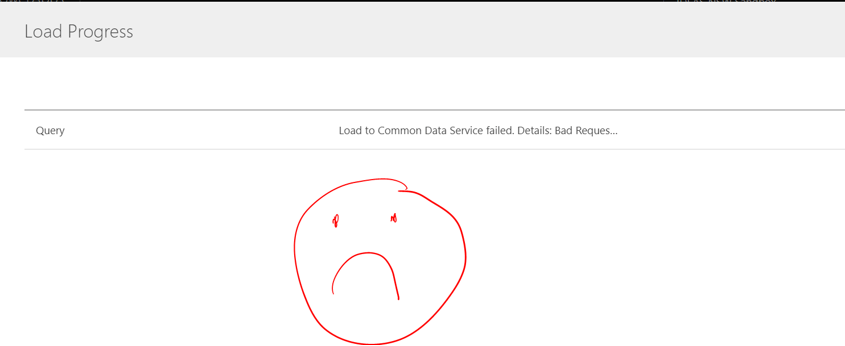
    Unable to load data to the existing custom entity on CDS from CSV or Excel via Dataflow.

    We renamed the primary Name field for our custom entity and this is how it’s all started.

    Error:

    Load to Common Data
    Service failed. Details: Bad Request
    {"error":{"code":"0x0","message":"An
    error occurred while validating input parameters:
    Microsoft.OData.ODataException: Does not support untyped value in non-open
    type.\r\n at
    System.Web.OData.Formatter.Deserialization.DeserializationHelpers.ApplyProperty(ODataProperty
    property, IEdmStructuredTypeReference resourceType, Object resource,
    ODataDeserializerProvider deserializerProvider, ODataDeserializerContext
    readContext)\r\n at
    System.Web.OData.Formatter.Deserialization.ODataResourceDeserializer.ApplyStructuralProperties(Object
    resource, ODataResourceWrapper resourceWrapper, IEdmStructuredTypeReference
    structuredType, ODataDeserializerContext readContext)\r\n at
    Microsoft.Crm.Extensibility.CrmODataEntityDeserializer.ApplyStructuralProperties(Object
    resource, ODataResourceWrapper resourceWrapper, IEdmStructuredTypeReference
    structuredType, ODataDeserializerContext readContext)\r\n at System.Web.OData.Formatter.Deserialization.ODataResourceDeserializer.ReadResource(ODataResourceWrapper
    resourceWrapper, IEdmStructuredTypeReference structuredType,
    ODataDeserializerContext readContext)\r\n at
    System.Web.OData.Formatter.ODataMediaTypeFormatter.ReadFromStream(Type type,
    Stream readStream, HttpContent content, IFormatterLogger
    formatterLogger)","innererror":{"message":"An
    error occurred while validating input parameters:
    Microsoft.OData.ODataException: Does not support untyped value in non-open
    type.\r\n at
    System.Web.OData.Formatter.Deserialization.DeserializationHelpers.ApplyProperty(ODataProperty
    property, IEdmStructuredTypeReference resourceType, Object resource,
    ODataDeserializerProvider deserializerProvider, ODataDeserializerContext
    readContext)\r\n at
    System.Web.OData.Formatter.Deserialization.ODataResourceDeserializer.ApplyStructuralProperties(Object
    resource, ODataResourceWrapper resourceWrapper, IEdmStructuredTypeReference
    structuredType, ODataDeserializerContext readContext)\r\n at Microsoft.Crm.Extensibility.CrmODataEntityDeserializer.ApplyStructuralProperties(Object
    resource, ODataResourceWrapper resourceWrapper, IEdmStructuredTypeReference
    structuredType, ODataDeserializerContext readContext)\r\n at
    System.Web.OData.Formatter.Deserialization.ODataResourceDeserializer.ReadResource(ODataResourceWrapper
    resourceWrapper, IEdmStructuredTypeReference structuredType,
    ODataDeserializerContext readContext)\r\n at
    System.Web.OData.Formatter.ODataMediaTypeFormatter.ReadFromStream(Type type,
    Stream readStream, HttpContent content, IFormatterLogger
    formatterLogger)","type":"Microsoft.Crm.CrmHttpException","stacktrace":"
    at
    Microsoft.Crm.Extensibility.OData.CrmODataUtilities.ValidateInputParameters(ModelStateDictionary
    controllerModelState)\r\n at Microsoft.Crm.Extensibility.OData.EntityController.PostEntitySetImplementation(String&
    entitySetName, EdmEntityObject entityObject)\r\n at
    Microsoft.PowerApps.CoreFramework.ActivityLoggerExtensions.Execute[TResult](ILogger
    logger, EventId eventId, ActivityType activityType, Func`1 func, IEnumerable`1
    additionalCustomProperties)\r\n at
    Microsoft.Xrm.Telemetry.XrmTelemetryExtensions.Execute[TResult](ILogger logger,
    XrmTelemetryActivityType activityType, Func`1 func)\r\n at
    lambda_method(Closure , Object , Object[] )\r\n at
    System.Web.Http.Controllers.ReflectedHttpActionDescriptor.ActionExecutor.<>c__DisplayClass10.<GetExecutor>b__9(Object
    instance, Object[] methodParameters)\r\n at
    System.Web.Http.Controllers.ReflectedHttpActionDescriptor.ExecuteAsync(HttpControllerContext
    controllerContext, IDictionary`2 arguments, CancellationToken
    cancellationToken)\r\n--- End of stack trace from previous location where
    exception was thrown ---\r\n at
    System.Runtime.ExceptionServices.ExceptionDispatchInfo.Throw()\r\n at
    System.Runtime.CompilerServices.TaskAwaiter.HandleNonSuccessAndDebuggerNotification(Task
    task)\r\n at
    System.Web.Http.Controllers.ApiControllerActionInvoker.<InvokeActionAsyncCore>d__0.MoveNext()\r\n---
    End of stack trace from previous location where exception was thrown ---\r\n at
    System.Runtime.ExceptionServices.ExceptionDispatchInfo.Throw()\r\n at
    System.Runtime.CompilerServices.TaskAwaiter.HandleNonSuccessAndDebuggerNotification(Task
    task)\r\n at
    System.Web.Http.Controllers.ActionFilterResult.<ExecuteAsync>d__2.MoveNext()\r\n---
    End of stack trace from previous location where exception was thrown ---\r\n at
    System.Runtime.ExceptionServices.ExceptionDispatchInfo.Throw()\r\n at
    System.Runtime.CompilerServices.TaskAwaiter.HandleNonSuccessAndDebuggerNotification(Task
    task)\r\n at
    System.Web.Http.Dispatcher.HttpControllerDispatcher.<SendAsync>d__1.MoveNext()"}}}.
    (Job ID: f5780a7d-bf8a-41e0-9a1b-4a1e5bc64ac7)

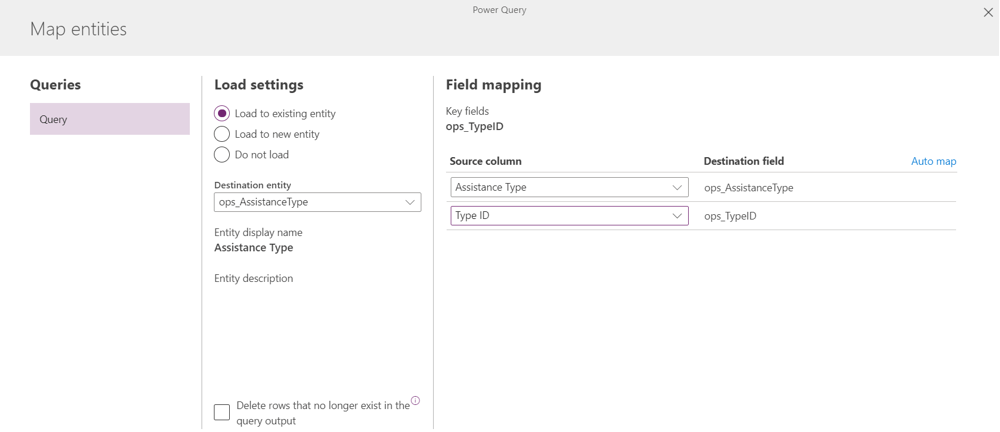
    Testing 1 . Trying to load data to a new entity … It doesn’t like that entity name is the same as a primary field name, apparently.
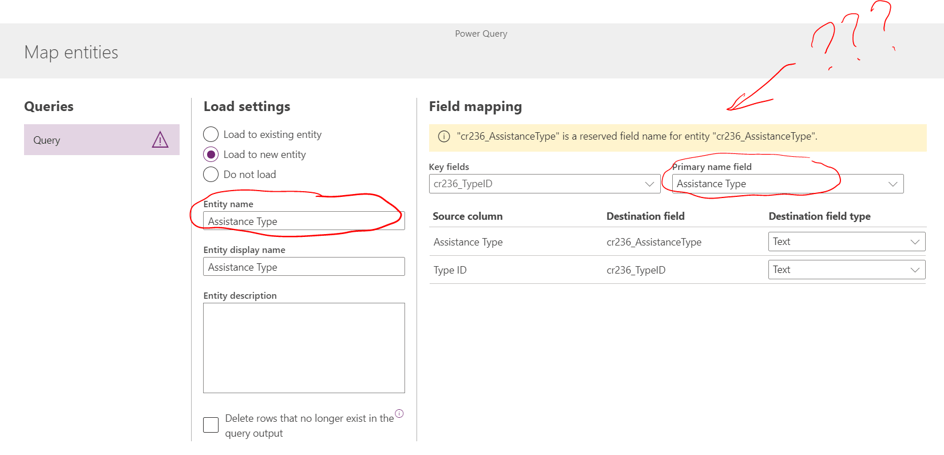
    Testing 2. Let’s change the entity name

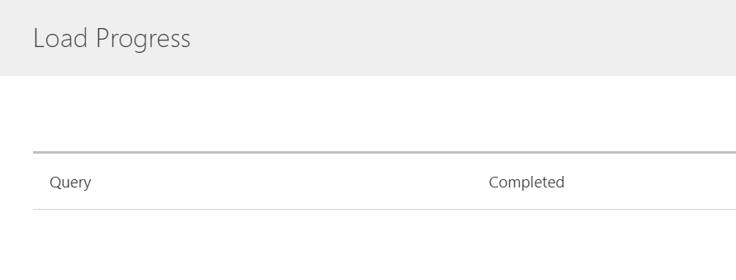
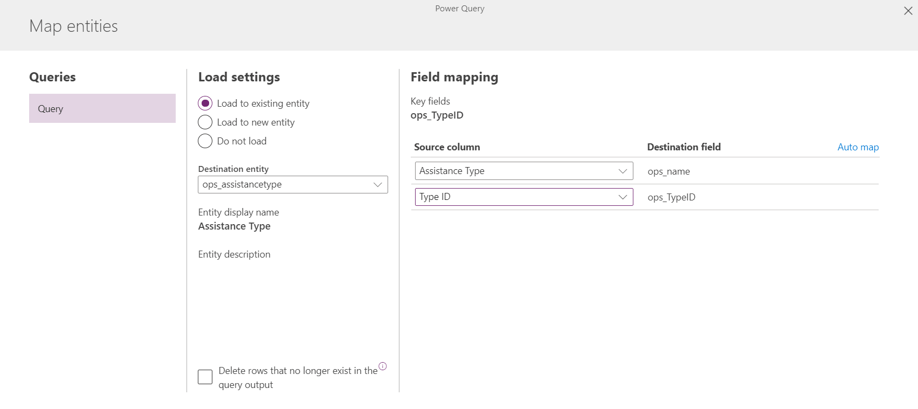
    Test 2. Rename a primary field. Trying to load data to the existing entity

    The conclusion

    After the 2 weeks long conversation with the support team this is your available solution: don’t name your primary field the same way you named your CDS custom entity. You will not be able to use import via Dataflow!
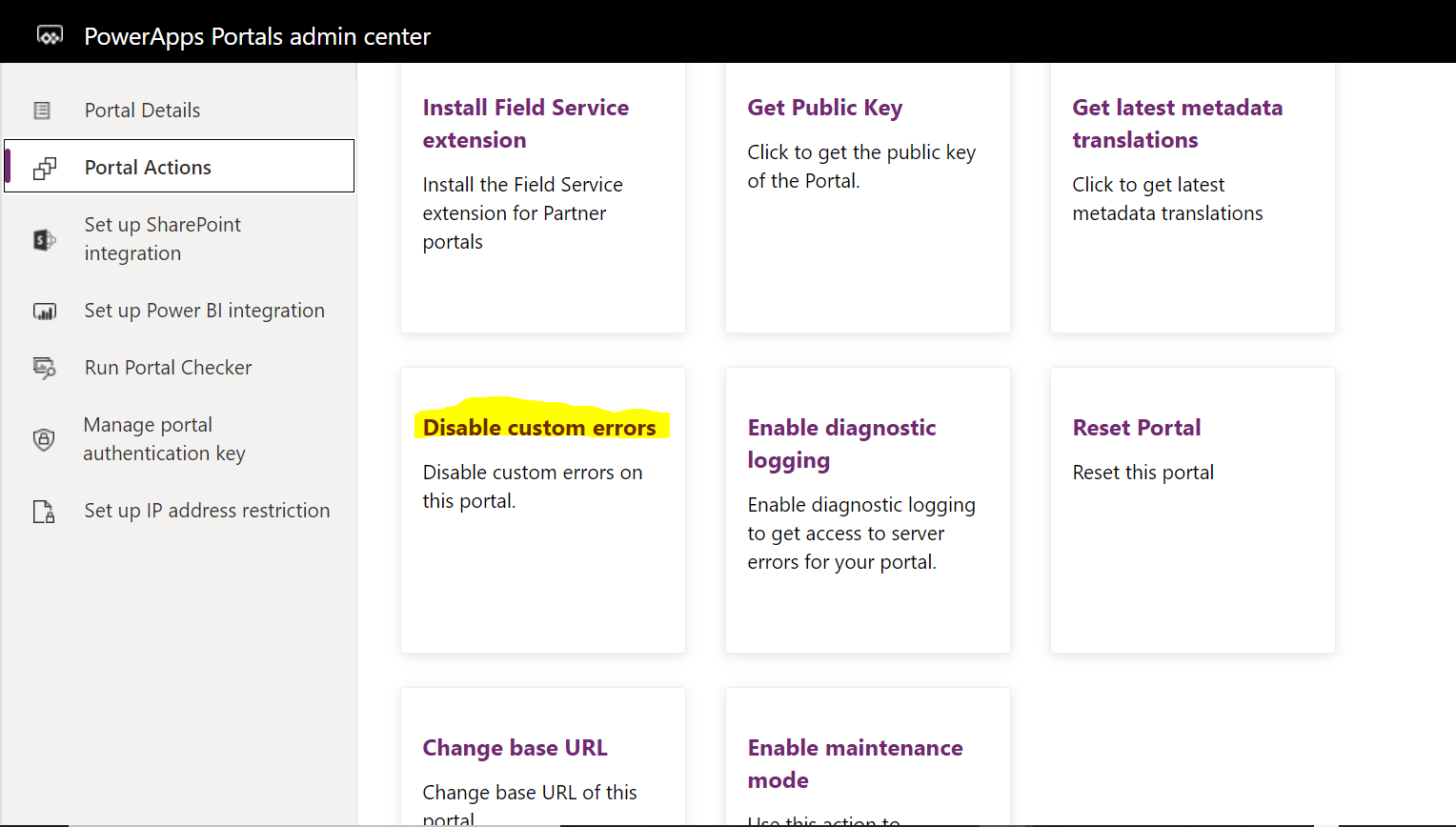
  • Disabling PowerApps Portal Custom Errors: so, you think you know where to find it?

    This article is applicable to any PowerApps Portal Action.

    Recently we set up a PowerApps portal in addition to the existing Dynamics 365 portals.It happened to be a DEV one. What could possibly go wrong?

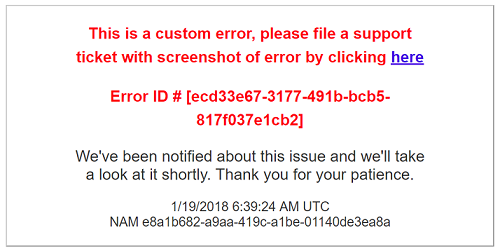
    I was debugging an issue and quickly discovered that custom messages don’t give me any idea of what’s really going on with the portal.

    dce_customeerr.png

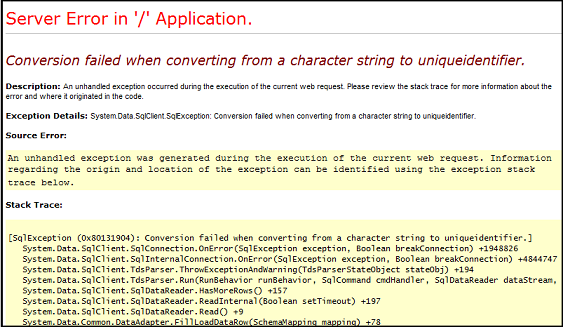
    To get the real error you have to replace “friendly” messages with the Yellow Screen of Death (YSOD). Trust me, it makes a big difference. I as able to fix my issue in a minute after I looked at the real error.

    dce_err

    So how to I disable custom errors? It’s easy if you know where to go and what to do. And I thought I know but I was wrong.

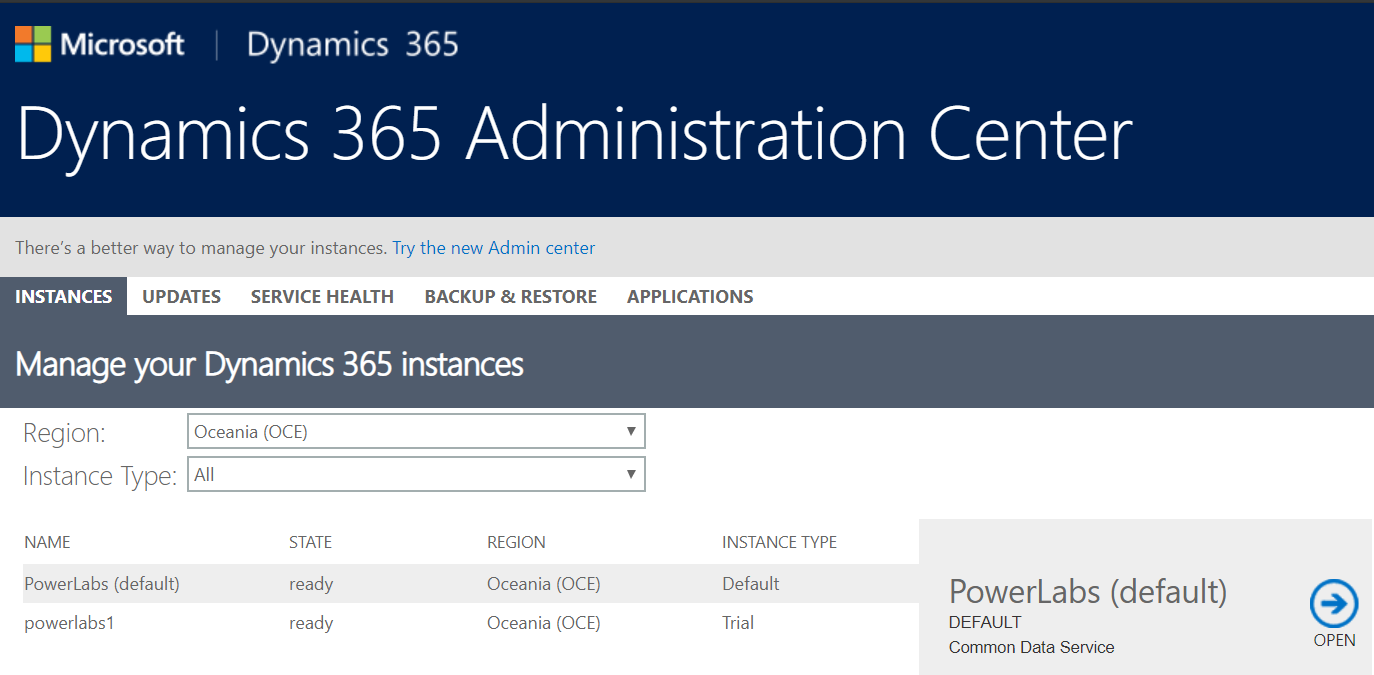
    First, I tried to follow steps which I had on top of my head. This is how I got here:

    dce_0.5

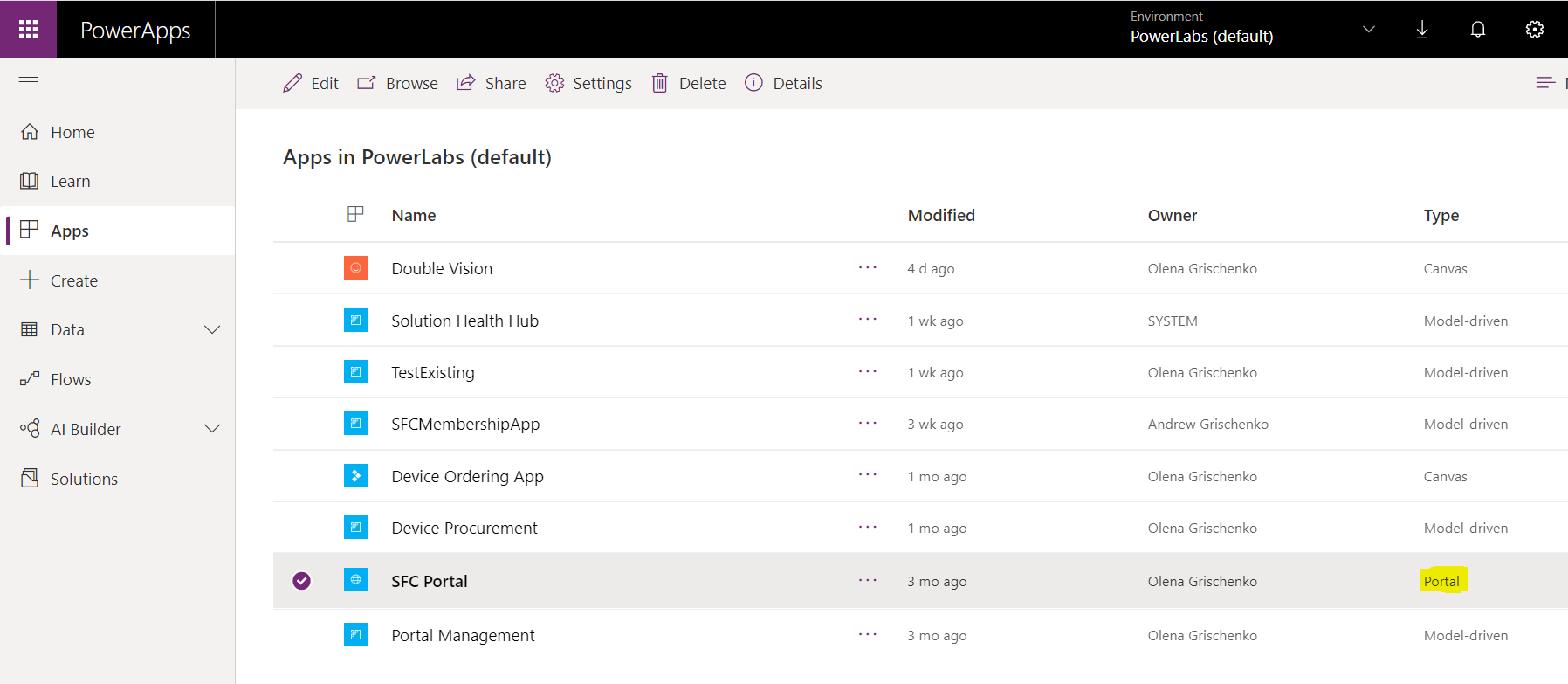
    Usually, you can find a portal under Applications. This is what I thought but it wasn’t there.

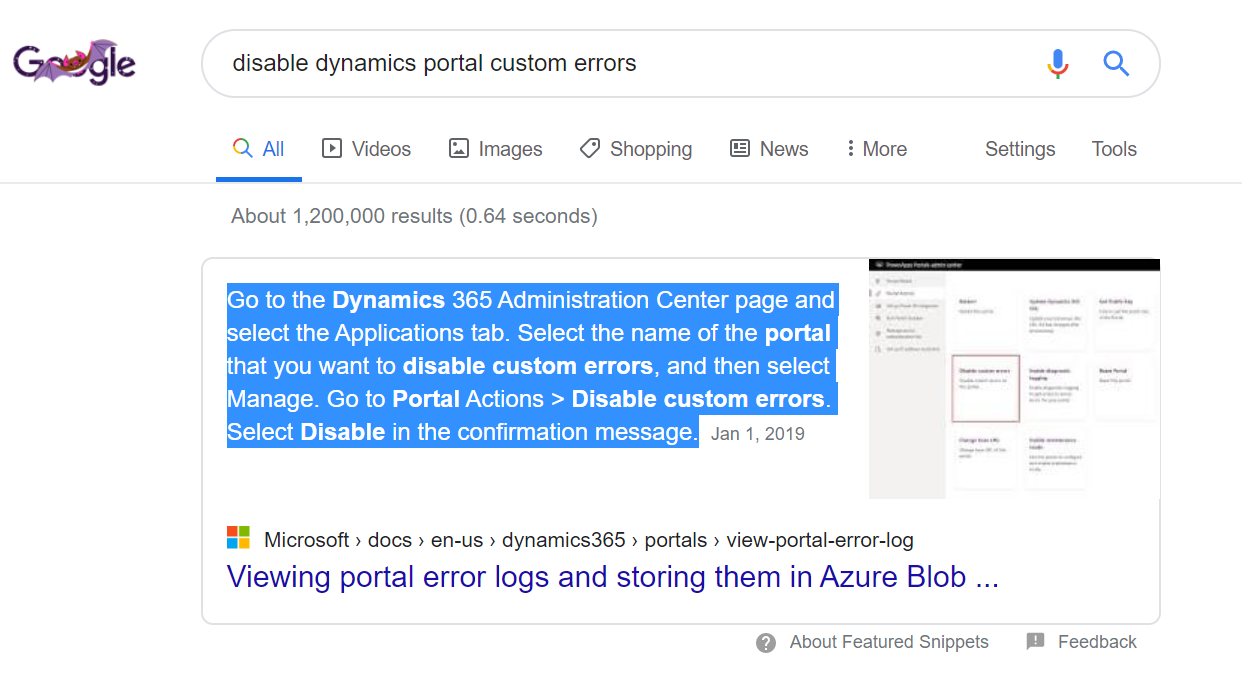
    So, I went to Google and typed “disable dynamics portal custom errors”.

    dce_1

    Then to docs:

    https://docs.microsoft.com/en-us/dynamics365/portals/view-portal-error-log

    They are pretty good, actually. Except they did answer my question: WHERE DO I GO NOW TO PERFORM PORTAL ACTIONS for PowerApps portal?

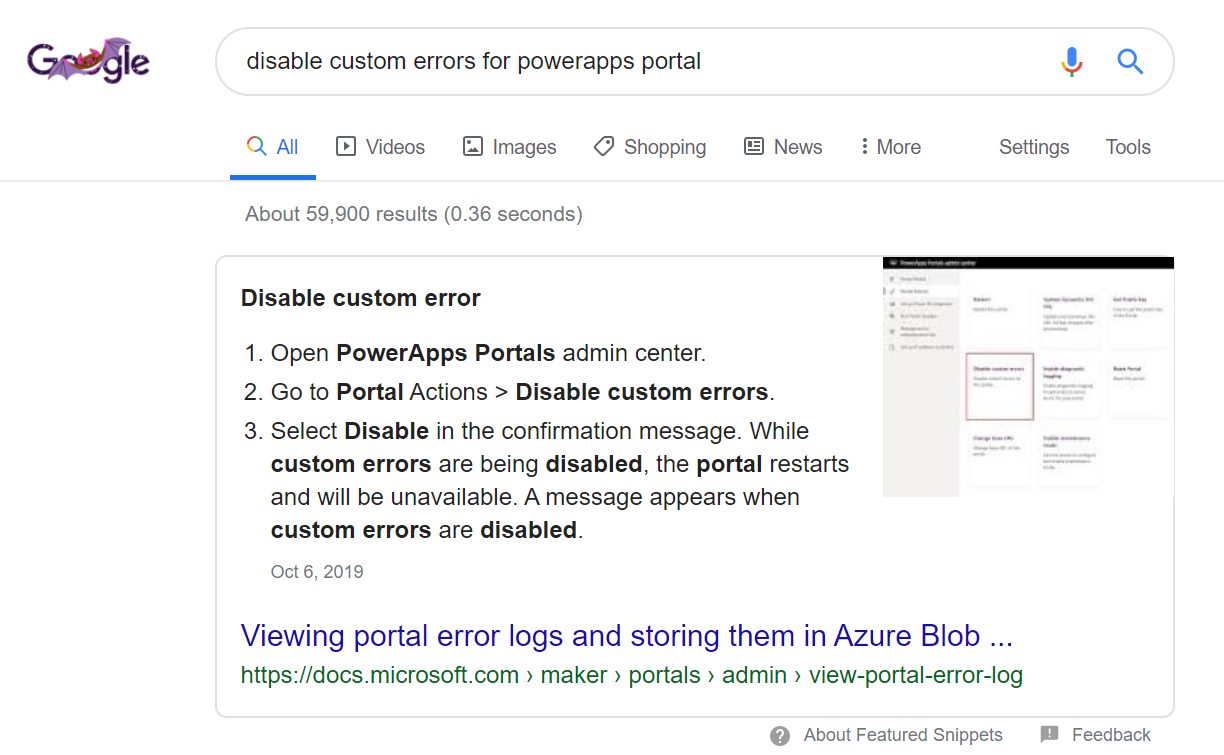
    The real issue was that I googled “Dynamics 365 portals” what I really had to google – “PowerApps portals”.

    dce_100

    https://docs.microsoft.com/en-us/powerapps/maker/portals/admin/view-portal-error-log

    https://docs.microsoft.com/en-us/powerapps/maker/portals/admin/admin-overview

    Step1. Go to https://make.powerapps.com. Make sure you are on the right environment (top right corner on the top bar)

    dce_0

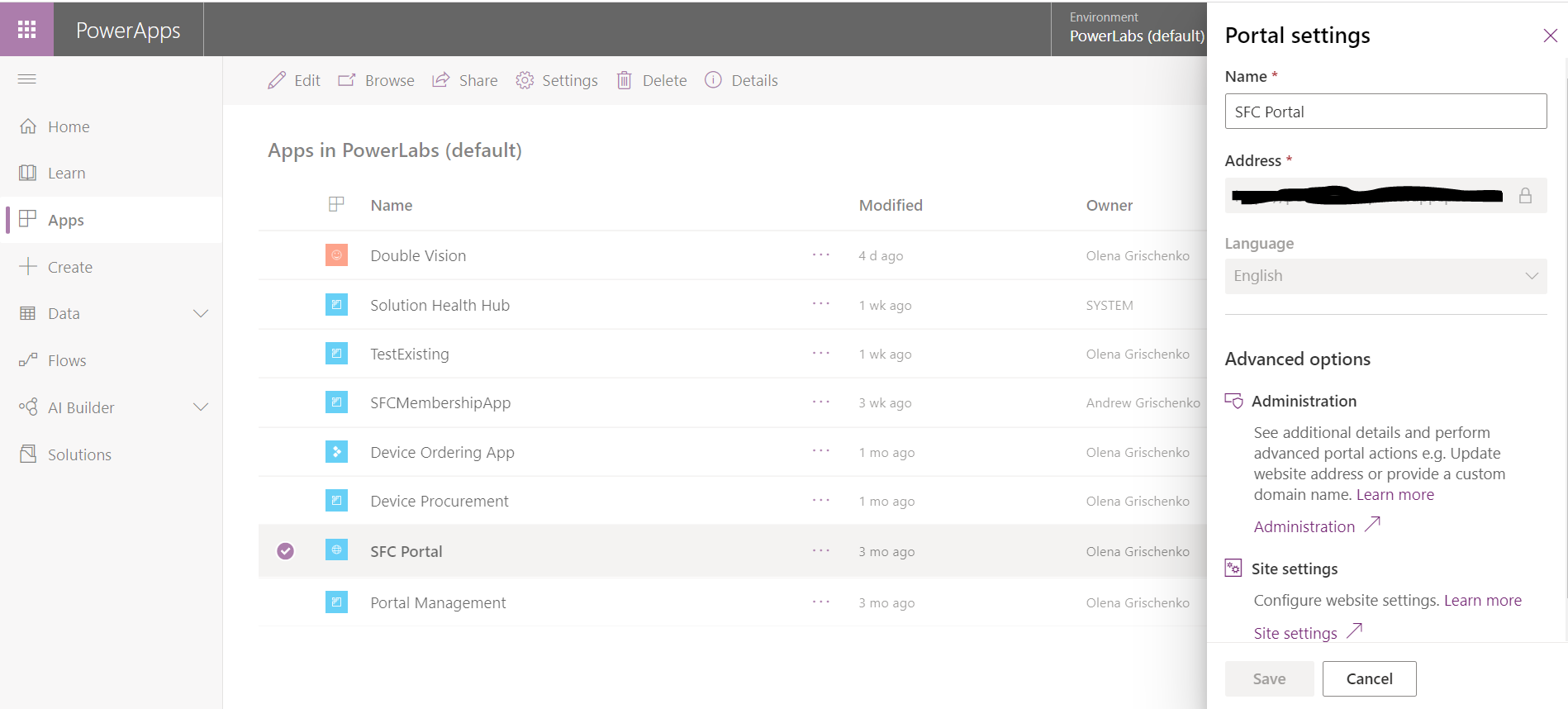
    Step2. Select your portal app from Apps then click on Settings in the top menu.

    dce_1.5

    Step3. Under Portal settings/Advanced options/Administration click on the purple Administration / link.

    dce_2

    Step3. From the left side menu click Portal Actions.

    dce_3

    It’s always easy if you know where to go and what to do. 😊

  • Setting up non-admin users to create apps with AI Builder on a non-default environment

    Unlike for a default environment for a new trial environment, your Office 365 users won’t get the access automatically and you can’t manage this access via Microsoft Office 365 Admin portal. Or even via model-driven UI for your newly set up environment. You have to add users one by one using the steps below.

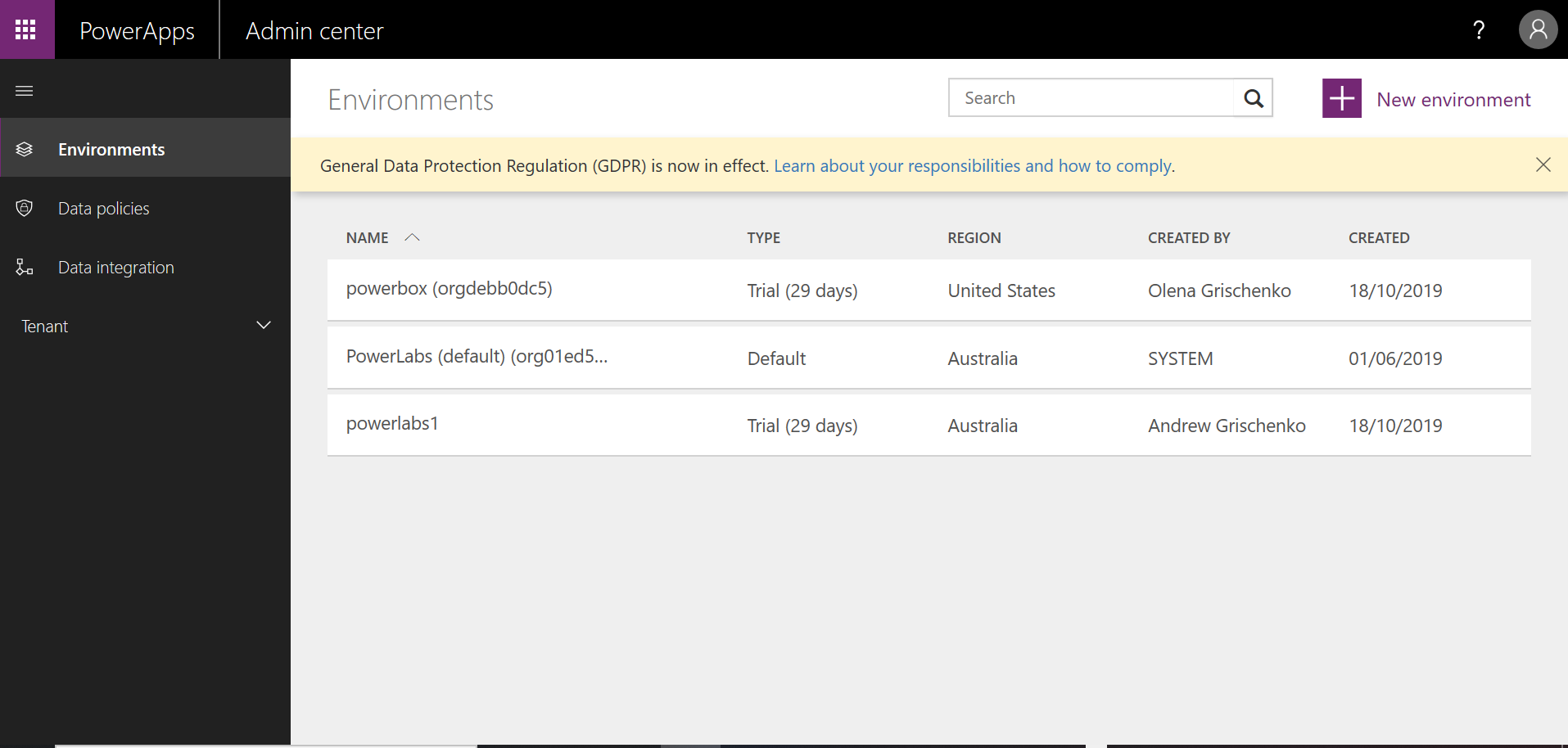
    From PowerApps Admin centre (and I mean NOT THIS ONE! https://admin.powerplatform.microsoft.com/) this one: https://admin.powerapps.com/environments

    aib1

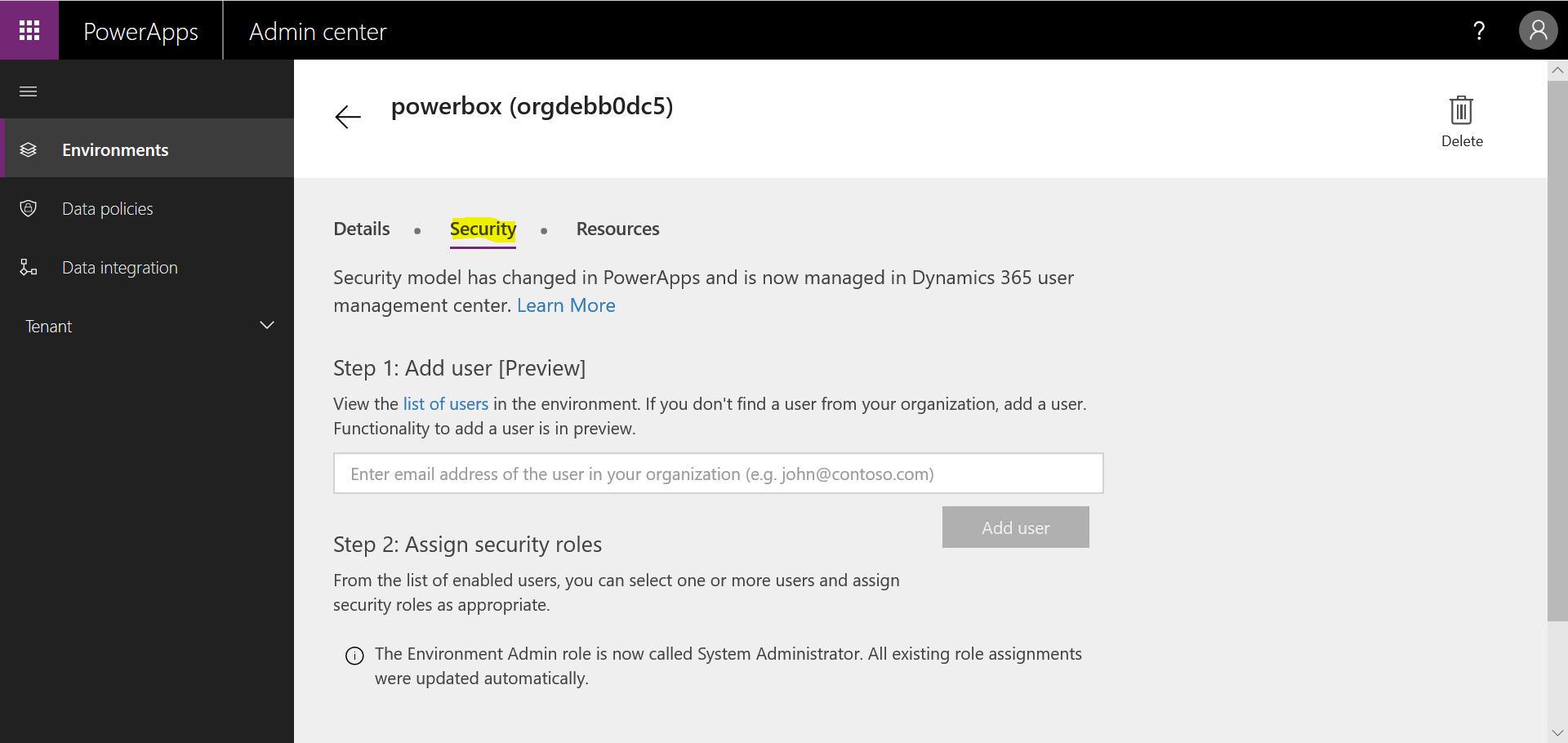
    Click on the environment you would like to set up users on. Go to the Security tab.

    aib2

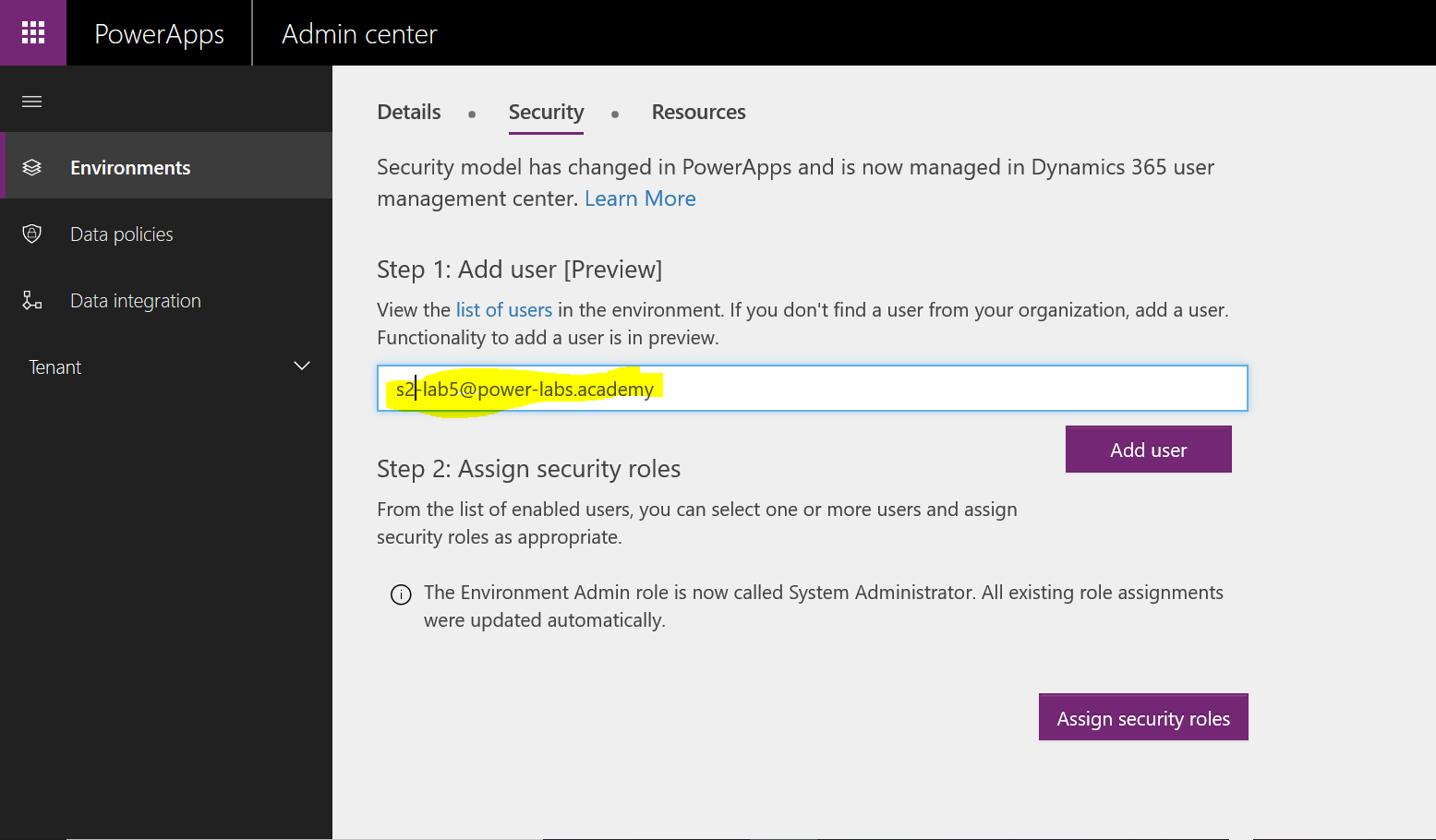
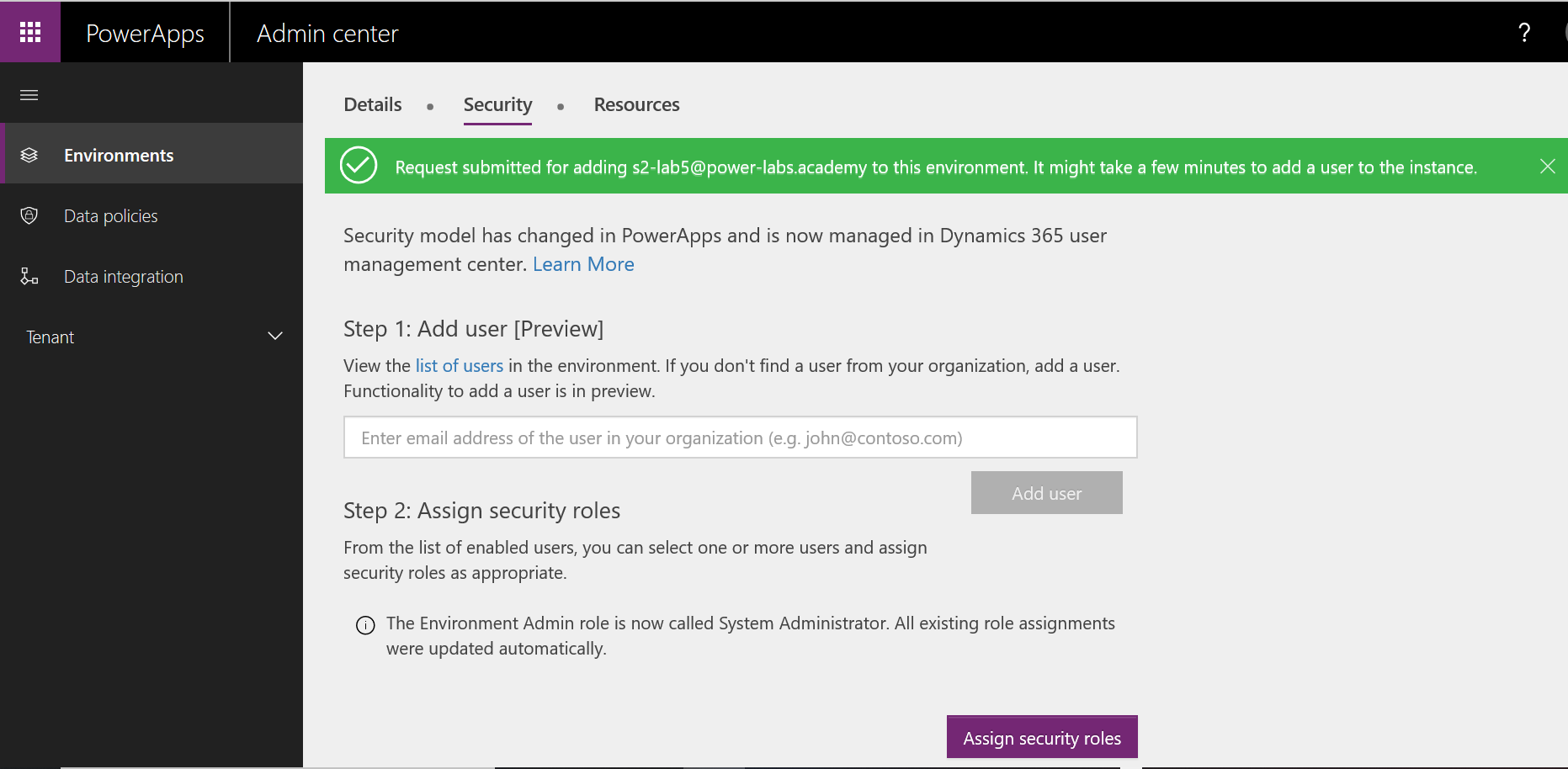
    Type user login for Step 1 to add a user. Click Add User.

    aib3

    aib4

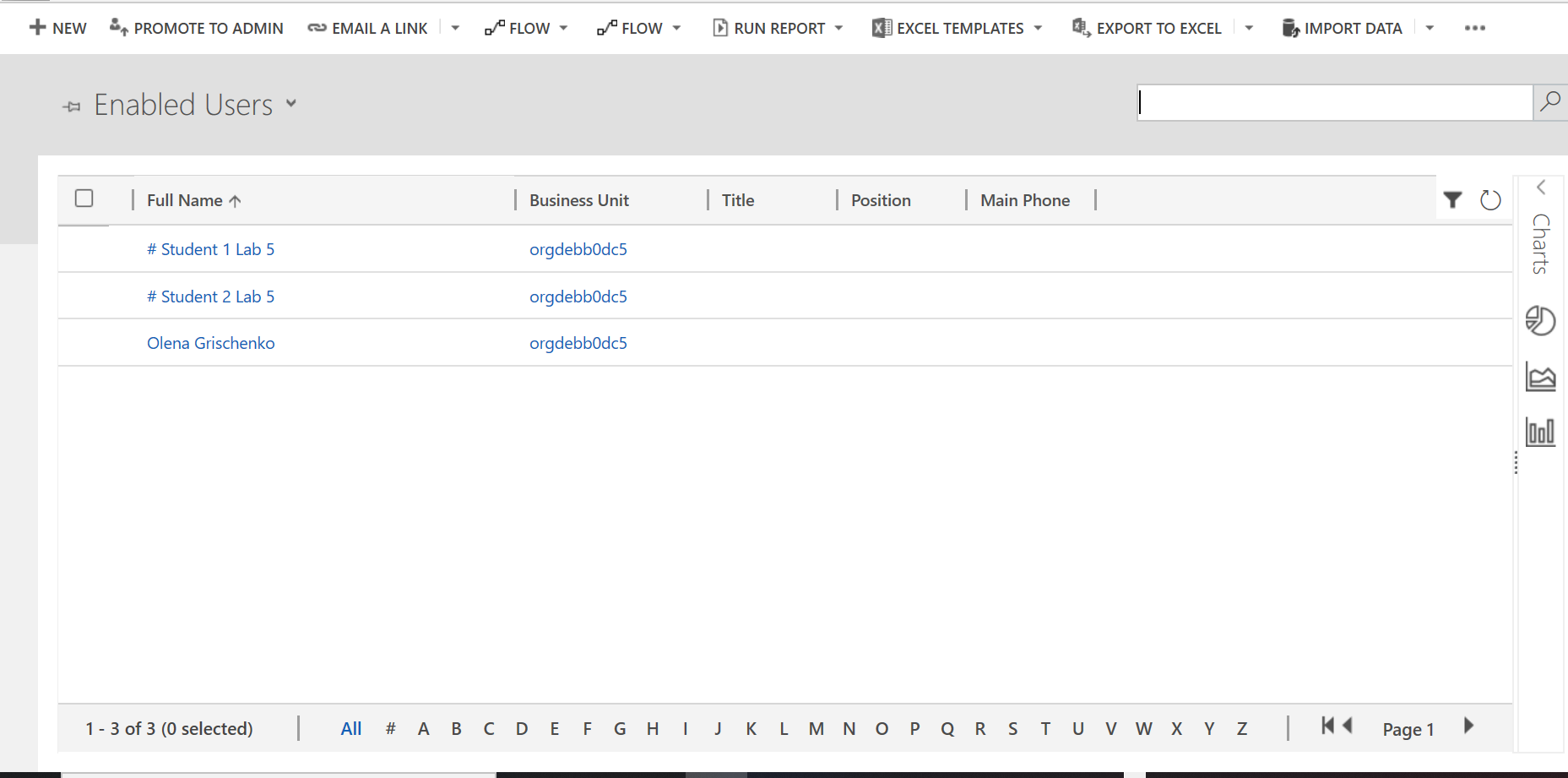
    As a result, your user will appear under Enabled Users on your environment.

    aib5

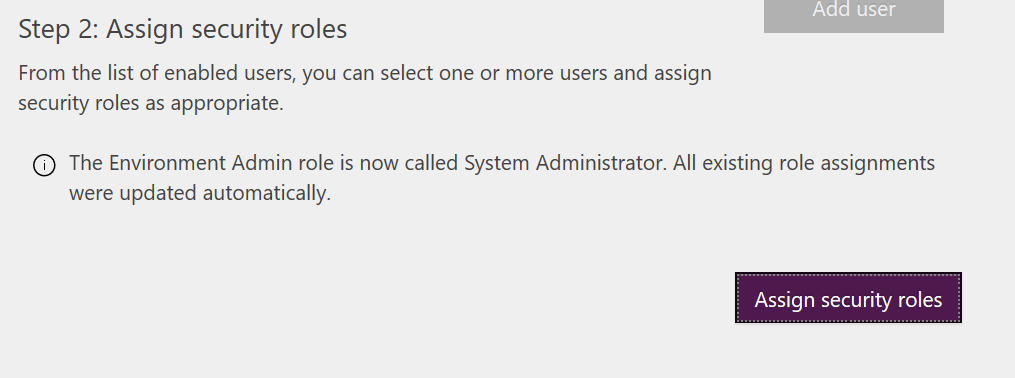
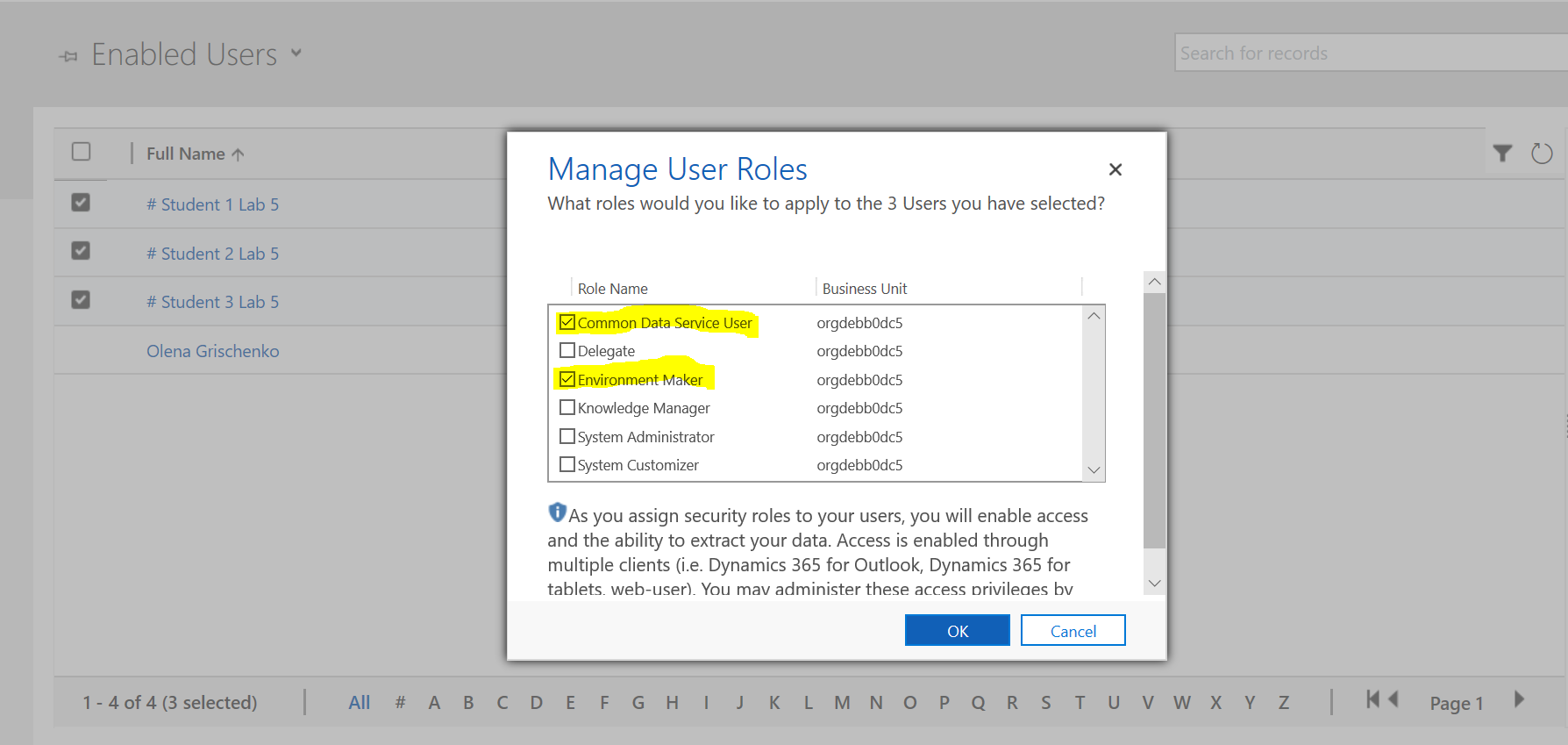
    Click on the Assign Security Roles button.

    aib6

    aib7

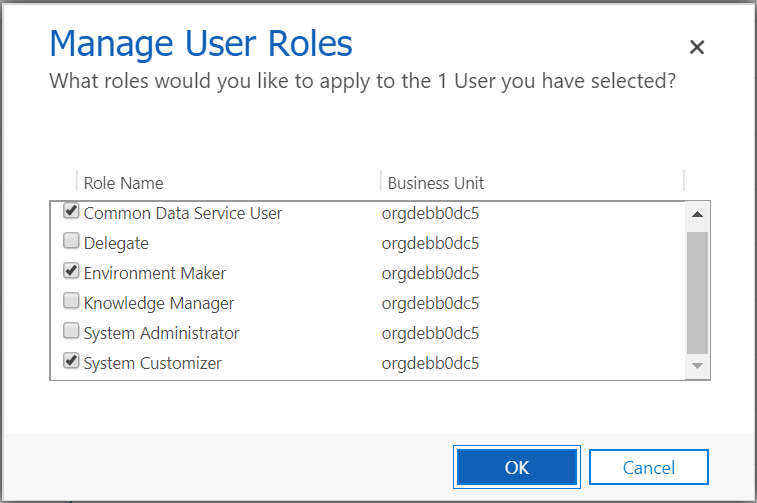
    I forgot … You need a System Customizer role to be able to create your own entities.

    aib8

    More info is here: https://docs.microsoft.com/en-us/ai-builder/security


  • The curious case of the model-driven app prefix_

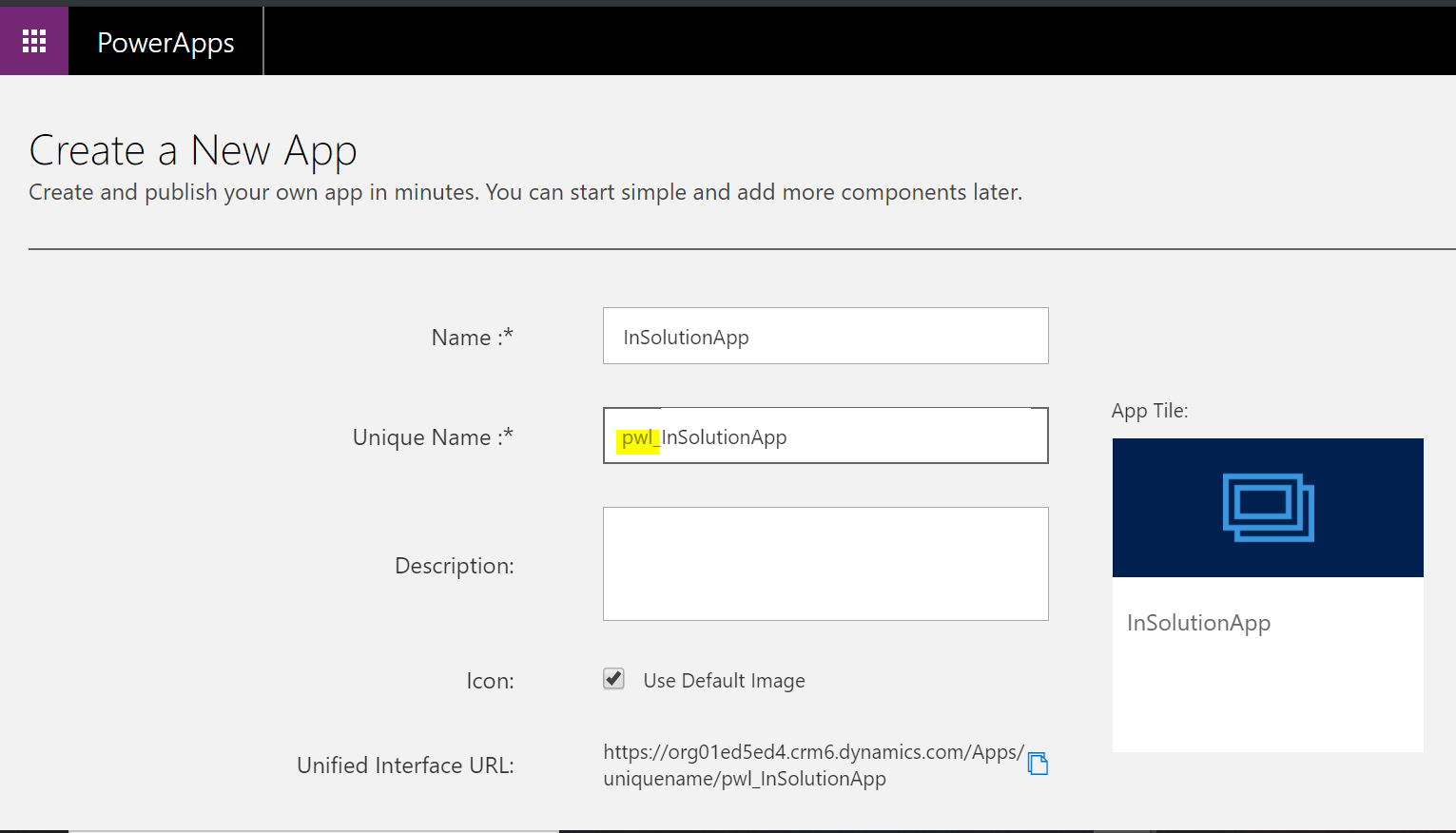
    Since Microsoft first introduced the concept of a solution we all live in fear of creating an entity with the prefix “new_”. If you do things properly you create a solution first, define a publisher with the unique prefix then all new entities and custom fields will be created with that prefix. For example, for the publisher “PowerLabs” you will have “pwl_” as a prefix. In a new solution with this publisher a new entity “Labs” will have a name “pwl_labs”. Only those who “don’t get it” keep creating entities outside a solution. Marked by the prefix “new_”. It’s been a while but people like this still exist.

    For model-driven PowerApps app name has also got a prefix, which can’t be edited during or after creation. For different scenarios, it will be different. Let’s understand how it works.

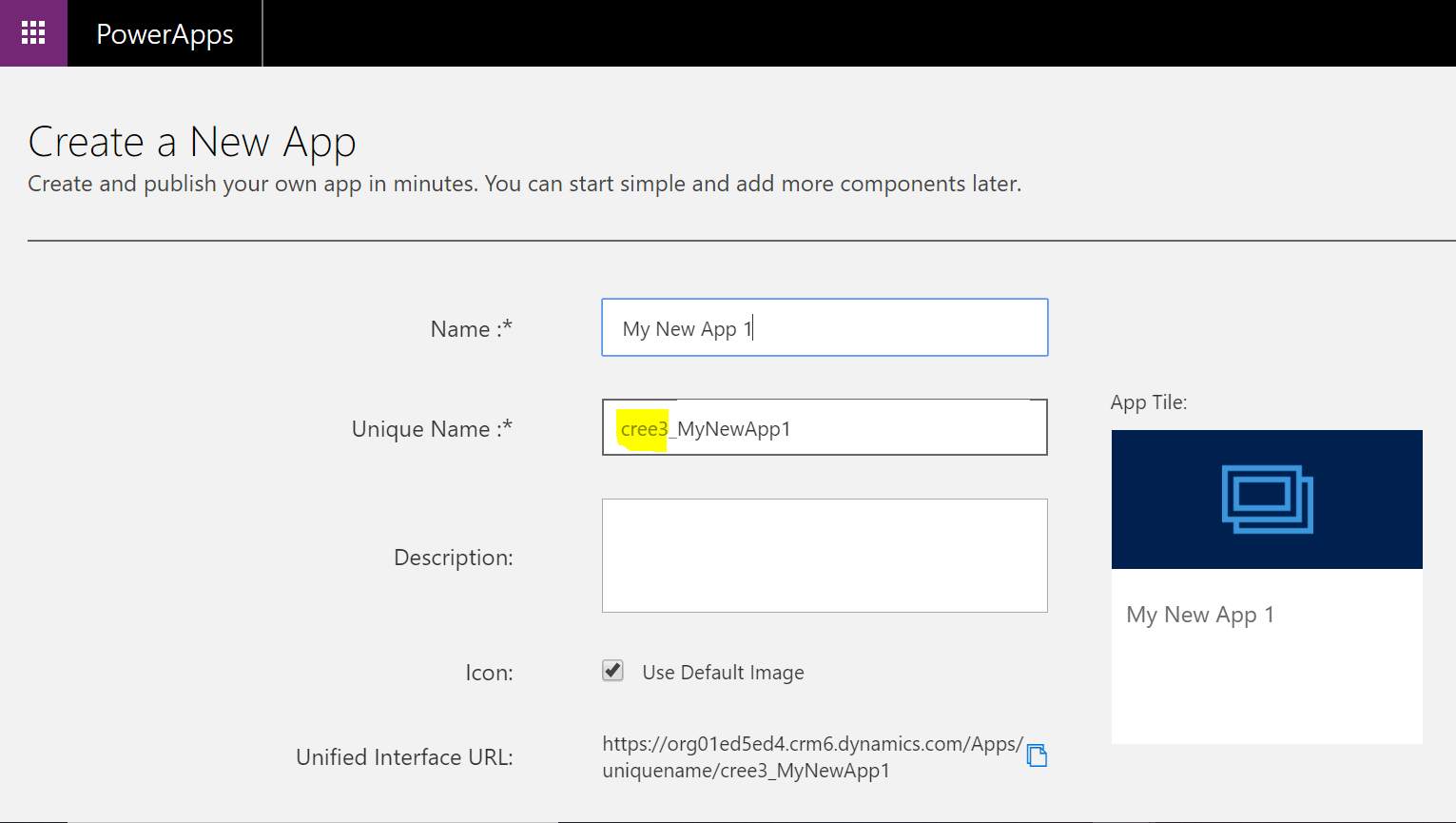
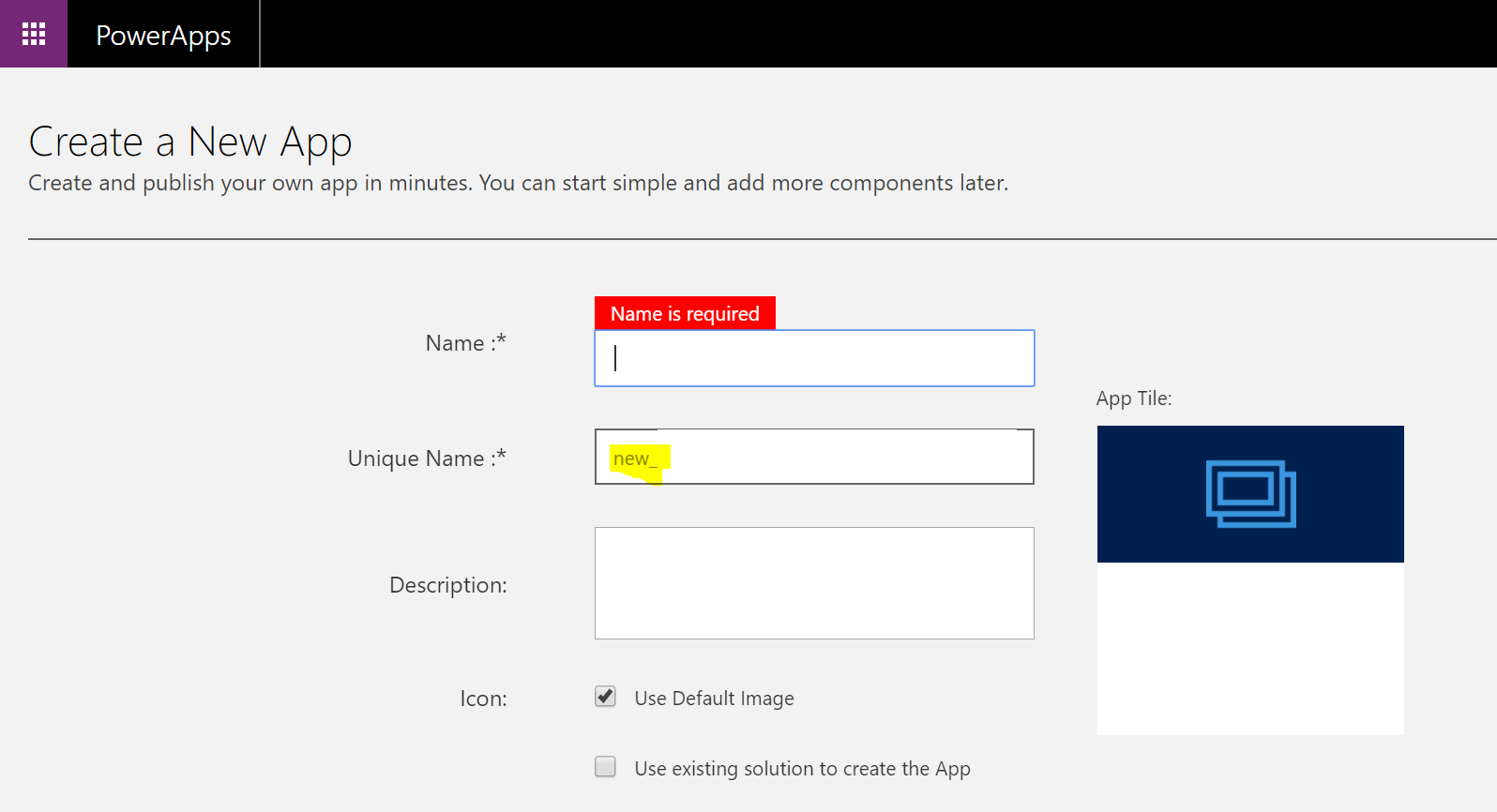
    Scenario 1. Creating a new app via “+Create an app” from the top menu.

    app_1

    The Unique Name is like “new_” but worse and you can’t change it on this screen.

    Scenario 2. Creating a new app via the classic UI.

    app_2

    The Unique Name is “new_”. Great!

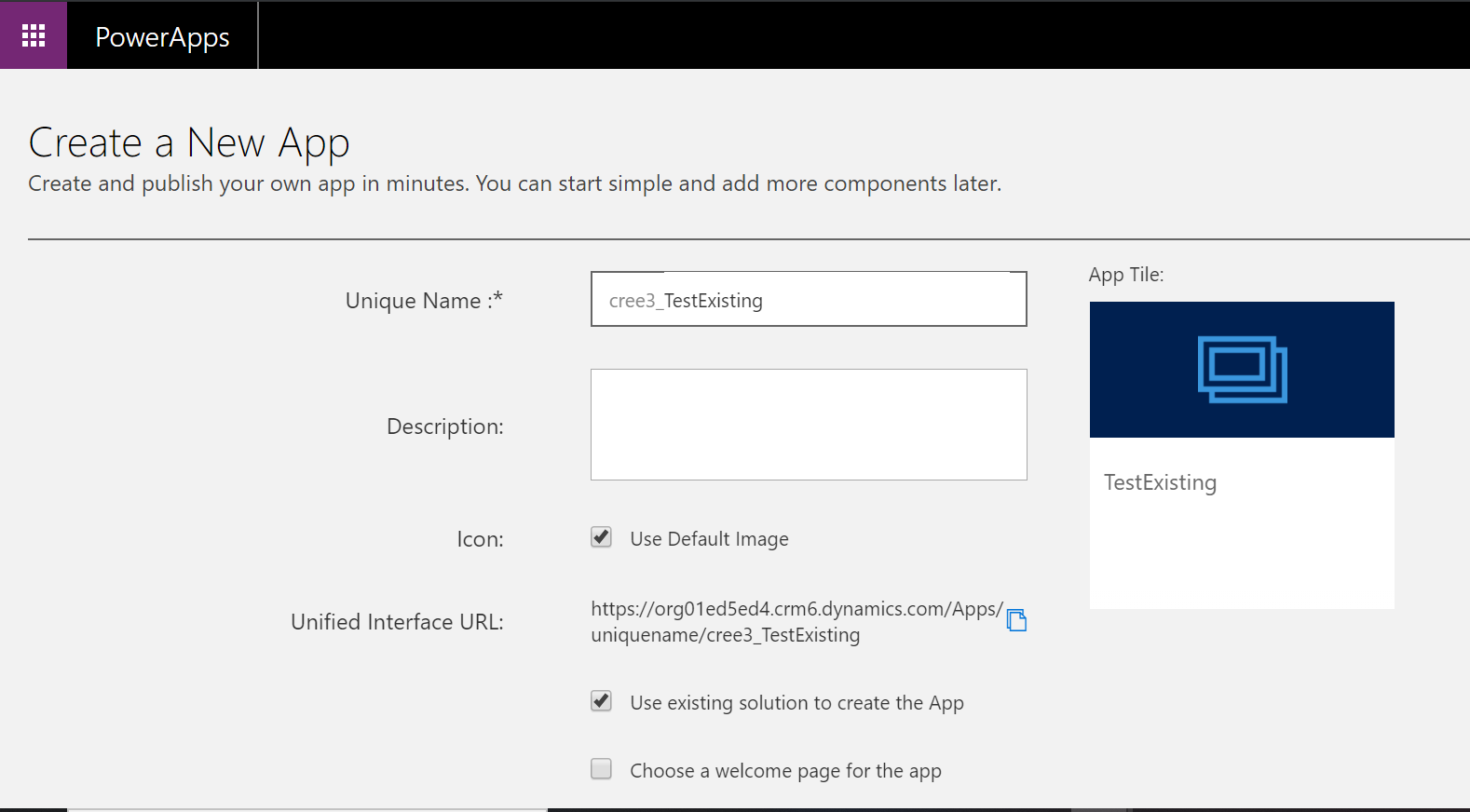
    Scenario 3. Creating a new app via “+Create an app” from the top menu, ticking “Use existing solution…” for the solution with the correct publisher and prefix.

    app_3

    app_31

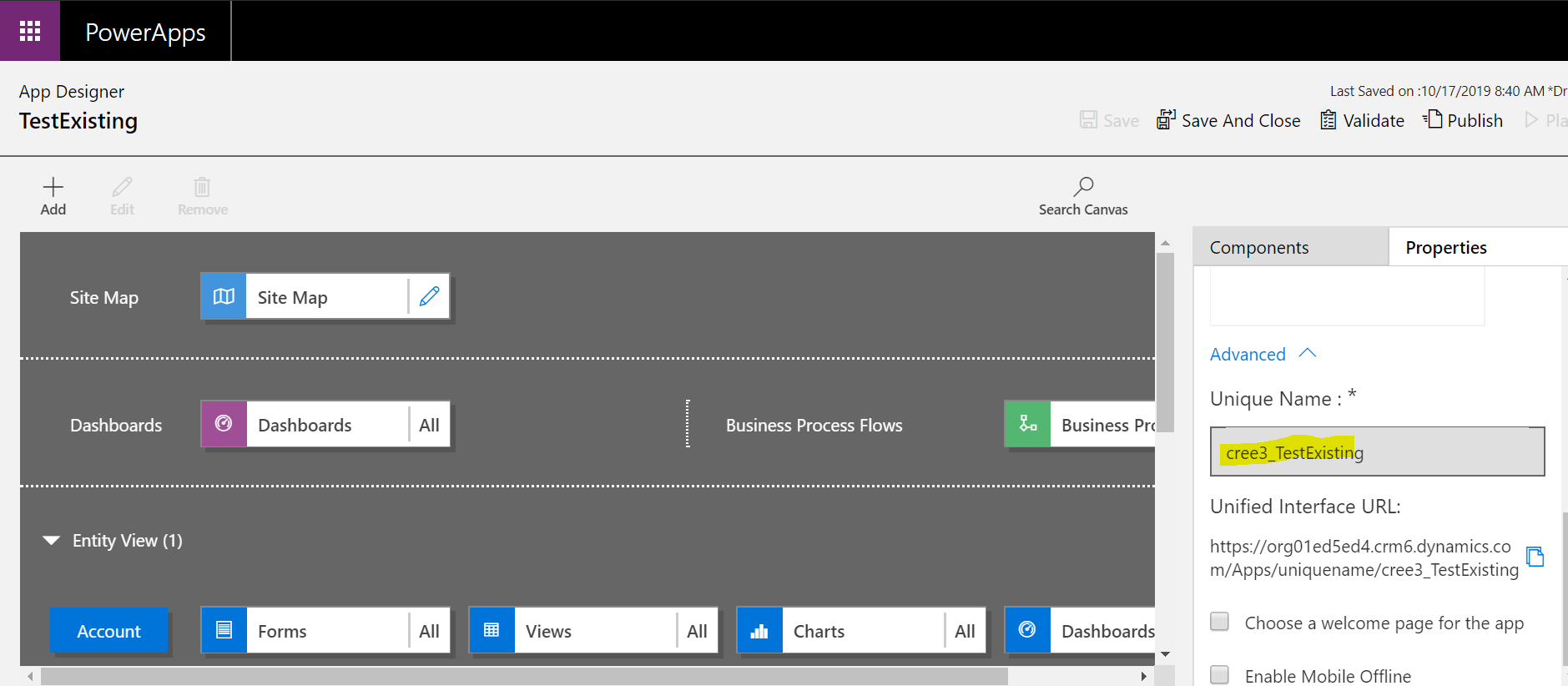
    The Unique Name is whatever despite the correct solution prefix.

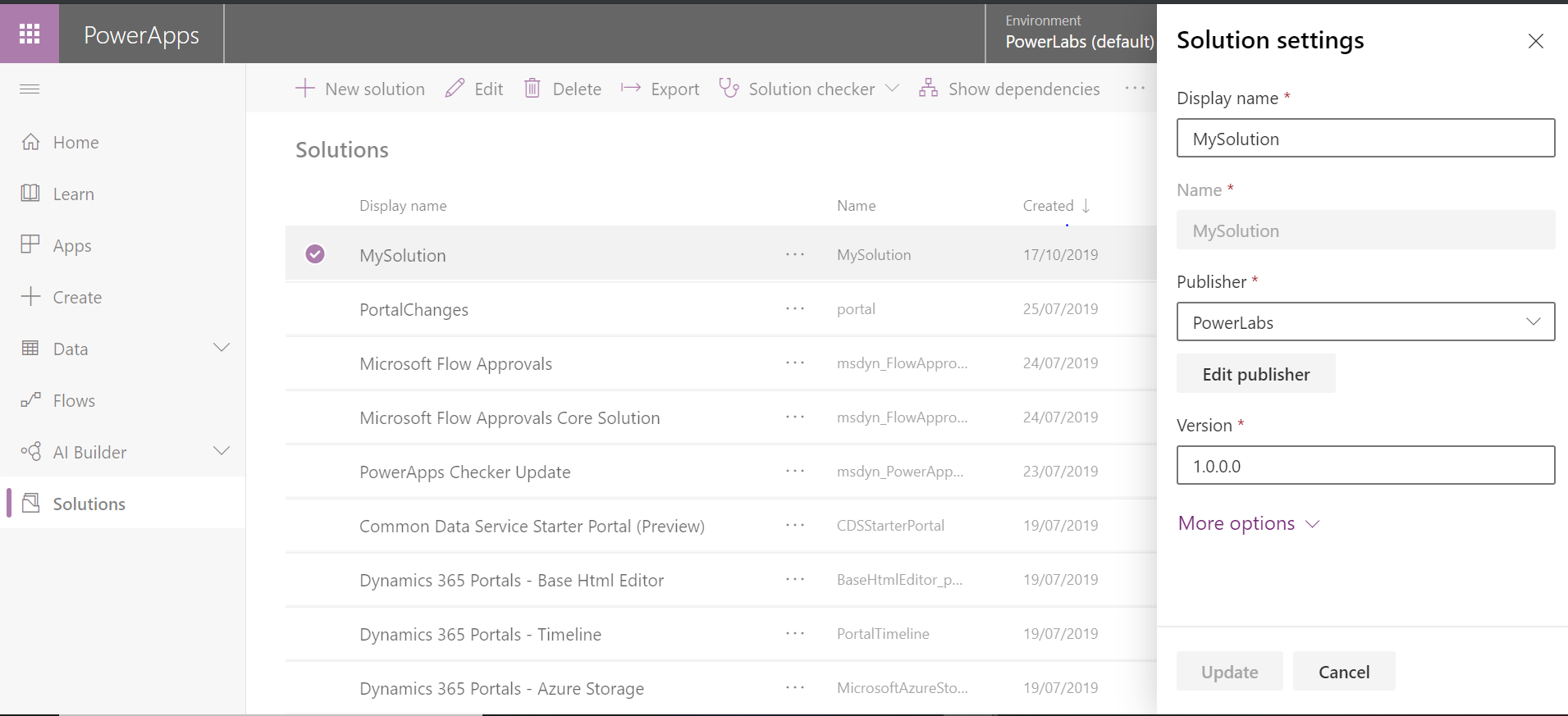
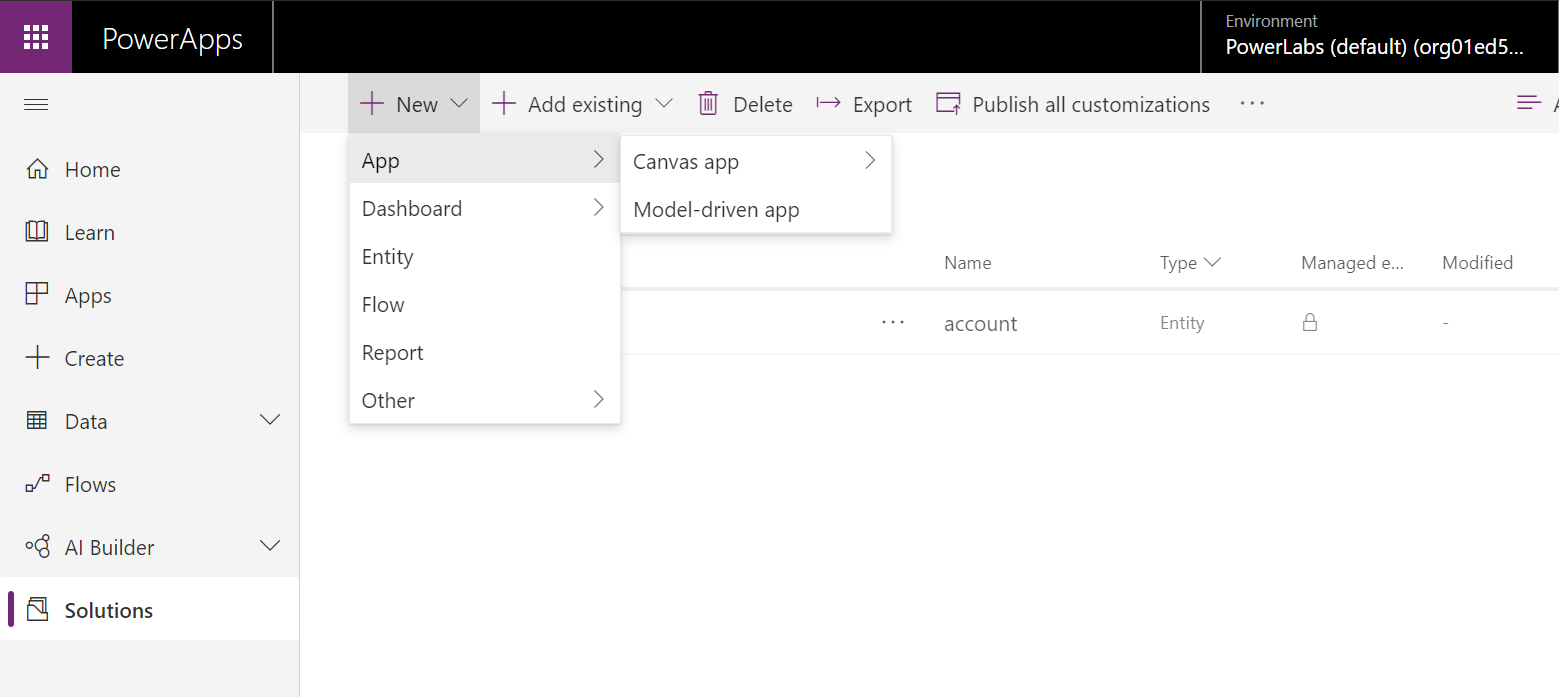
    Scenario 4. Creating a new app within a solution with the correct prefix.

    app_5

    app_51

    app_4

    BINGO! We’ve got the proper prefix at last!

    Let’s have a look where all these prefixes are coming from. Via Advanced Settings let’s switch to the classic UI (for the sake of sanity). Under Settings ->Customizations -> Publishers:

    app_clue

    So “CDS Default Publisher” with the random prefix “cree3_” which is a new “new_” is officially responsible for the mischief in scenarios 1 and 3. The “Default Publisher for org…” controls the scenario 3.

    If you are a lazy … but…  still, care you, can change it here to anything you like and stop worrying about it for a while. Just remember you still may want to add your app to a solution for deployment.


  • New PowerApps designer: where is my Customize the System link?

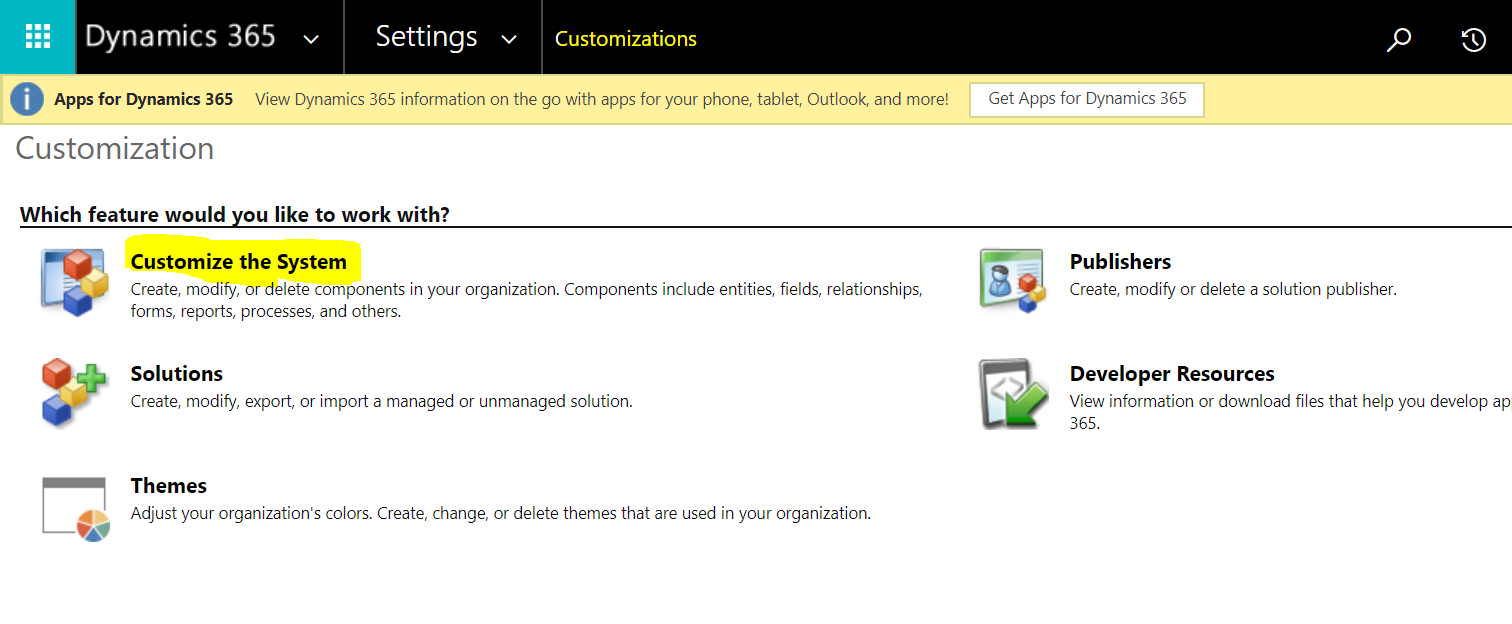
    With the classic UI to lookup all the components for the environment you had to go via Settings -> Customizations-> Customize the System.

    classic_UI0

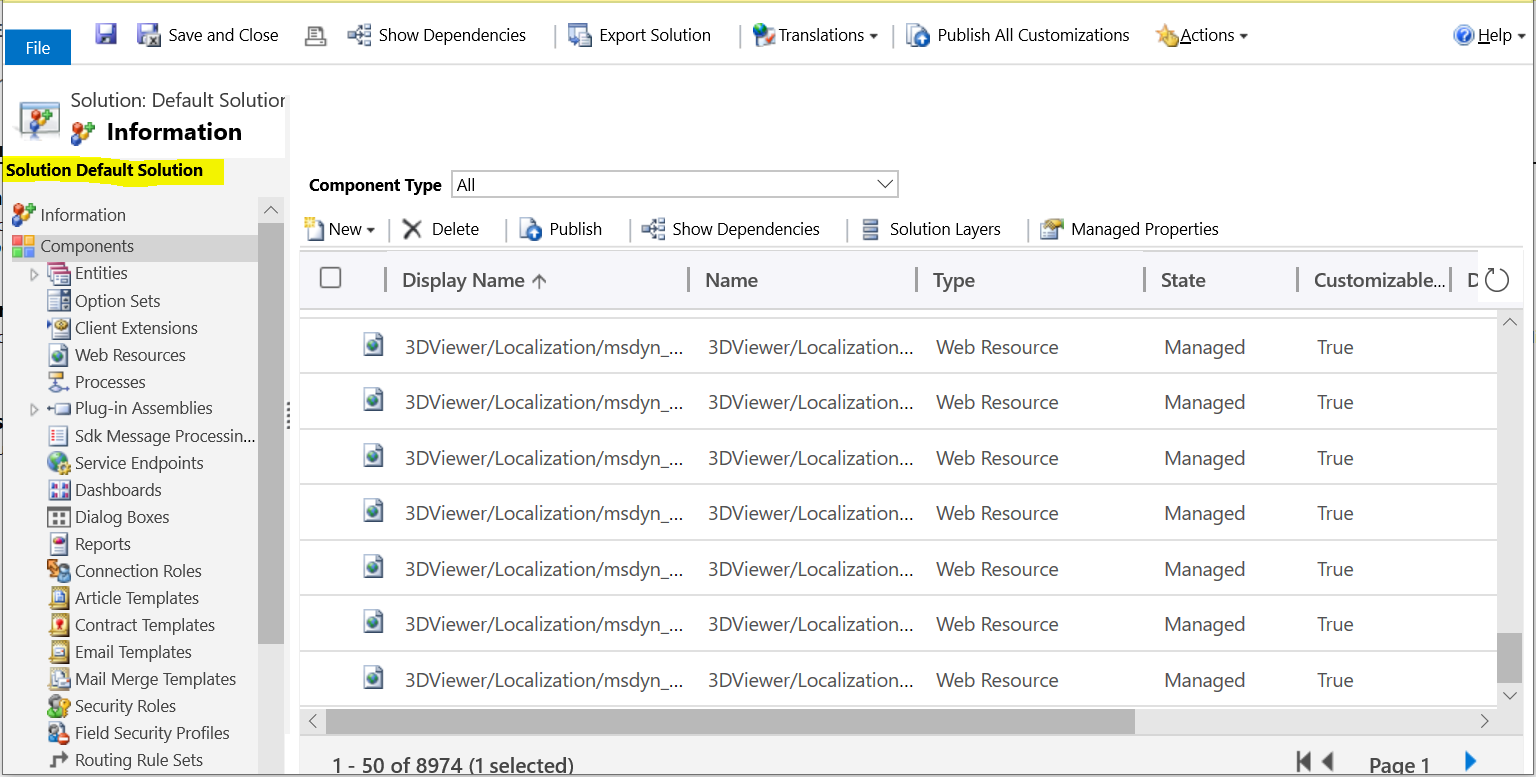
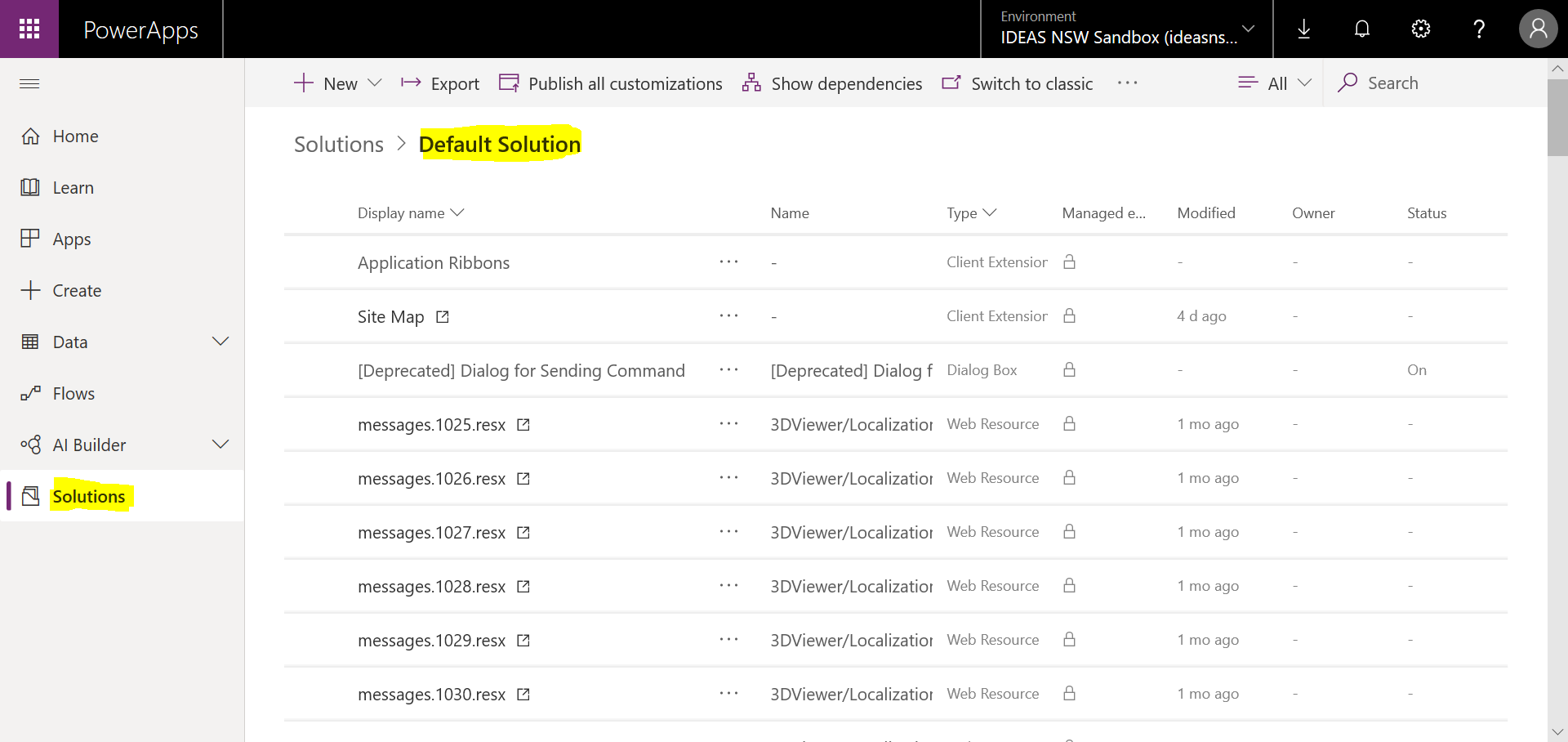
    You could see all the components under the Default solution.

    classic_UI1

    In a new designer:

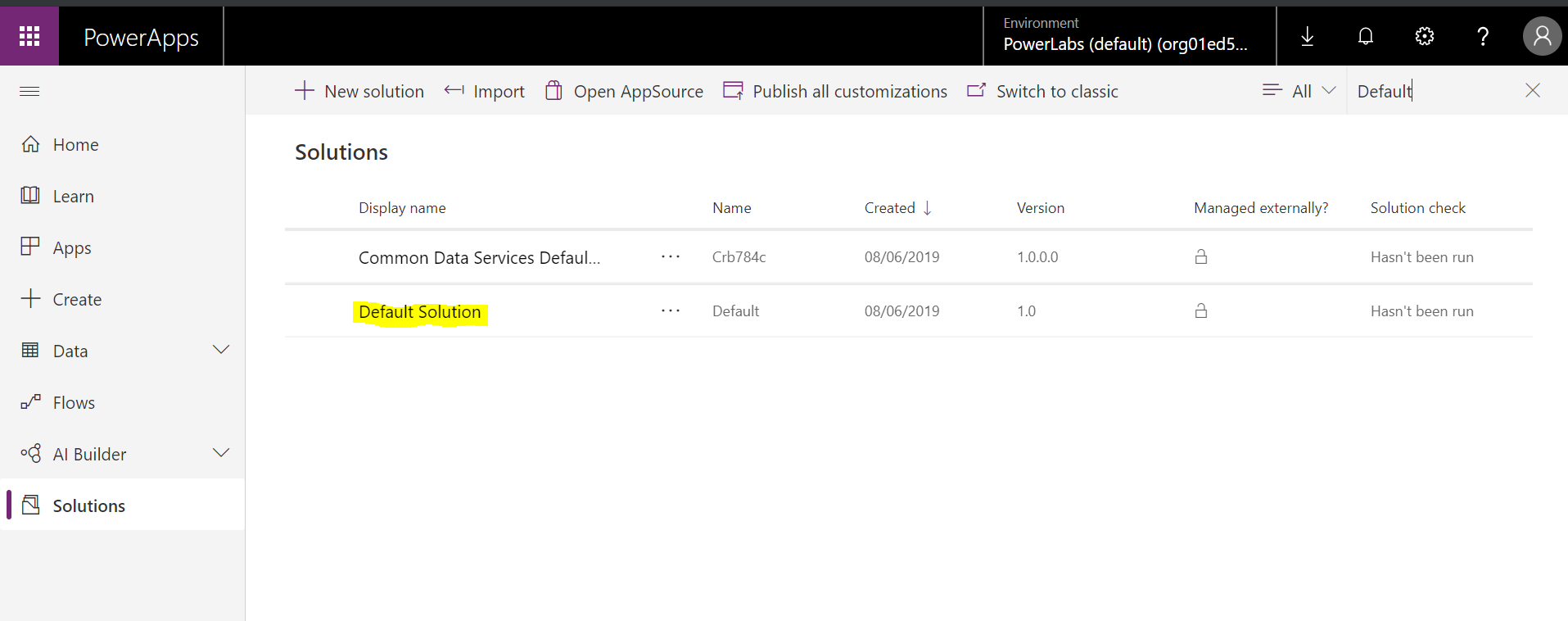
    1. Navigate to https://web.powerapps.com, login using you Dynamics 365 credentials (you will need appropriate security access)
    2. Locate the Solution list.
    3. Type “Default” in the Search box on the right side.
    4. Yep, it’s here.

    default_solution0

    default_solution