Olena's Dynamics Blog (post-AI)
Writing as a human
Category: Uncategorized
-
While using CDS (current environment) connector for the Regarding property which is separately listed for each entity would you assume it’s unnecessarily to prefix a dynamic property value with a type ? Well, unfortunately, you have to. The same way as for other lookups, you have to specify type prior the dynamic property. In my…
-
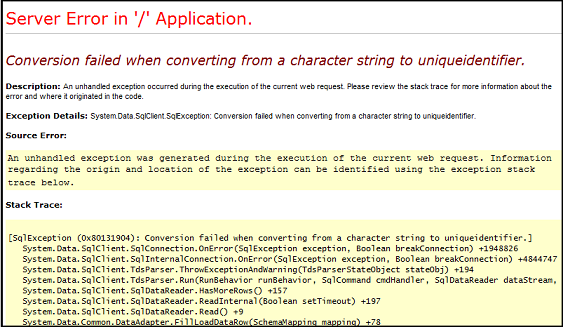
This article is applicable to any PowerApps Portal Action. Recently we set up a PowerApps portal in addition to the existing Dynamics 365 portals.It happened to be a DEV one. What could possibly go wrong? I was debugging an issue and quickly discovered that custom messages don’t give me any idea of what’s really going…
-

Unlike for a default environment for a new trial environment, your Office 365 users won’t get the access automatically and you can’t manage this access via Microsoft Office 365 Admin portal. Or even via model-driven UI for your newly set up environment. You have to add users one by one using the steps below. From…
-

Since Microsoft first introduced the concept of a solution we all live in fear of creating an entity with the prefix “new_”. If you do things properly you create a solution first, define a publisher with the unique prefix then all new entities and custom fields will be created with that prefix. For example, for…
-

With the classic UI to lookup all the components for the environment you had to go via Settings -> Customizations-> Customize the System. You could see all the components under the Default solution. In a new designer: Navigate to https://web.powerapps.com, login using you Dynamics 365 credentials (you will need appropriate security access) Locate the Solution…
 Olena's Dynamics Blog (post-AI)