
All the amazing docs, which help you to start are available here:
https://docs.microsoft.com/en-us/powerapps/maker/portals/web-api-overview#web-api-operations
I was testing the scenario where we had to workaround with the plugin: prior portal Web API times 🙂 it wasn’t possible to deactivate a record from a portal with a status different from the default one. Now it’s super easy!
- I added a new inactive status for a testing purpose:

2. I updated Site Settings to include statecode and statuscode fields:

3. I added a script to update the record I wanted to deactivate:
	webapi.safeAjax = safeAjax;
	})(window.webapi = window.webapi || {}, jQuery)
    if (confirm('Update?')) {
    alert('Thanks for confirming');
  webapi.safeAjax({
    type: "PATCH",
    url: "/_api/tk_inspections(e4c23961-61f5-ea11-a815-000d3ad20d1d)",
    contentType: "application/json",
    data: JSON.stringify({
      "statecode": 1,
      "statuscode": 821350004
 //Cancelled - custom new inactive value
    }),
    success: function (res) {
      alert("Yay!")
    }
  });
4. It just worked! 😎
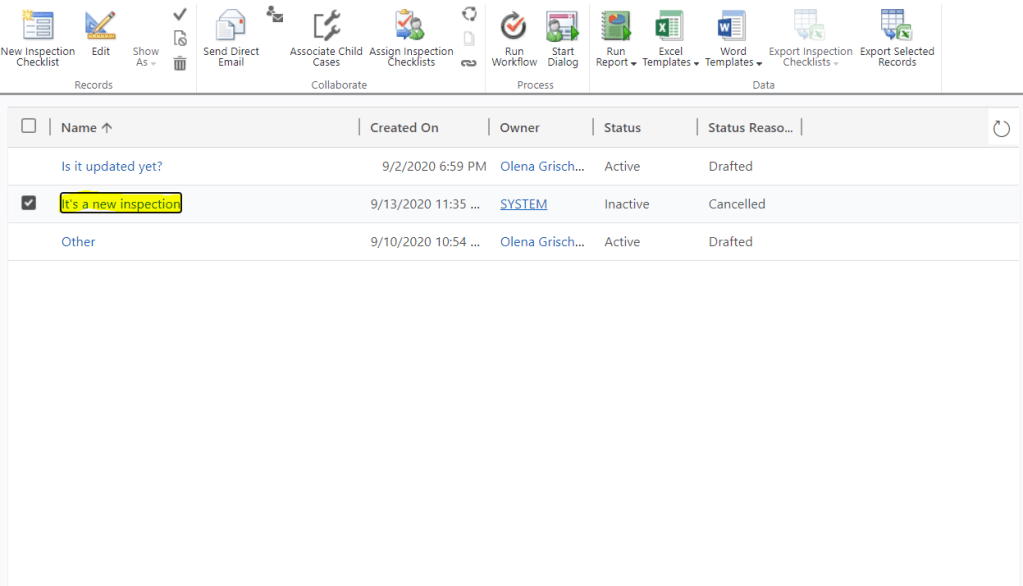
Happy days!

 Olena's Dynamics Blog (post-AI)
Leave a reply to Power Apps Portal: deactivating records from a portal via Web API – 365 Community Cancel reply