“If you block the HTTP Request connector via data loss prevention (DLP), child flows are also blocked because child flows are implemented using the HTTP connector. Work is underway to separate DLP enforcement for child flows so that they are treated like other cloud flows.”
Objective
As Power Platform admin, I want to be able to block HTTP connectors via DLP policy (if required) without breaking core platform functionality.
Therefore, I will test the following functionality is working as described in the documentation below on the DEV tenant:
“Enable the enforcement of DLP policies to include child flows
Admins, makers, marketers, or analysts, automatically
Feb 20, 2023
–
Apr 10, 2023
2022 Wave 2 Power Automate – Enable Enforcement DLP Policies for Child Flow
Currently, data loss prevention (DLP) policies aren’t enforced into child flows. Because of this, admins can block the HTTP connector if they want to block child flows. Unfortunately, this has the side effect of also blocking child flows if the HTTP connector needs to be blocked for some other reason.
With this feature, DLP policy enforcement includes child flows. If a violation is found anywhere in the flow tree, the parent flow is suspended. After the child flow is edited and saved to remove the violation, the parent flows can be resaved or reactivated to run the DLP policy evaluation again.
This feature will roll out slowly using the DLP change process with design-time and full enforcement stages. A change to no longer block child flows when the HTTP connector is blocked will roll out with full enforcement of DLP policies on child flows when this feature reaches generally availability.”
Testing Setup
On the TEST tenant for the test environment do the following:
Setup for Scenario 1
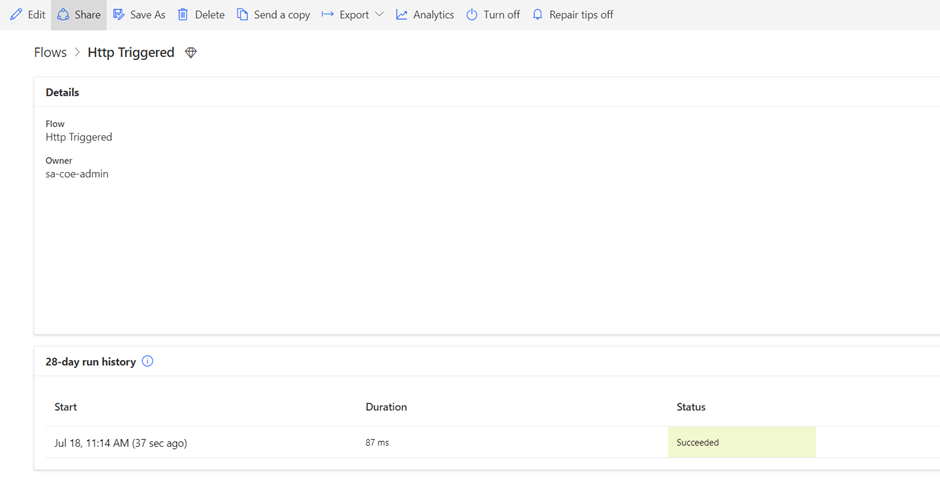
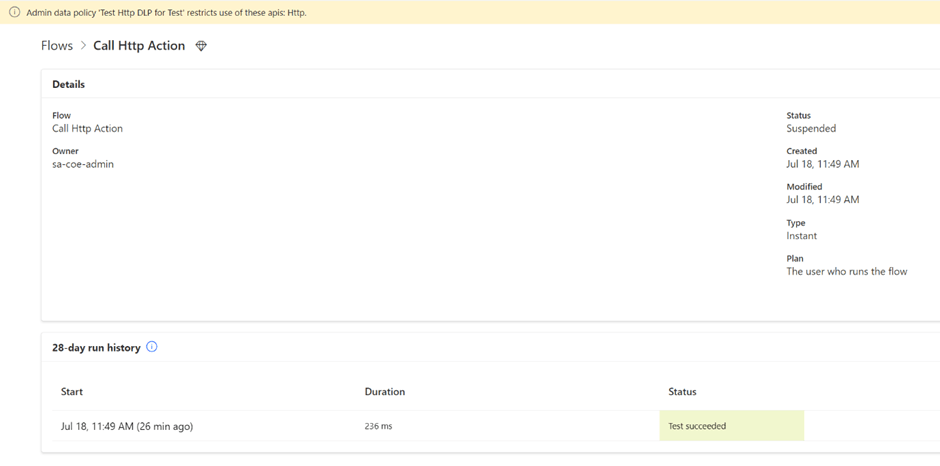
On the Test environment create a Http triggered Flow. And Http Action Flow.
Save and run to confirm the Flow is working.
Setup for Scenario 2
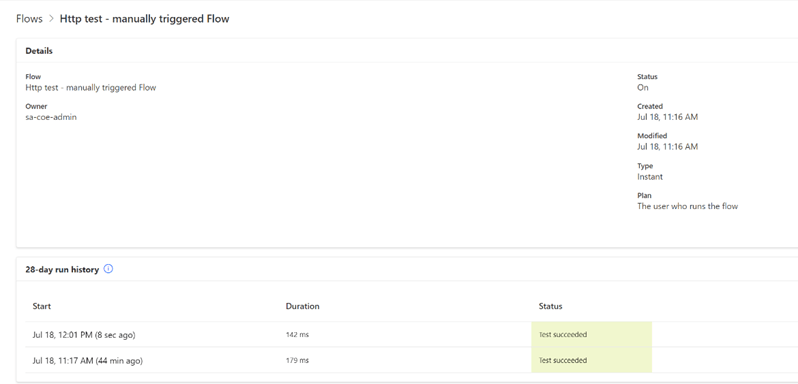
On the test environment create a manually triggered Flow.
Save and run to confirm the Flow is working.
Setup for Scenario 3
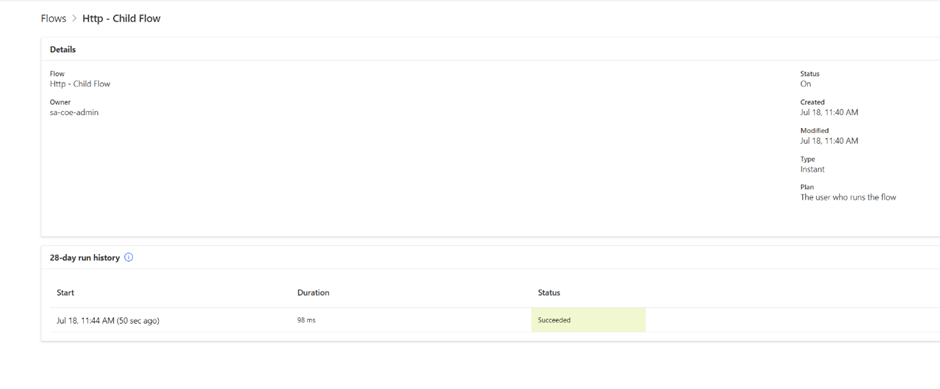
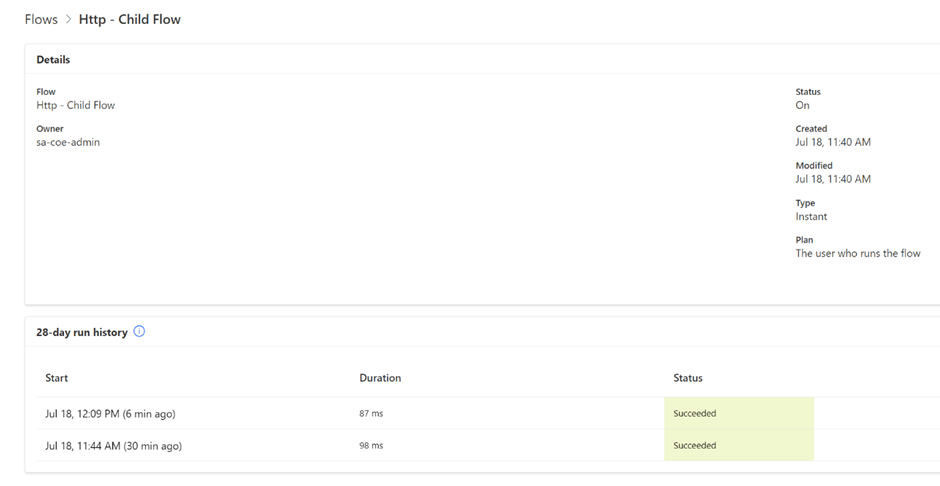
On the test environment create a child Flow. Create a parent Flow to trigger the child Flow.
Save and run to confirm the parent Flow and a child Flow are working.
Setup for Scenario 4
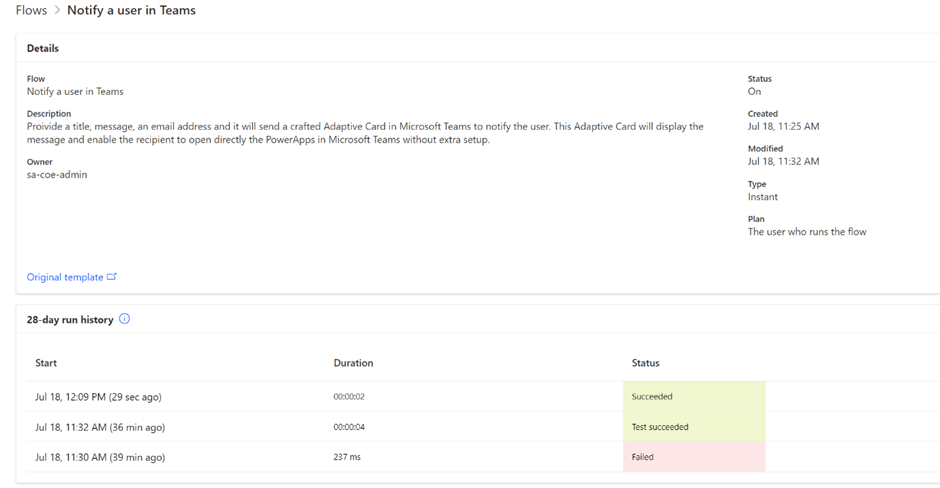
On the test environment create an app that triggers Flow. Check the Flow and the app are working.
Apply a new DLP policy.
1) Exclude the environment from the tenant policy
2) Create DLP for the test environment blocking HTTP connectors
Scenario 1
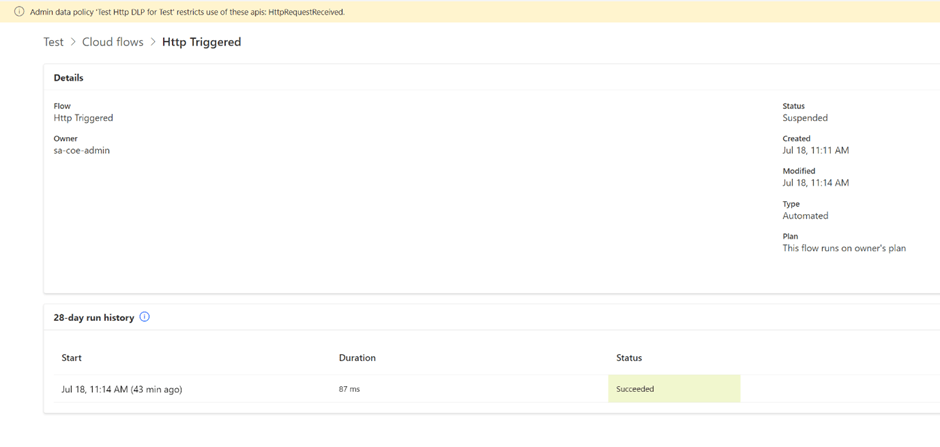
On the test environment run Http triggered Flow. Confirm the policy applies to the Flow.
Test Result
PASS
Scenario 2
On the test environment run manually triggered Flow.
Confirm the policy doesn’t break the Flow.
Test Result
PASS
Scenario 3
On the test environment run a parent Flow to trigger the child Flow.
Confirm the policy doesn’t break the parent Flow and a child Flow.
Test Result
PASS
Scenario 4
On the test environment run an app that triggers Flow. Check the policy doesn’t break the Flow or the app.
Test Result
PASS
Summary
As we could see from the testing results, blocking HTTP connectors via DLP policy doesn’t lead to child Flows, manually triggered Flows or Power App triggered Flows breaking.
Before applying the change to your PROD environments run the tests on non-PROD environments confirming it works for your tenant.
Our Power Platform Admin team recently discussed the possibility of the automatic cleanup of inactive environments. For the Sandbox and Production environments, we tried to come up with a definition of what we believe is an “inactive environment”. The definition we could think of would combine two main components: a user activity in the environment, at minimum, login, and/or automation “activity” – jobs turned on which are running on a schedule.
With the Dataverse for Teams inactive environment auto clean-up (I know it’s there because I regularly get notifications):
, we would expect there is a generic definition of the inactive environment that exists somewhere.
I asked the Microsoft CoE team via GitHub if there are any tools currently available to clean up non-Teams environments. They said it’s in a backlog somewhere and asked me if we’ve got our own “inactivity” definition. We couldn’t come up with something which covers every valid scenario. Practically, we gave up, leaving it to time-based notifications asking environment owners to confirm that the environment is still needed.
Today I woke to discover many tweets about the upcoming Developer environment auto clean-up functionality for inactive environments. I thought it was funny as it means it’s happening now and we have to go back to review the related governance processes again.
Definition of activity (by Microsoft)
User’s activity
Power Platform calculates a single measure of inactivity for each environment. The measure accounts for all activity by users, makers, and admins across Power Apps, Power Automate, Power Virtual Agents, and Dataverse.
Most create, read, update, and delete operations on the environment—and its resources that a user, maker, or admin initiates—are considered “activity”.
Most read operations like visits to the home page, solution explorer, Power Apps or Power Automate designer are not considered as activity.
Here are some examples of the types of activities that are included in the measure:
User activity: Launch an app, execute a flow (whether automatic or not), chat with a Power Virtual Agents bot
Maker activity: Create, update, or delete an app, flow (desktop and cloud flows), Power Virtual Agents bot, custom connector
Admin activity: Environment operations such as copy, delete, back up, recover, and reset
Automation activity
Activity includes automated behaviors such as scheduled flow runs. For example, if there’s no user, maker, or admin activity in an environment, but it contains a cloud flow that runs daily, then the environment is considered active.
So, what else do you need to know about the environment’s inactivity clean-up automation existing today?
Currently, there is no auto clean-up for Prod and Sandbox environments based on the user or automation inactivity. Let’s imagine Microsoft introduces some following the existing inactivity definitions for Developer and Teams environments. Will it work for all business scenarios?
Real-life business scenario with an active environment with an inactivity time of more than 90 days
One of my current customers uses Power Apps to recalculate tenant bulk bills based on water usage and tenancy occupancy. Tenant letters get issued for the tenants based on the processed bills. Bulk bills are loaded into the system quarterly. It could be more than 90 days until a user uses the app and runs automation.
The workaround
Keep a scheduled weekly job running to simulate the environment activity.
What’s missing?
What’s really missing for me is an admin choice and configurable options for inactivity for all types of environments.
Yes, admins got options to recover environments. Yes, they are notified multiple times via email to action. Am I still worried about my Prod and Sandbox environments being disabled in the future? Yes, but I hope we have friendlier governance in the future.
The simplest way to get access to a Power Platform environment is to sign up for the Power Apps Developer plan. You can explore Power Platform at full potential for learning at no cost.
To fully use it as a developer, you’ll need an Azure account and a work account. This article will guide you through the process for creating a Power Platform environment and a test tenant if needed.
Currently, you could have up to 3 developer environments on the same M365 tenant.
As a Power Platform administrator, I would like to understand if Power Platform DLP policies apply to Developer environments created by makers.
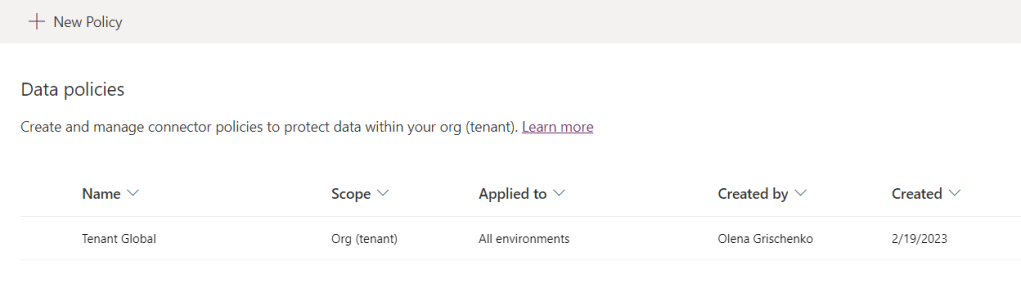
First of all, I hope you have a tenant-level all-environments policy set up. I’ve got mine. It gets applied to all existing environments except for excluded ones and also to all future environments which will be created at some point.
Tenant level all environments policy
It’s restrictive and only includes 15 Business connectors, mostly M365 Office connectors and some Dynamics 365 and Dataverse.
Business connectors
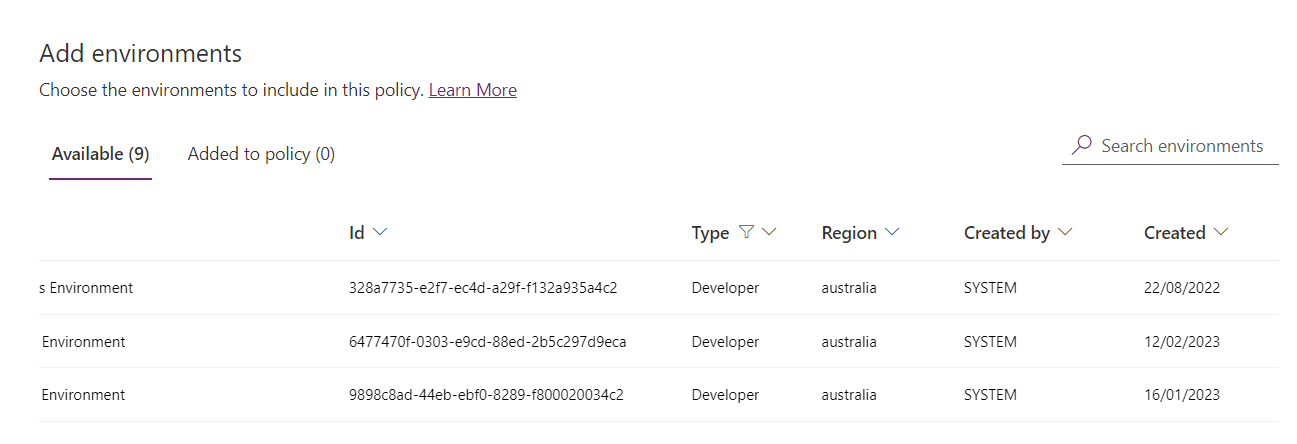
As you could see from the screenshot below, I’ve got Developer environments listed in the step where we define a scope. I could easily add or exclude them.
List of Developer environments
Almost convincing. But I need to be 100% sure.
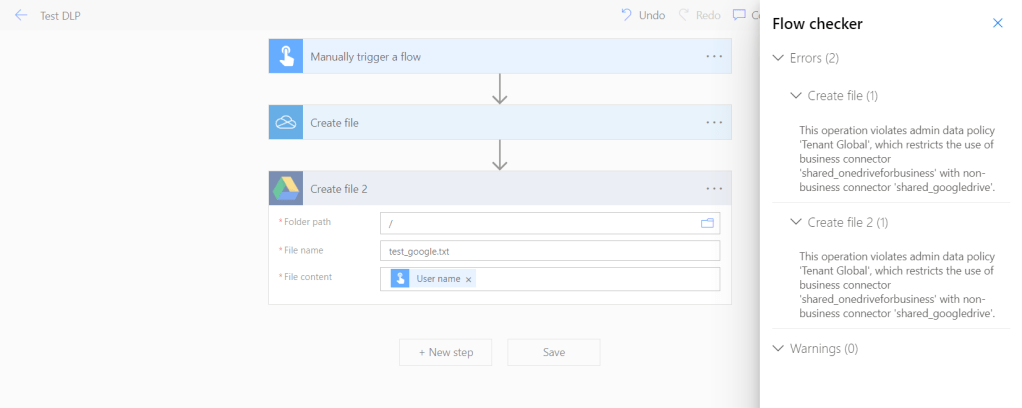
For this, I will go to my very own Developer environment and try to mix Business and Non-Business connectors in one Power Automate Flow.
Power Automate Flow to test DLP policy
As you could see, my Developer environment follows the same rules as other environments and I am not allowed to mess with organizational data.
App registration is a part of the setup. The Power App Management Permission is required and according to the warning below it creates potential issues.
Currently, this cmdlet gives elevated permissions (for example, Power Platform Admin) to the app registration. Your organization’s security policies may not allow for these types of permissions. Ensure that these permissions are allowed before continuing. In the case that these elevated permissions are not allowed certain capabilities won’t work in the AA4PP pipelines.
What’s the Power Platform Admin role superpower?
Users with the Power Platform admin role can:
Sign in to and manage multiple environments. Power Platform admins are not affected by security group membership and can manage environments even if not added to an environment’s security group.
Perform admin functions in Microsoft Power Platform because they have the System Administrator role.
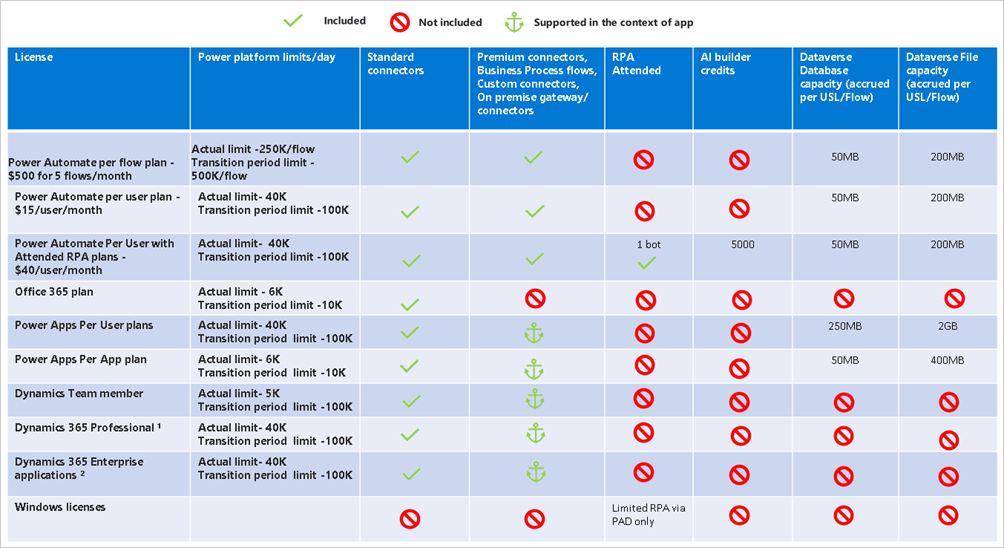
Power Platform Admin has got a System Admin role across all Power Platform environments in your M365 tenant. Using the matrix below you could explore and compare service admin permissions:
What’s the risk in giving the app elevated permissions?
One of the risks is that Client ID and Secret will be stolen and used to impersonate the Power Platform Admin.
Power Platform Admin impersonation – so what?
Power Platform Admin could manage apps and automation, and manage environments, including creation and deletion.
The desirable outcome
As a Power Platform Admin, I would like to limit the distribution of elevated permissions. Also, I am trying to understand the implications of not granting the app the requested permissions.
The available outcome
I reached out to the Microsoft team supporting the ALM preview. This is the response I’ve got from them:
This is currently a gap in functionality in the platform. Without these permissions, Canvas App Sharing will not succeed but the pipeline won’t fail during the deployment. We’re using the admin endpoints for sharing canvas apps in the platform as they are the only APIs available that support Service Principal currently. If you decide not to provide the permissions then you’ll need to manually share apps in the downstream environment. Not something we can work around at the moment based on the platform restrictions.
Here’s the list of functions in the pipelines that require this permission today:
Sharing canvas apps in downstream environments.
Updating canvas app owner on import of an unmanaged solution.
Running canvas test automation, where applicable, to override connection consent.
In the consulting world, we get the document generation requirements for most medium to large-size projects.
Traditionally, for Dynamics 365 projects we used document generation add-ons, like Document Core Pack or Xpertdoc to generate documents.
However, it’s unnecessary in the world of Power Platform where all requirements could be addressed with just Power Platform.
I’ve been watching the document generation space for some time. As a Solutions Architect, I suggest to my customers the best options for their needs. I’ve noticed that with the Power Platform’s growth and evolution the old-fashioned document generation solutions are less and less relevant.
There are some reasons you may want to avoid using third-party solutions:
Extra Cost. If I paid for my license already, I don’t want to pay again. Especially, when we talk about a significant amount of money for a significant number of documents to generate.
“Bad architecture”. Some may ignore this reason. I will talk about it anyways. Some of the add-ons store the configuration records in Dataverse. On top of this, they install workflows, scripts, and business rules to support their solutions. In my system. It creates noise, creates errors, and impacts the environment’s performance. It also impacts costs as you pay for the add-on API calls.
Extra “foreign” data. Data to support the add-on. It could be some large amount over months. It also impacts costs as you pay extra for data storage.
Data. Compliance. Rules and regulations. For government projects, particularly. For example, “data must be stored within the country”.
Doesn’t match the company data strategy. Different companies may have their own favorite data and BI products.
There are some requirements from one of my government customers below:
THE PERFECT DOCUMENT MANGEMENT
• Data to be stored in Australia(could be any other country 😉) • Ability to use conditional logic and conditional tables • Ability to schedule a generation of a report and send it via email • Needs to be part of automation (Power Automate) • Minimise price, optimal price – comparative price • Want a solution that will not add extra fields and tables in Dataverse as we have limits • Superuser to modify/create the template • Desirable – align to Agency data strategy • Ability to cater to simple and complex design (doesn’t necessarily have to be one solution)
The perfect document management
Also, my customer asked me: “CAN IT ALL BE JUST POWER PLATFORM? WE DON’T WANT ANY THIRD-PARTY SOLUTIONS”
OK. We identified two groups of documents: “simple” and “complex”. Also, we agreed we need to use Power Automate as we include the generated documents in automation processes so we set it up as a foundation option.
Power Automate with a connector (foundation)
Overview
All OOTB solutions and third-party add-ons provide the ability to integrate with Power Automate via a product connector.
We use Power Automate to schedule or trigger the document generation single or in bulk then distribute the documents via email or store them in the required destination: Dataverse, Azure BLOB storage, SharePoint, or others.
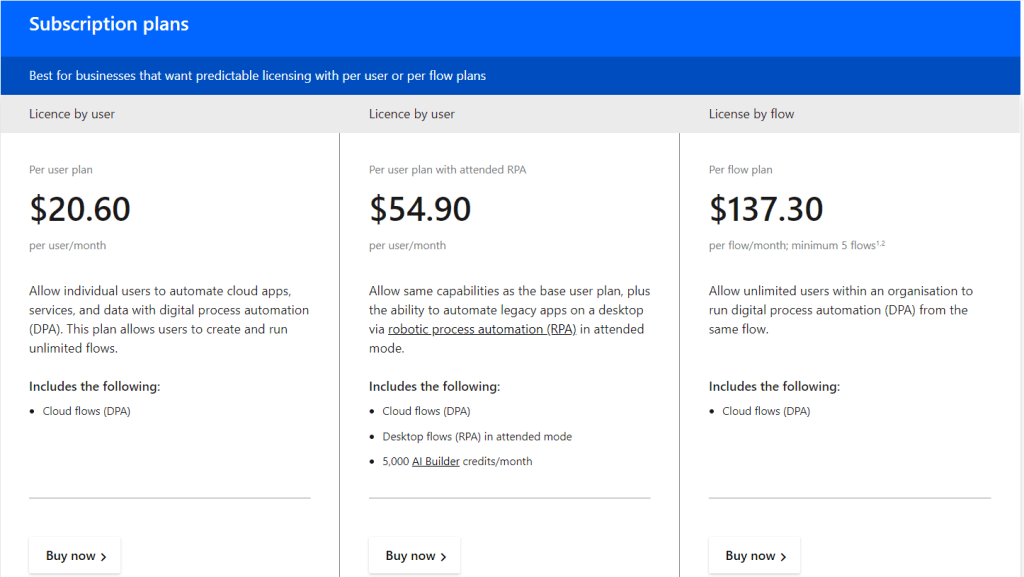
There are costs associated with the Power Automate Premium.
The user starts a template preparation using a Developer tab in Word, no XML schema is required for the solution, and the dynamic controls must be placed in the templated and named with unique names. The template gets uploaded to One Drive for Business or SharePoint.
Power Automate flow scheduled, manually triggered, automated, or linked to a business process flow stage could be used to include a template population action of the Word Online (Business) connector to generate documents in bulk, send by email, or saved them to any required destination. The data source for the document population is not limited to Dataverse.
A One Drive connector action is available to convert a Word file to a PDF.
Assessment
Requirement
Is Met?
Description
Data to be stored in Australia
😀
Data is stored in our data storage we control and design
Ability to use conditional logic and conditional tables
🥵
Currently, the solution doesn’t support conditions in the template. There are still ways to implement conditions for simple scenarios.
Ability to schedule a generation of a report and send it via email
😀
Minimize price, optimal price – comparative price
😀
The price is as minimum as it could get. You only pay for the Power Automate Premium as you would pay for any other solution integrated with Power Automate.
Want a solution that will not add extra fields and tables as we have limits
😀
Superuser to modify/create the template
😀
Suitable for simple templates.
Desirable – align to Agency data strategy
😀
It’s just Power Platform, no third-party add-ons!
Suitable for simple templates?
😀
The best option for simple templates
Suitable for complex templates?
🥵
Pricing
The solution only uses Power Platform tools. You need a Power Automate Premium. the pricing is described in the foundation option above.
It ticks all the boxes for simple documents. We will use another Power Platform tool for more complex docs.
Summary
The solution ticks all the boxes for document generation with simple document templates which aren’t required conditional logic and complex formulas.
Solution for Complex Documents. Power BI paginated report
Power Automate actions for Power BI are available to generate a report based on the parameters then export the report and save or send it to users. An example of how to export a report and then send an email is here:
+ you need Power Automate Premium to distribute and include it in your automation.
Summary
The solution allows the generation of complex documents with Power Platform and you don’t need any third-party tools.
😈You could argue it’s not citizen-dev friendly and requires dev skills to build reports. As a matter of fact, I believe that generation of the complex documents is a pro-dev job. I’ve seen complex queries built with add-ons by superusers. The performance of that queries was not ideal as a result the bulk generation took a very long time and was timeouted anyways.
To summarise all the above, in the world of Power Platform all document generation requirements, simple and complex, could be addressed with just Power Platform.
YOU DON’T NEED THE THIRD-PARTY ADD-ONS.They are evil.
























 Olena's Dynamics Blog (post-AI)