• Extending PowerHashTag solution with Flow for PowerApps

    There are multiple ways to specify an entity type in PowerApps. Most of the time you would use something like an optionset field or reference to a list type via lookup.

    However, in those cases you need help from someone who’s got the power to customise the system for you or has the permissions to modify the reference data.

    Using hashtags makes it easier for end users to specify their own types in PowerApps.

    The PowerHashTags solution from PowerObjects is a perfect way to give users more power to categorise records and search for a particular record based on the tags defined.

    There is a very easy to follow user guide, which I used to set up the solution.

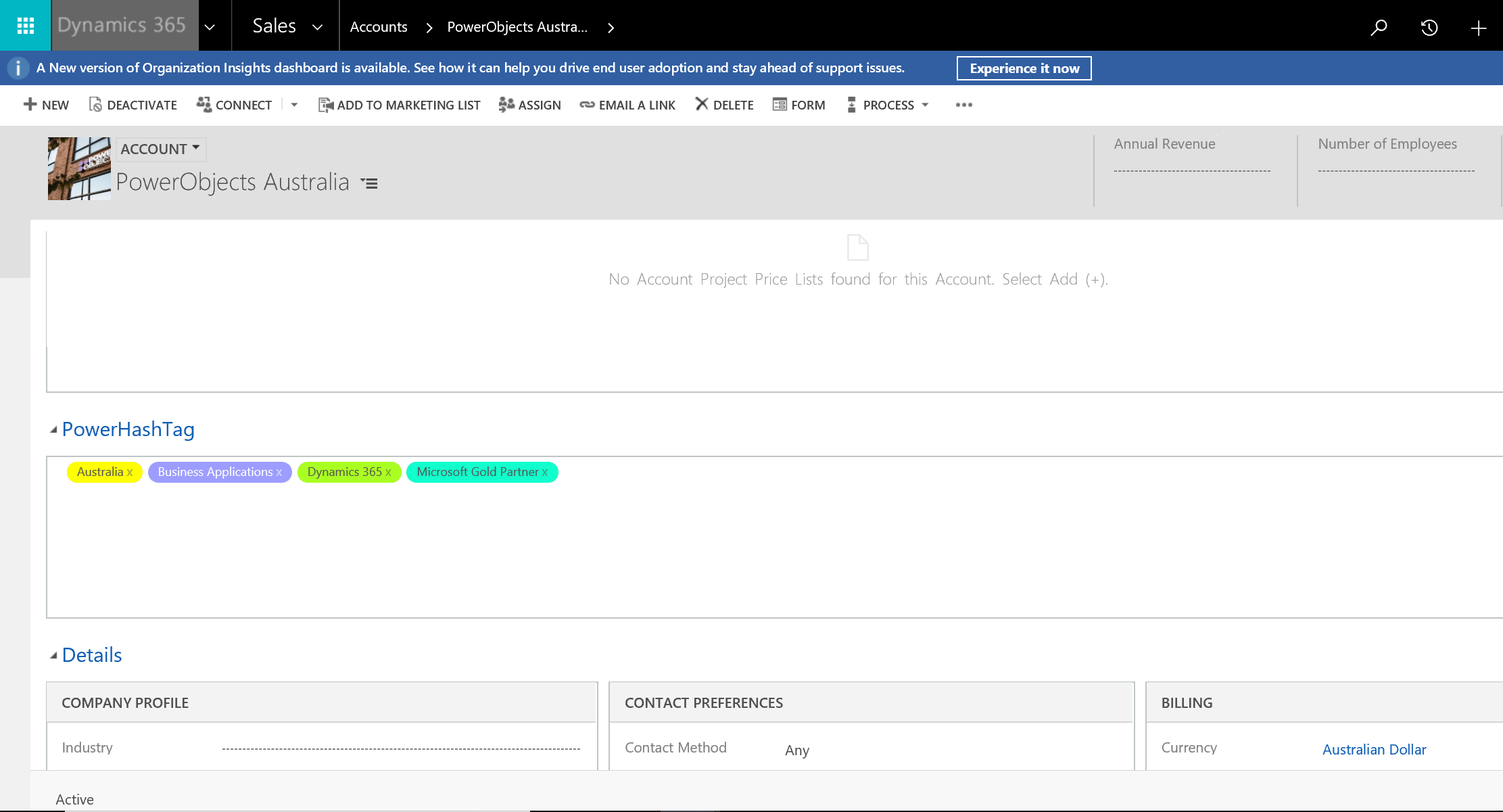
    My favourite part is picking up colours for different tags…

    1

    … so they look pretty on a form.

    2 - Copy

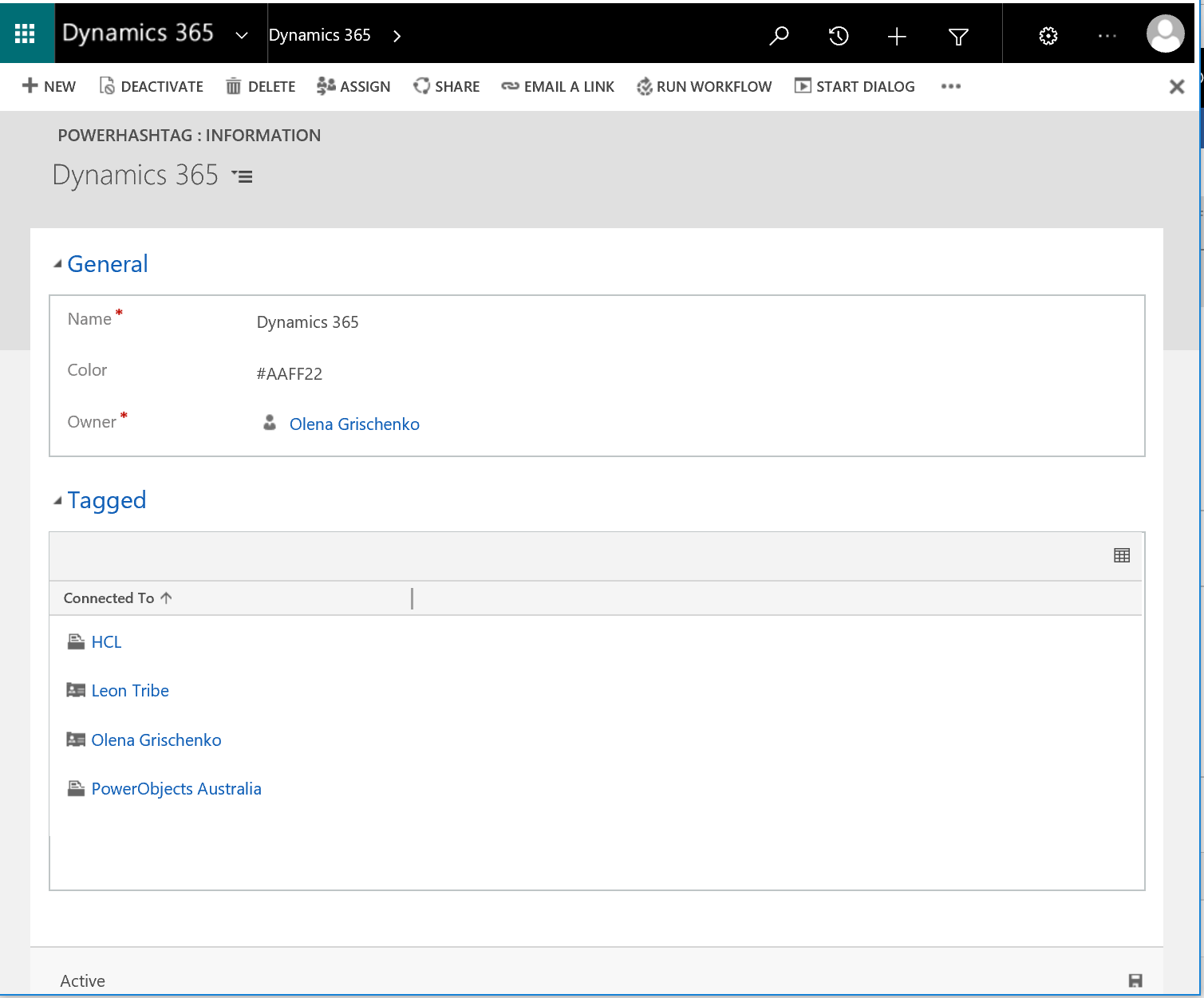
    To look up all records associated with the tag just click on it to open the form and explore records under the Tagged area.
    3

    As you can see, there are different types of records, not only accounts but also contacts. In my case I tagged people skills for Dynamics 365 and Dynamics 365 companies as well.

    At the back end the PowerHashTag solution uses out of the box Connections functionality to support tagging. Let’s have a look in the Advanced Find.

    4

    The result list of records for my query contains all connections where the Type(To) equals “PowerHashTag”.

    5

    The requirement is to retrieve all companies working in the Dynamics 365 space and located in Australia. Currently, there are multiple companies in the system matching the criteria.

    I tried the query below:

    6

    7

    Am I happy with the result? Not quite. There is the company, Alphabet, which is US based and doing Dynamics 365. It shouldn’t be in the results. There reason it’s there, I used OR in my query. Let me fix it.

    8

    9

    Well, as you can see, it doesn’t work this way for Connections. At least, not out of the box.

    There is a no-coding solution which is also a good opportunity to learn more about Microsoft Flow.

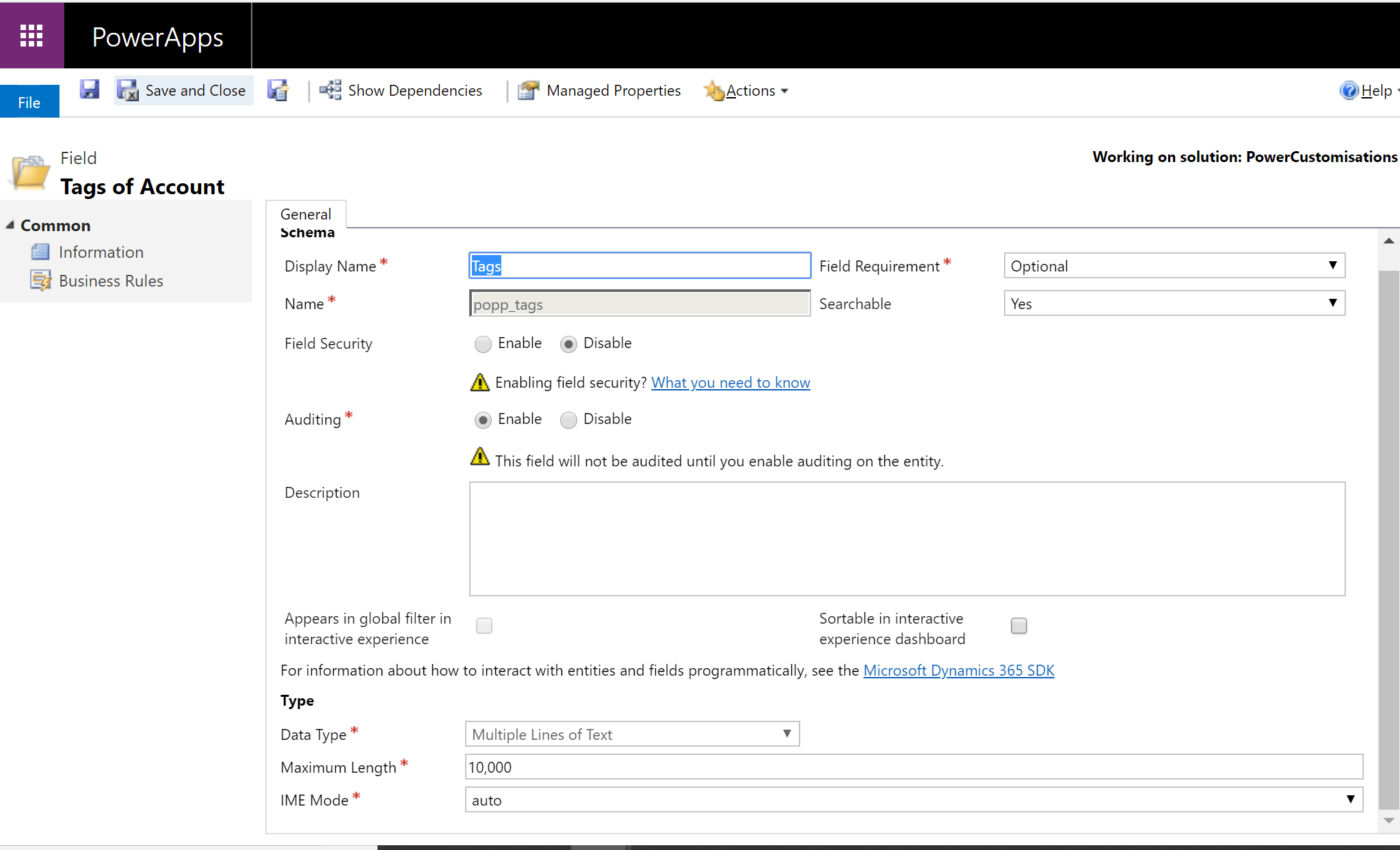
    The idea is, on creation of a new tag, concatenate all hashtags into a long string and store it a custom field on the Account entity. Old school workflows won’t allow us to do so. We need to ask developers to build a custom workflow activity for this. Luckily, we have Flow to rescue us.

    First, we need a new custom text field on the Account entity, something like this:
    10

    Second, let’s make sure we have Change Tracking ticked so Connections is enabled for Flow.
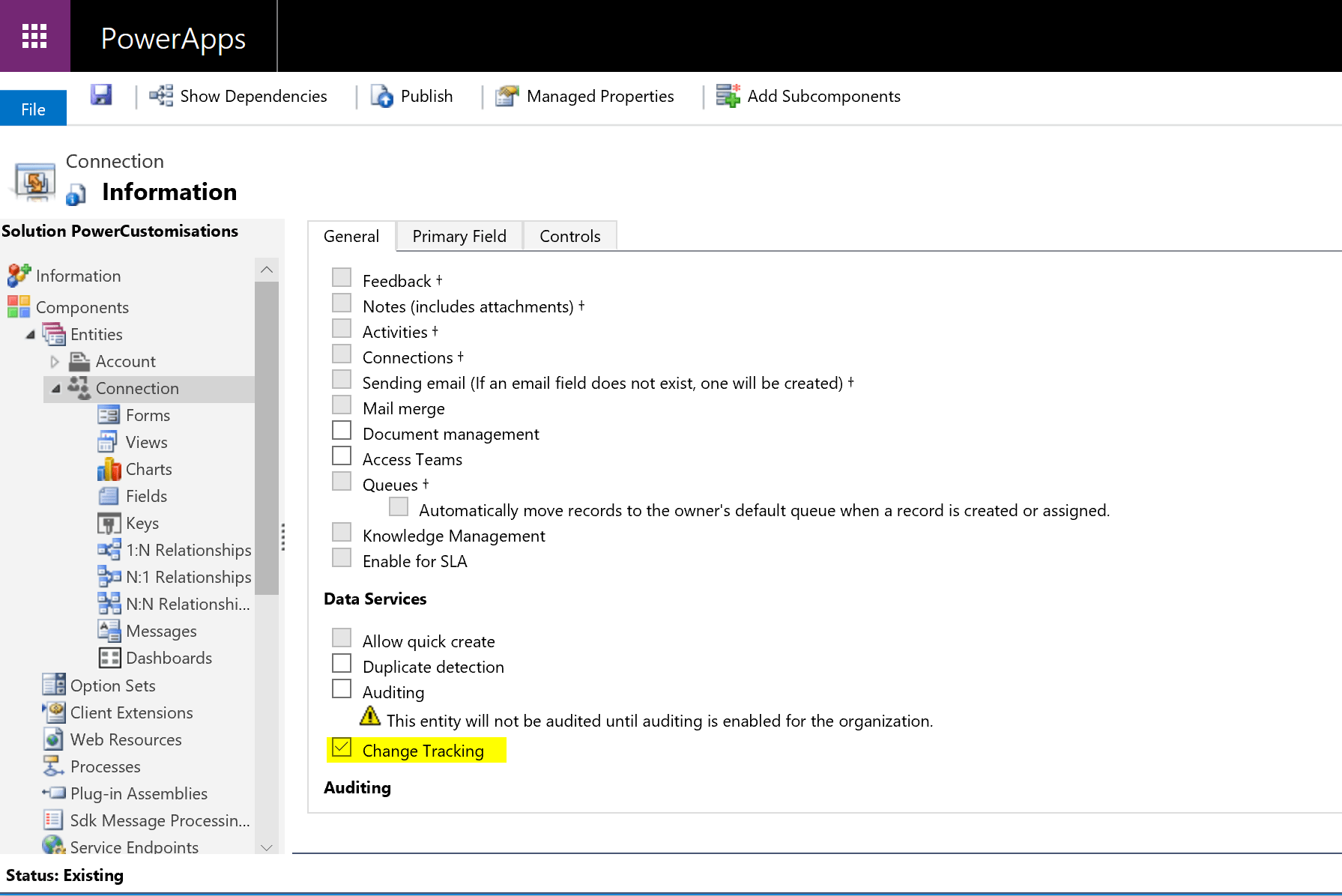
    11

    Nice. Pick up the Flow item from the form menu then Create a flow.

    12

    I’ve built my flow already. So, let’s just have a look inside. Let’s open the designer.
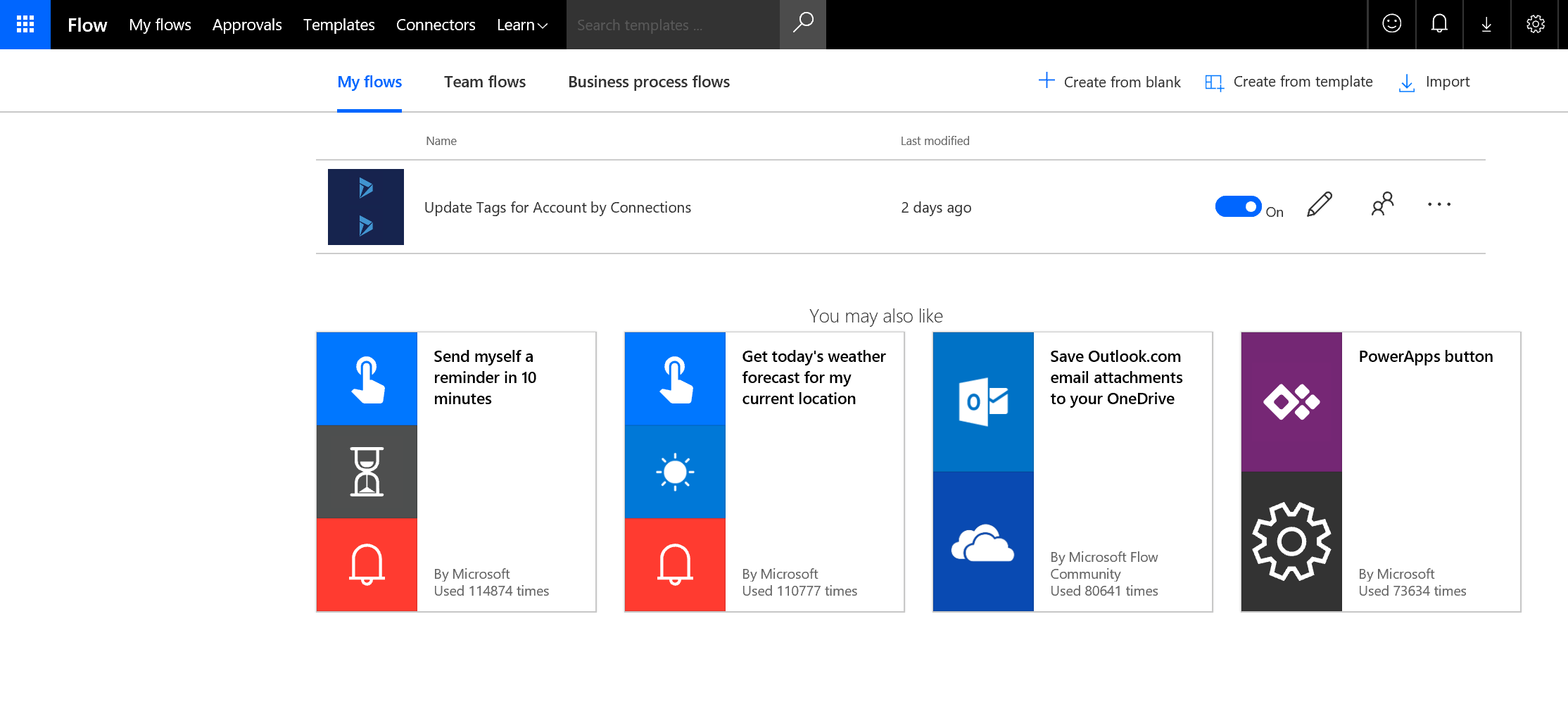
    13 - Copy

    14 - Copy

    It’s a very minimalistic flow. For best practice one would, probably, contain multiple check for nulls and more logic to handle all sort of exceptions. In the dev world, in my “Hello Flow” world it’s good enough though.

    Step 1. Trigger

    The flow gets triggered when a new Connection is created for the organisation.

    15 - Copy

    Step 2. Sooner or later you realise you need a variable to store your concatenated string.

    16 - Copy

    Step 3. We are interested in the PowerHashTag to Account connections only.

    No basic mode, sorry. The condition to filter is: @and(equals(triggerBody()?[‘_record1id_type’], ‘accounts’), equals(triggerBody()?[‘_record2id_type’], ‘poht_hashtags’))
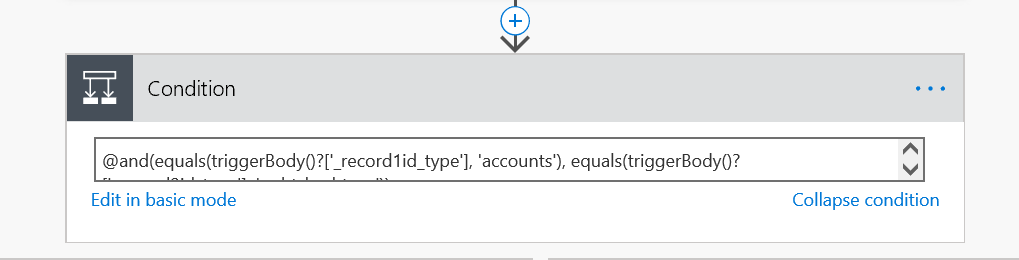
    17 - Copy

    Step 4. Only if Step 3 is valid, get all PowerHashTag connections for the trigger connection Account. We need them to re-build the Tags string

    18 - Copy - Copy

    I was stuck here for a while trying to use _record2id_type in the filter. I gave up and included record2objecttypecode eq ‘PowerHashTag’ which is not ideal. But we leave it as is for now.

    Step 5. Getting the trigger connection Connected From the account record.
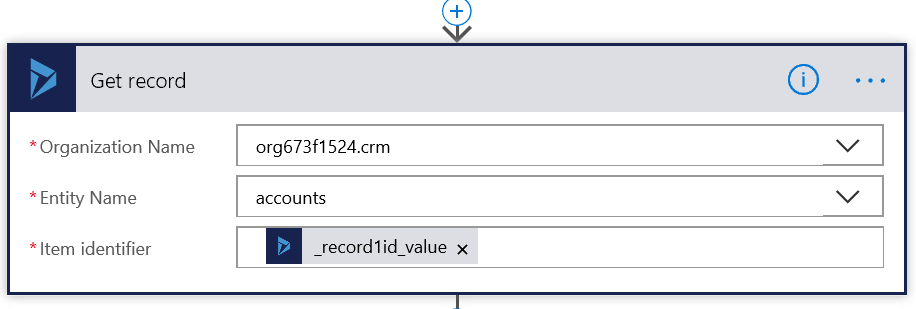
    19 - Copy - Copy

    Step 6. Stack of actions. Iterating through the list of Connections from Step 4.
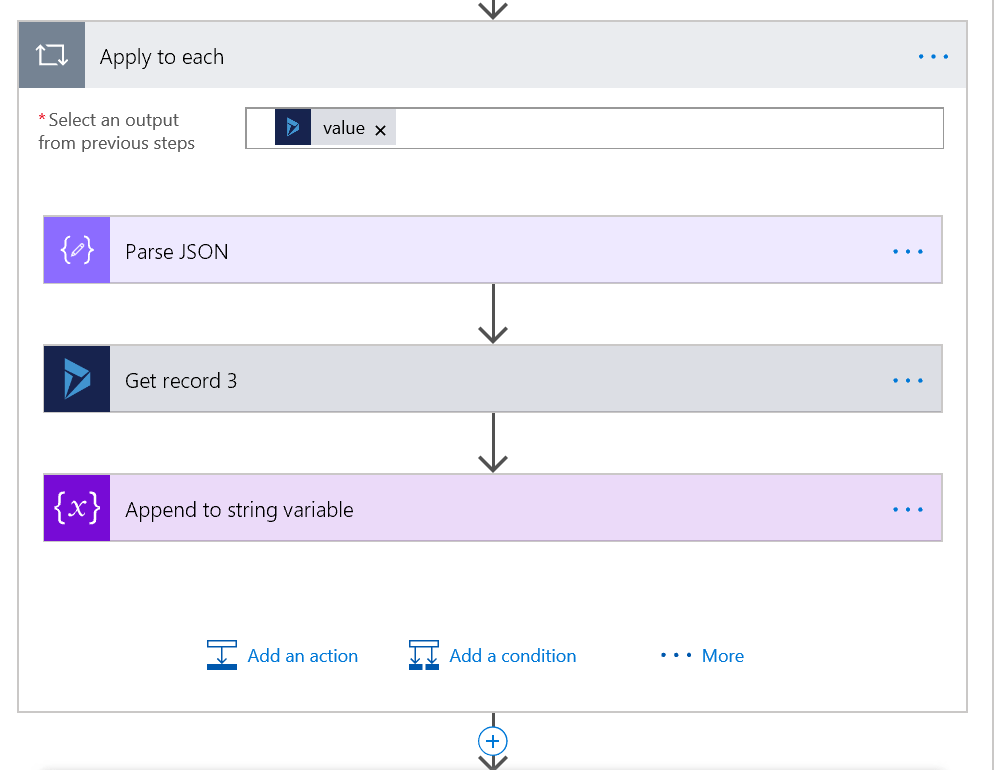
    20 - Copy - Copy

    Step 6.1 Parse JSON to get to the friendly properties format.

    21 - Copy - Copy

    Step 6.2. Getting the current PowerHashTag
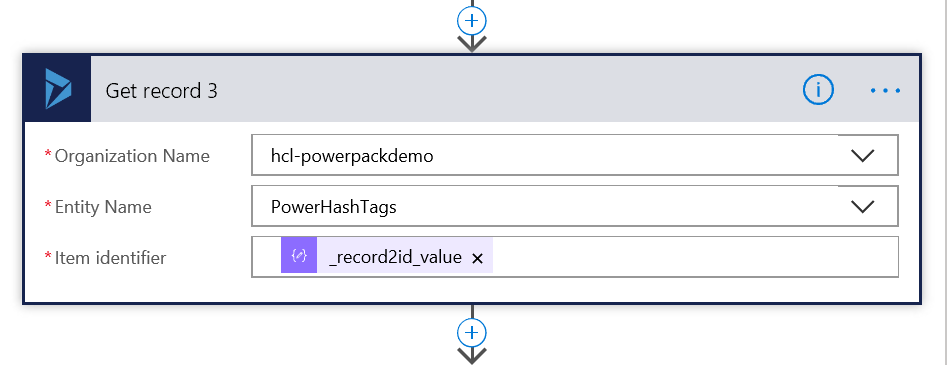
    22 - Copy - Copy

    Step 6.3. Appending the current PowerHashTag to the Description variable.
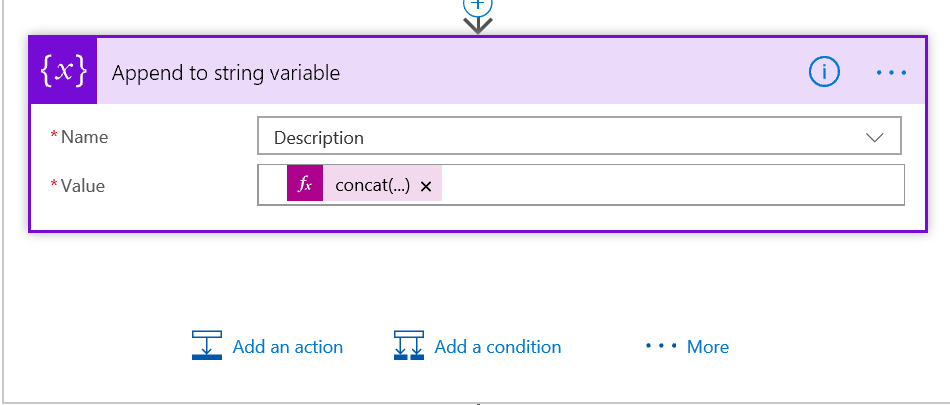
    23 - Copy - Copy

    The concatenation function looks like: concat(body(‘Get_record_3’)?[‘poht_name’],’,’), where ‘Get_record-3’ (#badNamingConvention) is the current PowerHashTag name.

    Step 7. Updating the Account record with the Description.

    24 - Copy - Copy

    25 - Copy - Copy

    In PowerApps for the account with the tag added we can see an updated Tags text field. We don’t need to show the field on the form, only while testing the solution.
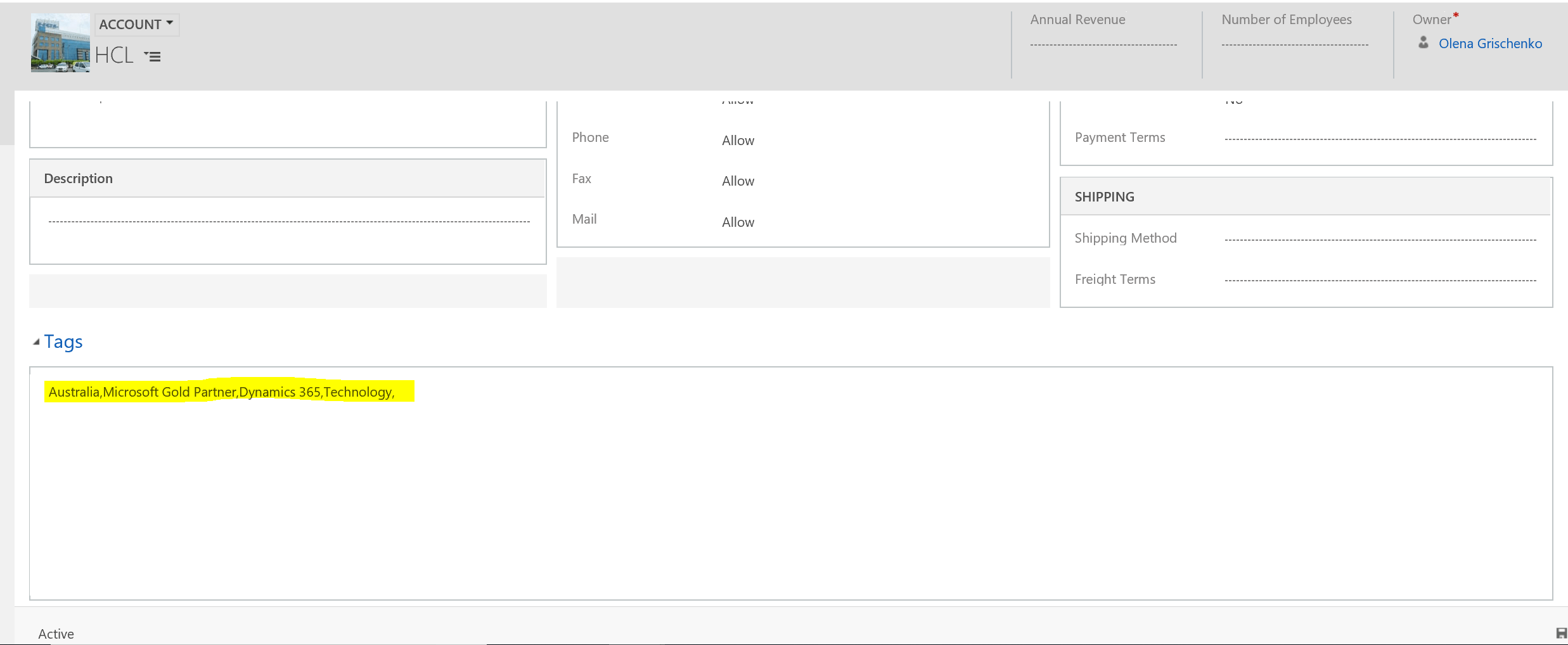
    26 - Copy - Copy

    The Advanced Find query for Accounts now retrieves us the information required:

    27 - Copy - Copy

    28 - Copy - Copy

    For the complete solution, consider a couple more flows: on delete of the tag to account association, on delete of a tag, on update of a tag name. They share the same business logic, so we could add reusable code into a “child” flow.
  • Download file from Azure BLOB storage inside Dynamics 365 Plugin or custom WF activity

    Problem: Microsoft Labs AttachmentManagement solution doesn’t allow to download attachments via plugin for files,synced to Azure BLOB storage .

    Solution: download BLOB, using a custom plugin or custom WF activity.

    Mind mapping(please don’t try any of this, it doesn’t work):

    first, I found this link:

    https://community.dynamics.com/365/b/heralddyncrm/archive/2018/05/27/upload-and-download-files-in-azure-blob-using-c

    It worked perfectly while I was unit testing.

    Then I wrapped it into the WF activity. Registered dll. Booom! It didn’t work! Obviously. That solution required external dlls which can’t be referenced, because… because of the Sandbox, online etc.

    I tried this:

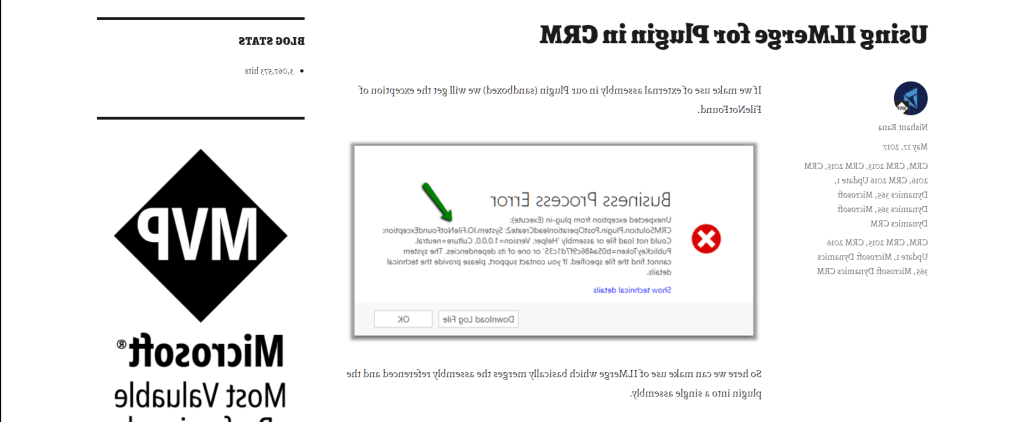
    https://nishantrana.me/2017/05/17/using-ilmerge-for-plugin-in-crm/

    It’s cool, very cool, but unsupported and … it didn’t work either. I was getting something like this: System.TypeLoadException: Inheritance security rules violated while overriding member:…”

    Then I found RestHelper and BlobHelper. It was close, but not close enough:

    https://community.dynamics.com/crm/b/dynamicscrmbestpractices/archive/2016/11/01/accessing-azure-blob-storage-from-crm-online-plugin

    https://github.com/somesh2207/Azure-Blob-operations

    Nothing was working for me! At all. But CRM God loves me, so – HOORAY! That was it:

    http://www.denbraver.com/wordpress/2018/06/04/download-from-azure-blob-using-the-azure-rest-api/

    The Conclusion:

    Bad news: to fetch Azure BLOB inside Dynamics 365 plugin or custom WF activity you can’t use any of this, because you will not be able to reference any of those fancy dlls:

    string storageConnection = CloudConfigurationManager.GetSetting("BlobStorageConnectionString");  CloudStorageAccount cloudStorageAccount = CloudStorageAccount.Parse(storageConnection); 
    CloudBlobClient blobClient = cloudStorageAccount.CreateCloudBlobClient();
    CloudBlobContainer cloudBlobContainer = blobClient.GetContainerReference(containerName); 
    CloudBlockBlob blockBlob = cloudBlobContainer.GetBlockBlobReference("filename.ext");
    MemoryStream memStream = new MemoryStream();
    blockBlob.DownloadToStream(memStream);

    Good newsyou don’t need to, if you use SAS token, no “crazy” libraries or headers either.It just works:

    string uri = String.Format("https://{0}.blob.core.windows.net/{1}/{2}{3}", storageAccount, containerName, filename, SAS);
    HttpWebRequest request = HttpWebRequest.Create(uri) as HttpWebRequest; 
    request.Method = "GET";
    request.ContentLength = 0;
    MemoryStream memoryStream = new MemoryStream(0x10000);
    using (Stream responseStream = request.GetResponse().GetResponseStream()){
        byte[] buffer = new byte[0x1000];
        int bytes;
        while ((bytes = responseStream.Read(buffer, 0, buffer.Length)) > 0){
              memoryStream.Write(buffer, 0, bytes);
       }
    }   
    byte[] response = memoryStream.ToArray();
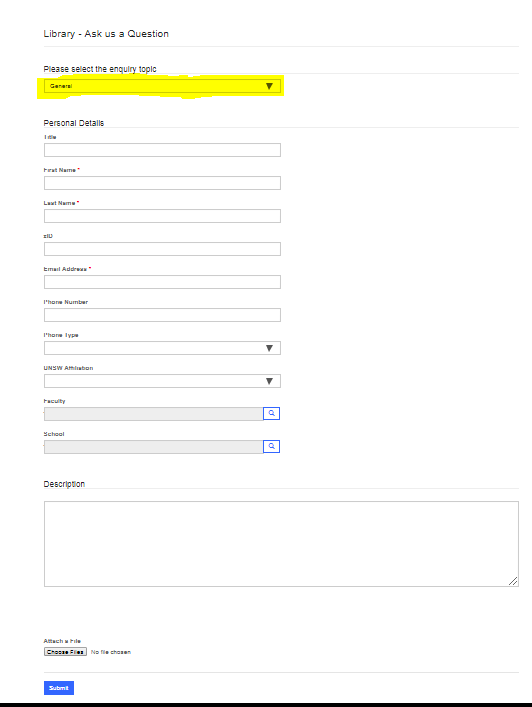
  • We were working on the implementation of the dynamic portal Enquiry form, where form tabs and sections get displayed based on the trigger field value.

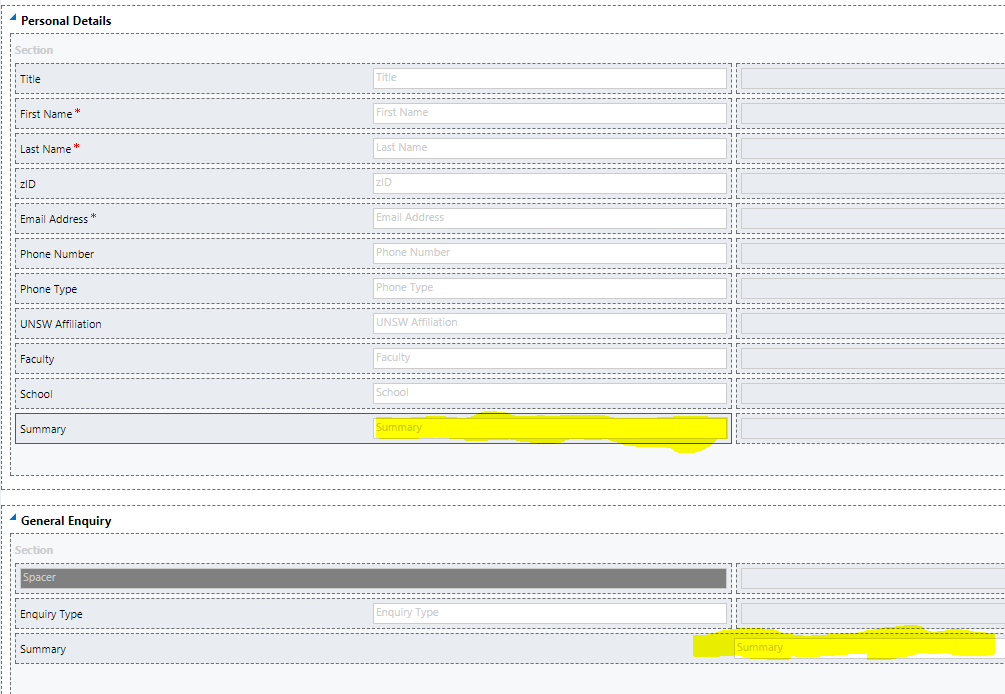
    screen1

    First, we tried to share some fields among multiple tabs. This approach is supported in CRM but portal doesn’t like it, apparently.

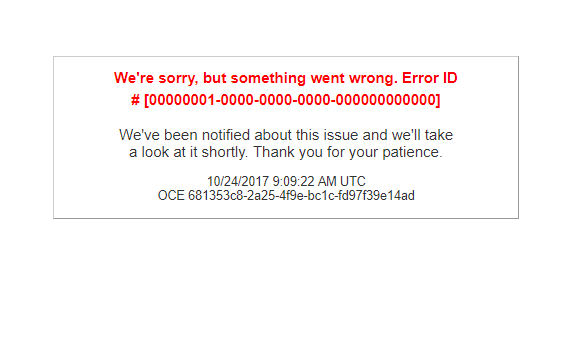
    screen5

    So we were getting the error on the portal. Like this.

    screen6

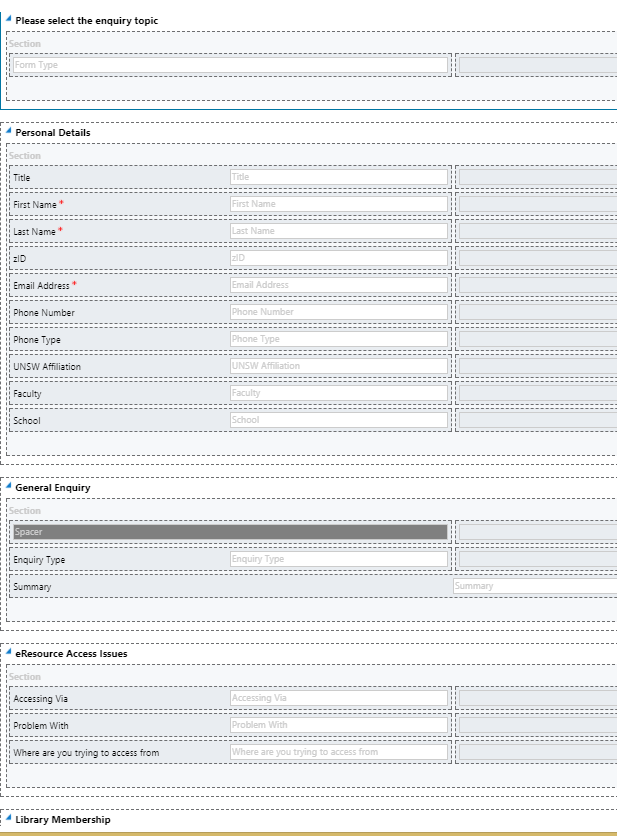
    After some thinking, we came up with the strategy. We combined all the common fields into one top section – one tab in CRM. We left Description and Notes as the common section at the very bottom of the form. Then we had to create some new fields to replace those we couldn’t share.

    screen2

    screen3

    Still planning to create the ticket with Microsoft support about this issue.

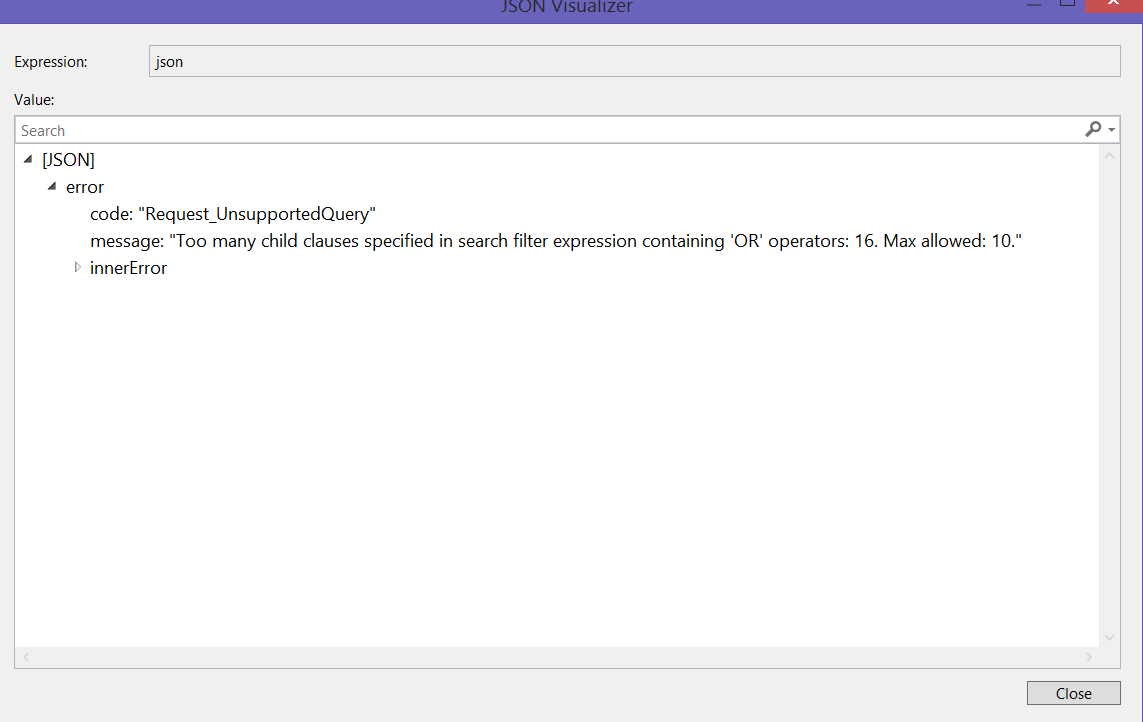
  • I have a list of emails, which are UPNs (user principal name), which I am using in a query filter to retrieve an information for Azure AD users.

    Honestly, I was exploring, trying to figure out the best way to query, knowing that IN {} statement is not supported for the filter. What is supported?

    Also, I was testing for the URL length limitation.

    Currently, I have only two users in my AD, so,  basically, my query looks like with lots of repeatitions:

    https://graph.microsoft.com/v1.0/users?$select=id, displayName, userPrincipalName&$filter=userPrincipalName eq ‘Louis@PearsonSpecter.onmicrosoft.com’ or
    userPrincipalName eq ‘Quang@PearsonSpecter.onmicrosoft.com’ or userPrincipalName eq ‘Louis@PearsonSpecter.onmicrosoft.com’ or
    userPrincipalName eq ‘Quang@PearsonSpecter.onmicrosoft.com’or userPrincipalName eq ‘Louis@PearsonSpecter.onmicrosoft.com’ or
    userPrincipalName eq ‘Quang@PearsonSpecter.onmicrosoft.com’or userPrincipalName eq ‘Louis@PearsonSpecter.onmicrosoft.com’ or
    userPrincipalName eq ‘Quang@PearsonSpecter.onmicrosoft.com’or userPrincipalName eq ‘Louis@PearsonSpecter.onmicrosoft.com’ or
    userPrincipalName eq ‘Quang@PearsonSpecter.onmicrosoft.com’or userPrincipalName eq ‘Louis@PearsonSpecter.onmicrosoft.com’ or
    userPrincipalName eq ‘Quang@PearsonSpecter.onmicrosoft.com’or userPrincipalName eq ‘Louis@PearsonSpecter.onmicrosoft.com’ or
    userPrincipalName eq ‘Quang@PearsonSpecter.onmicrosoft.com’or userPrincipalName eq ‘Louis@PearsonSpecter.onmicrosoft.com’ or
    userPrincipalName eq ‘Quang@PearsonSpecter.onmicrosoft.com’

    Opps! I didn’t know that. Did you?

    Max allowed is 10. Now we know 🙂

    msgraphquerylimitation

  • Agile with no Refactoring is no Agile

    Let’s say, you have a task to draw an elephant trunk.

    Elephant_trunk_(1).jpg

    You are very excited about the elephant trunk project. It’s going to be cool, it’s going to be an Agile project, of course. To play it safe, we can always modify the trunk, change a color, a size, a style. We will present the result to a customer ASAP to capture the feedback, to make changes if it’s required. It’s gonna be fine!

    Well… We are on a Sprint 1. And everybody is happy. Still.

    On Sprint hmmm … 3 customer comes to talk to you. They are extremely happy about the trunk. BUT …  some guys in IT reminded them about … tusks. Tusks need to be attached to the trunk if it’s possible. And we understand that it wasn’t in the initial scope, but trunk without tusks?!  It doesn’t make any sense! So it’s clear a new business requirement. Let’s make it happened!

    e05d0fdcd93de501ff786e172d4e05e6--african-elephant-african-animals.jpg

    Well, again, this picture is a very optimistic illustration, because in a real life we don’t know for sure, how those tusks are attached to the trunk. There some options, you know.

    Sprint 10.

    We introduced the concept of legs. We haven’t got an elephant body just yet and we have no idea, how it’s going to be connected with the trunk and tusks ( if it will be connected somehow)

    legs.jpg

    Sprint 23. 

    Yes, you could guess from the beginning what it’s gonna be at the end.

    Whole elephant!

    But it was all about Agile, not about guessing.

    You should be very happy if you’ve got something similar to what’s described  on this picture…

    elephant_African_bw150

    Because,  in my world, probably,  you’ve got something like this:

    elephantguess.jpg

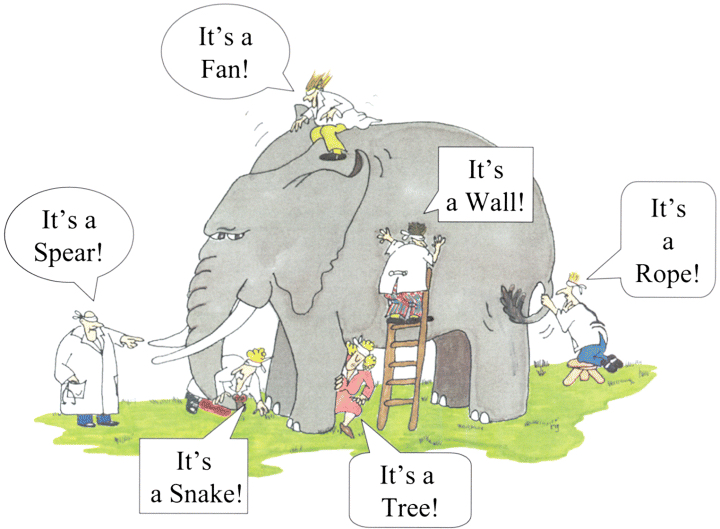
    It’s the nature of Agile projects: at the start we don’t know what it’s going to be at the end. Just approximately.

    To keep your solution clean and solid during  the Agile project you need refactoring. In other words, you have to keep reviewing and redesigning and redeveloping, retesting  your system while project requirements and scope are changing.

    Google it. There are many good articles and books regarding this topic.

    “Refactoring is the process of changing a software system in such a way that it does not alter the external behavior of the code yet improves its internal structure.”

    Attention!  If you have no code CRM solution, keep reading.

    According to Wiki, “Web app development is the creation of application programs that reside on remote servers and are delivered to the user’s device over the Internet.”

    There is nothing about coding here. If you have 5 CRM functional consultants  modifying the application program, using “no coding” configuration, it’s still a development. So keep reading.

    So,  in your Agile CRM project,  you definitely need to think about refactoring  if:

    1. You are on a Sprint 1+ and haven’t thought about this yet.
    2. You have multiple CRM developers ( functionals/ programmers) working on the same part of the system.
    3. Your requirements for the functionality of the system were extended or changed multiple times since Sprint 1.
    4. You have multiple workflows are running on the same entity.
    5. You have workflows and business rules triggered on the same entity.
    6. You have a plugin and a workflow triggered for the same entity.
    7. You have a plugin,  a workflow and a javascript triggered for the same entity.
    8.  You have a plugin,  a workflow, javascript and a business rule triggered for the same entity.
    9. You have multiple javascript functions on the same form and going to add one extra.
    10.  You have syncronous and asynchronous workflows running for the same entity (order matters)
    11. You feel your solution become too “crowdy”. Trust yourself. Do refactoring!
    12.  You love CRM add-ons and got them installed on top of your solution.
    13. [Many other scenarios ]

      You just need to review your solution from time to time.

    Just one more thing: it’s much easier to set customer expectations at the beginning of the project, introducing refactoring as a part of the process. But it’s never too late to do so. It’s not like we all want to, we just have to. Because it has a great impact on a quality of the end product.