• Power Automate: watch your (white)space!

    Well, as per the title. Watch your whitespace.

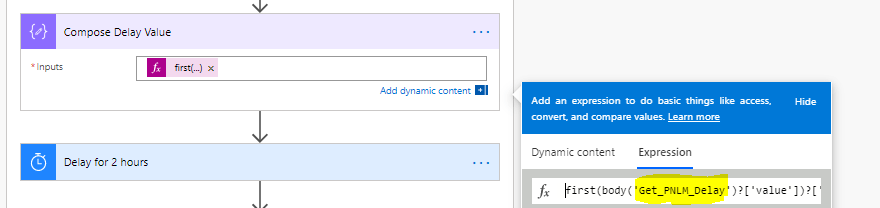
    For example, I was getting this error on the checker and tried to figure out what is wrong with the reference name.

    Flow Checker error

    When you use expressions you have to type things in. This is where you have to extra careful.

    Typing in expressions may cause errors

    It seams to look OK but in reality it’s a bit not OK, we just can’t see it straightaway.

    It looks OK but there is hidden issue

    There is an extra whitespace after the Get PNLM Delay. You can barely see it but it’s there.

    There is an extra whitespace in the action name.

    And it may cost you some time and extra grey hair. Let’s remove it!

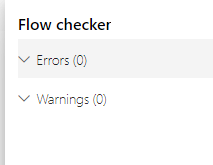
    No errors in Flow checker.

    Happy days 🙂

  • Power Apps Portals: where do I find my portal current version?!

    It’s a very simple question indeed. If you think you can just go to the Admin portal and check… If you think you can find it in the portal Overview or settings …

    It’s a very simple thing, indeed. So why it’s so not easy to find this information?!

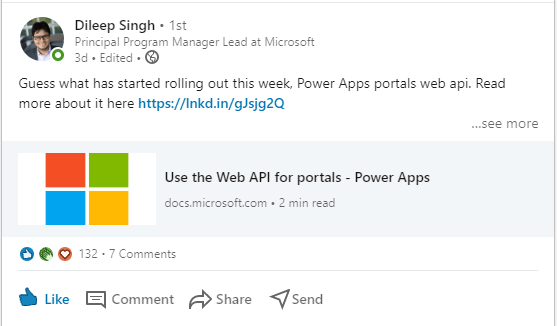
    As you probably know we are getting Web API available for the portals which enables lots of new possibilities and options for developers and new shiny features for customers.

    If your portal is available for the early preview you can start playing with it now or soon.

    https://docs.microsoft.com/en-us/powerapps/maker/portals/web-api-overview

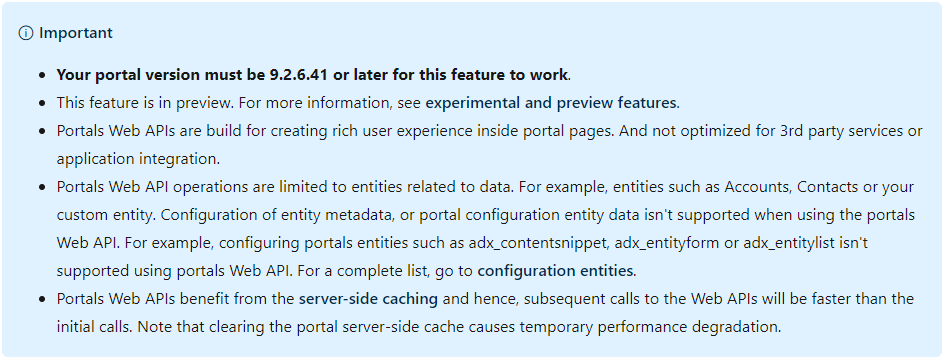
    WEB API for portal

    And this:

    Naturally, I wanted to check my portal version. Naturally, when my brain is in the user mode I am finding lots of interesting things which don’t think much about as a developer.

    So where do I check the portal version???

    Thank you, Adrian Nguyen for being awesome human being and saving my melting mind again.

    The easiest way, you don’t need to be logged in or have a portal web role. Apparently.

    1. Going to your portal service page: https://<your_portal>.powerappsportals.com/_services/about
    Portal version

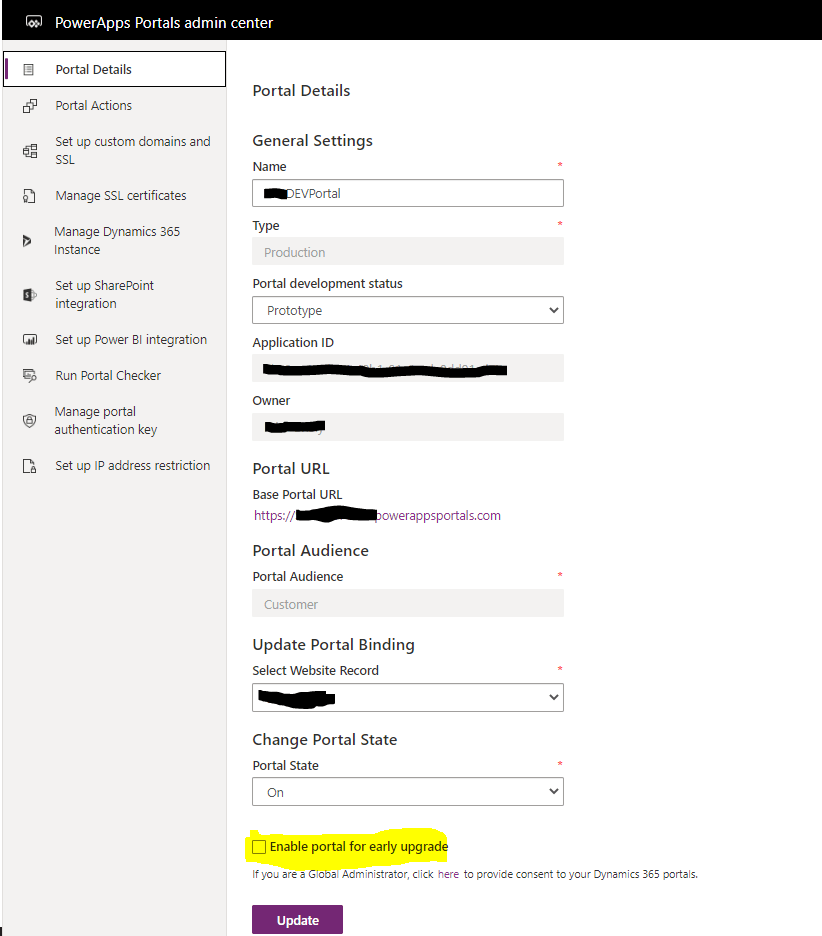
    Now I have to ask my customer to enable the early upgrade.

    Enable early updates

    Please share your alternative ways to detect the portal version in the comments.

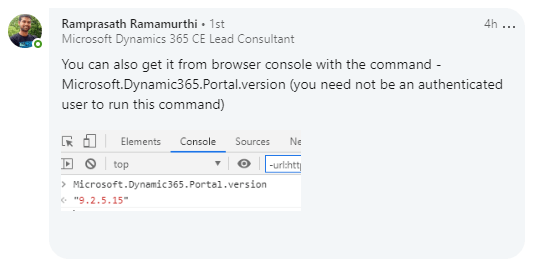
    Another option is from Ramprasath Ramamurthi

    Portal version from a browser console
  • Dynamics 365 CE/model-driven app: the form script unexpected discovery

    Something I won’t expect to discover. Yet, here I am!

    It’s all started with a very “simple” requirement to populate a read-only form field on change of another form field, Method. The fancy way it set up is when you select the field to change it pops up the window asking you if it was a client decision or not to change the field. If you answer Yes it sets the MethodSetBy field to a “Client” otherwise it sets it to “Vendor” or something.

    Easy!

    My function, ClientMethodChange, looked like this (with a much less ugly formatting):

    var confirmStrings = { text: "Is this change due to a client request?", title: "Confirmation Dialog", cancelButtonLabel: "No", confirmButtonLabel: "Yes" };
    var confirmOptions = { height: 200, width: 450 };
    
    Xrm.Navigation.openConfirmDialog(confirmStrings, confirmOptions).then(
    function (success) {
              if (success.confirmed) {
     //set to Client
                                            formContext.getAttribute("methodsetby").setValue(MethodSetBy.Client);
    }
             else {
     //set to Vendor                    formContext.getAttribute("methodsetby").setValue(MethodSetBy.Vendor);
                    }
    
             
     });

    During the testing it was discovered that if a person changes the method field then navigates to another form the MethodSetBy field loses the change. (Obviously!)

    To solve “the problem” we decided to use a force save statement in the JavaScript.

    formContext.data.entity.save();

    For some reason it wasn’t fully working still. So … I went debugging. I this is what I discovered.

    I called my ClientMethodChange function from another function and performed the force save in the parent function.

    this.MethodChange = function (executionContext) {
    var formContext = executionContext.getFormContext();
    
    var accountType = formContext.data.entity.attributes.getByName("zzz_accounttype");
    var accountTypeValue = accountType.getValue();
    if (accountTypeValue == AccountType.Client) {
    <my_namepspace>.ClientMethodChange(formContext);
    }
    else {
    if (accountTypeValue == AccountType.Property) {
    <my_namepspace>.PropertyMethodChange(formContext);
    }
    }
    var currentDateTime = new Date();
    formContext.getAttribute("zzz_lastenmethodchange").setValue(currentDateTime);
    formContext.data.entity.save();
    }

    Because I was expecting that my function will be called from the parent and all steps will be performed synchronously. I expected the parent function to wait until the child function finished its steps. Silly me!

    The debugging relieved that after calling the ClientMethodChange function the parent function continued with its the steps.

    In my case the force save was performed prior the MethodSetBy was set in the child function. The change wasn’t saved.

    Summary: read carefully, please. I tested it on the brand new environment for a model-driven app. If you call one form function within another function the child function steps will be performed asynchronously in relation to the parent function. Whatever you do after the child function is called, the parent function will not wait for the completion of the child function. Thanks to Alex Shlega I don’t feel like a crazy person anymore! The mysterious “async” effect was triggered by Xrm.Navigation.openConfirmDialog which was delaying the update of the field (due of its truly async nature).

    Our life is full of dramatic discoveries. One of those made my Friday amazing and “ain’t boring”.

    Also, shouting out to my partner who said that it’s not possible and there is something more to it! Yes, you were right. (I really said it)

    Happy coding!

  • Power Automate: PARSE JSON action with value or null

    Power automate is endless fun!

    Today we are going to explore a very “simple” issue which are 2 issues actually:

    1. how to define “allow null” in a schema to avoid annoying errors
    2. how to get away with the 1. without the painful consequences

    Let’s start from the beginning!

    PARSE JSON is a very useful action and we use it a lot in Power Automate.In my case I parse the response from a third-party API to populate a CDS entity. We can use a Generate from sample to auto-generate a schema.

    PARSE JSON action

    Which is totally awesome if you’ve got a sample which fully defines your schema. In my schema all values are optional. It doesn’t mean they will always be nulls but it’s bad enough to get a Power Automate error after the first run: “Invalid type. Expected String but got Null” So I understand that the generated schema has to be changed to allow nulls in the response.

    We have to modify the schema manually.

    There are 3 ways I know and I will list all 3 here below:

    1. Tell that Description can be null:
    "LotReference": {
    "type": [
    "string",
    "null"
    ]
    }

    2. Tell we have no idea what it is y removing a type mentioning completely:

    "LotReference": {}

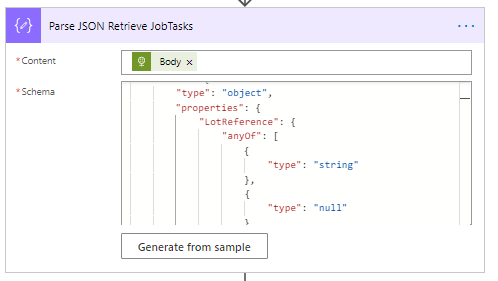
    3. Using anyof in the definition:

     "LotReference": {
                    "anyOf": [
                        {
                            "type": "string"
                        },
                        {
                            "type": "null"
                        }
                    ]
                }


    I will tell you something: Power Automate hates the first option! Yes, it stops complaining and even parses your response and throughs no errors but it “hides” the Dynamics content values related to the response.

    The second option is OK. I will show you the screenshot, however there is another issue with it. It has to be converted via expressions or variables somehow after. If you response is as long as mine this is the last thing you want, really.

    There is an option 2 and 1 on the screenshot below.

    Options 1 and 2.

    With the Dynamic content hidden for ContactReference (option 1) and available for OwnerReference(option 2).

    Option 1- “type”:[“string”,”null] doesn’t generate a Dynamic content value.

    No-type option 2 definition –

    At last, the option 3 is there, in the Dynamic content, with the correct type!

    Using anyOf in the schema to define nullable values
    All available Dynamic content for PARSE JSON parsed user-friendly

    If you want to learn more about PARSE JSON, read John’s blog post here: http://johnliu.net/blog/2018/6/a-thesis-on-the-parse-json-action-in-microsoft-flow

    He uses a typeless option 2 in his example.

    Happy parsing!

  • Get Count of records retrieved in CDS connector in a Flow | Power Automate

    I am always forgetting this expression …

    priyeshwagh777's avatarD365 Demystified

    In several applications, you need to know how many record were retrieved in the List records Action in a Common Data Service connector in order to take a decision.

    Scenario

    Typically, let’s say I know only 1 record should exist in order to take that record forward and do an action. But how do I know when only 1 record was received? That’s when you use Control

    Check Count

    Now, let’s say you want to want to retrieve Accounts and know how many were returned (Perhaps, you want to proceed only if at least 1 or more were retrieved)

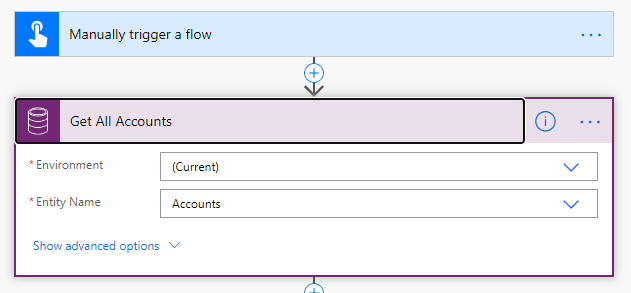
    1. This is my List Records action and I’ve named it as Get All Records.
      defaultListRecords
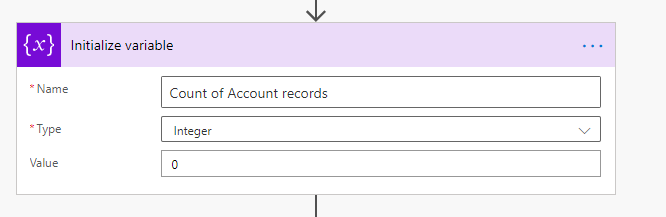
    2. And just to display how many records are retrieved, I’ll use a variable. Usually, you would use this in condition (which we’ll get to in a bit)
      initVar
    3. So, in the expressions to set the Variable, under Dynamic…

    View original post 163 more words