Olena's Dynamics Blog (post-AI)
Writing as a human
Category: PowerApps
-

This error for me occured when I was copying scripts and using blank queries. This is not my image, not my database, so don’t try to access it, please 😀 I found it in Internet to illustrate the point. This message is a little bit a lot not helping. If you deploy something to PROD…
-

This article is using a test data because using customer data is wrong. The rest is very practical stuff. If you don’t use Dataflow for Power Apps still I think you should. I am trying to solve a typical problem. We’ve got a Choice column Business Type for Account (for example). We need to remove…
-
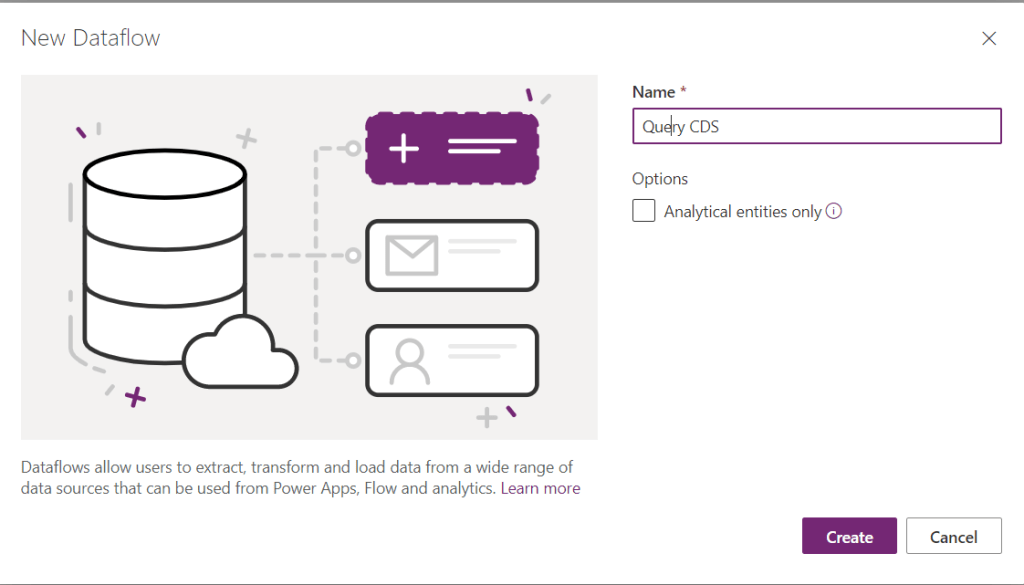
Recently I posted about the same issue: https://wordpress.com/post/msolenacrm.blog/1580 . Yesterday I discovered a new way. It looks like OData connector is more friendly than the Web API one. Use FetchXmlBuilder to help you to build the query. Start creating you Dataflow: For the data source on the tab Other pick up the OData connector. For…
-

In my Dataflow you would like to query CDS data. This is how I you it. Click on New dataflow and enter the name. On the next screen on the tab Other select Web API. Go to your model-driven app Advanced Settings. Select Customizations -> Developer Resources. Copy Instance Web API Service Root URL. Paste…
-

When you clicked on the magic button which you found here how do you monitor the progress? In the Power Platform admin center go to Environments. In the list of environments click on the environment you are upgrading Field Service on: https://admin.powerplatform.microsoft.com/environments From Resources click on Dynamics 365 apps … Enjoy the progress!
 Olena's Dynamics Blog (post-AI)