
With the new Power Apps admin portal if you want to upgrade the Field Service solution you have to do the following:
- Go to Power Platform Admin center:
https://admin.powerplatform.microsoft.com/
2. From the left navigation Resources -> Dynamics 365 apps:
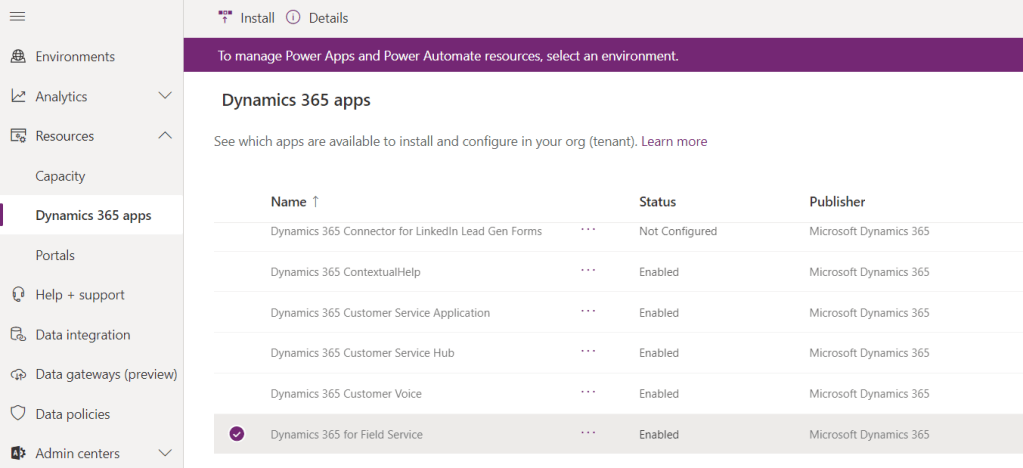
3. Select Dynamics 365 Field Service.
4.Click on … then click on Install. It looks scary so I didn’t want to click until I was encouraged by Adrian (https://adriandynamics.wordpress.com/)

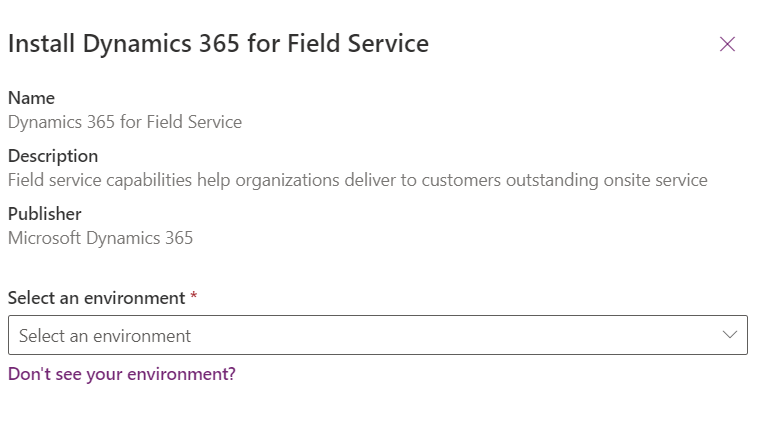
Yes, Mira (https://onlinemgblog.wordpress.com/), you told me I have to press that button 😀
Thanks to Adrian and Mira for helping me to find “the magic” button!

 Olena's Dynamics Blog (post-AI)
Leave a comment